
Introduction: Which AI Tool Should You Actually Use in 2026?
There are more AI tools than ever—but choosing the right one can be harder than using one.
Should you use ChatGPT or Claude for writing? Is Gemini better if you already use Google Workspace? Do you need Perplexity for research? Should developers choose Cursor or GitHub Copilot? And when does paying for a specialized AI tool actually make sense?
These are the questions many creators, freelancers, developers, marketers, students, and business owners face in 2026.
The good news is that you do not need dozens of AI subscriptions to get useful results.
The best AI tool depends on the job you need to complete.
A content creator may need AI for writing, images, and video. A developer may need an AI coding assistant. An SEO professional may need content optimization and AI-search visibility tools. A business owner may care more about automation, research, meetings, and productivity.
That is why this guide does more than list popular AI products.
We compare 15 widely used AI tools across major categories, including:
- AI assistants
- Research
- Coding
- Image generation
- Writing
- Video
- SEO
- Productivity
For each tool, you will find its main use case, pricing, key features, strengths, limitations, and the type of user it may suit.
Quick Answer
If you want a general-purpose AI assistant, ChatGPT, Claude, and Gemini are strong options with different strengths.
For research and source-backed answers, Perplexity is built around web search and citations.
For coding, Cursor and GitHub Copilot offer different approaches to AI-assisted development.
For images, Midjourney remains focused on creative image generation.
For professional writing, Grammarly and Jasper target different stages of the writing workflow.
For AI video, HeyGen and OpusClip focus on avatar-based creation and video repurposing respectively.
For SEO, Frase and Surfer provide content optimization and AI-search visibility workflows.
And for productivity, Notion and Motion approach organization and scheduling from different angles.
There is no universal “best AI tool.” The better question is: which tool solves your specific problem with the least friction and the right cost?
Best AI Tools in 2026 at a Glance
| Tool | Best For | Free Option | Paid Starting Point* |
| ChatGPT | General-purpose AI | Yes | $8/month Go; $20/month Plus |
| Claude | Writing, reasoning & coding | Yes | $20/month Pro |
| Google Gemini | Google ecosystem & research | Yes | $19.99/month AI Pro |
| Perplexity | Web research & citations | Yes | $20/month Pro |
| Cursor | AI-assisted coding | Yes | $20/month Pro |
| GitHub Copilot | IDE-based coding assistance | Yes | $10/month Pro |
| Midjourney | Creative image generation | No free tier | $10/month Basic |
| Grammarly | Writing improvement | Yes | $12/month annually |
| Jasper | Marketing content | Trial | $59/month annually |
| HeyGen | AI avatar videos | Yes | $29/month Creator |
| OpusClip | Short-form video repurposing | Yes | $15/month Starter |
| Frase | SEO content & AI visibility | Trial | $39/month annually |
| Surfer | SEO & AI-search optimization | Trial | $49/month Discovery annually |
| Notion | Workspace & collaboration | Yes | $10/member/month Plus annually |
| Motion | AI scheduling & project management | Trial | $19/seat/month Pro AI |
*Prices can vary by billing cycle, region, taxes, promotions, and plan changes. Always check the provider’s current pricing page before purchasing.
ChatGPT — General-Purpose AI Assistant
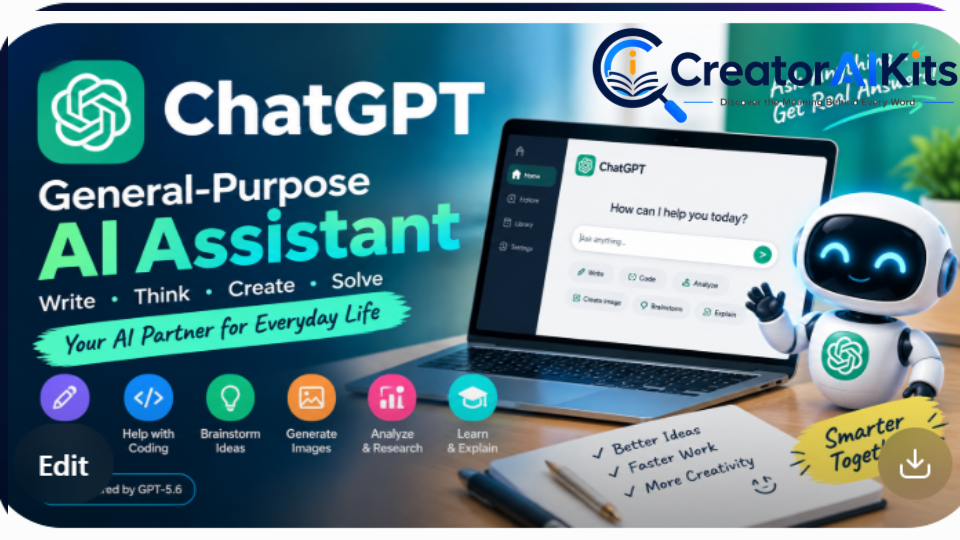
Best for: Writing, brainstorming, analysis, coding, research, file analysis, image generation, and everyday AI assistance.
ChatGPT is designed as a broad AI assistant rather than a single-purpose tool. That makes it useful for people who want one platform that can handle many different tasks.
Pricing
- Free: Available with usage limits
- Go: $8/month in the U.S.; pricing can be localized in some markets
- Plus: $20/month
- Pro: $200/month
OpenAI notes that plan features and model availability can change over time.
Key Features
- Conversational AI
- File uploads and analysis
- Image generation
- Voice conversations
- Advanced reasoning options
- Research features where available
- Coding assistance
- Custom workflows and specialized GPTs
Why Consider ChatGPT?
Its biggest advantage is breadth. Instead of maintaining separate tools for every small task, many users can handle writing, brainstorming, analysis, research, and coding assistance from one interface.
Limitations
- Usage limits can vary by plan
- AI-generated information still needs verification
- Advanced usage can become expensive at higher tiers
Best suited to: People who want one flexible AI assistant for multiple types of work.
Claude — Strong for Writing, Reasoning & Coding
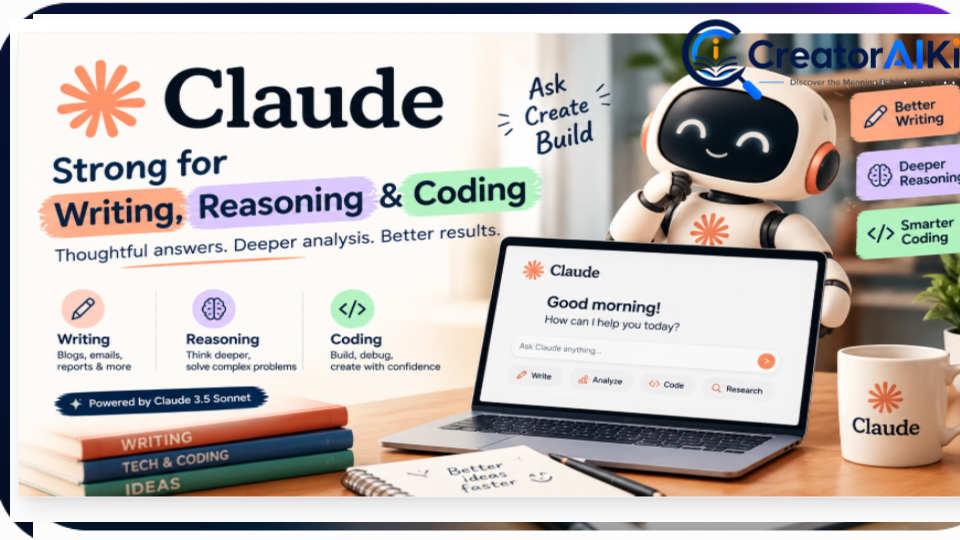
Best for: Long-form writing, analysis, reasoning, and coding assistance.
Claude is developed by Anthropic and is available through free and paid plans. Its positioning makes it particularly relevant for users who spend significant time working with text, documents, analysis, and code.
Pricing
- Free: Available
- Pro: $20/month
- Higher usage plans are also available for heavier users.
Anthropic’s published Pro pricing is $20/month.
Key Features
- Long-form writing
- Document analysis
- Coding assistance
- Reasoning
- Research-oriented workflows
- Large-context document work
Strengths
Claude can be useful when the task requires reading substantial amounts of text or developing a response through several iterations.
Limitations
- Usage depends on plan and demand
- Feature availability can change
- It may not be the best fit for users who primarily want image-generation or broad media features
Best suited to: Writers, researchers, developers, and professionals working with large amounts of text.
Google Gemini — Best for Google Ecosystem Users
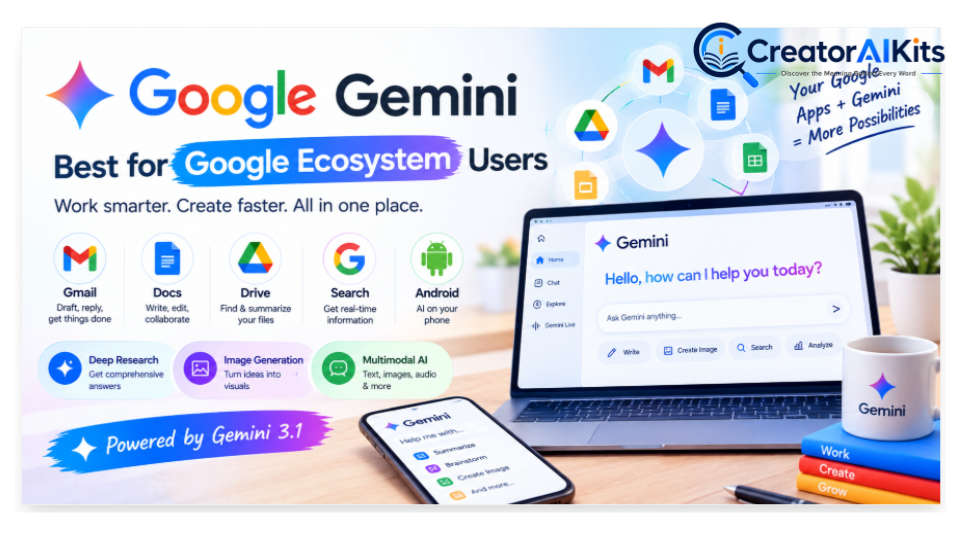
Best for: Google Workspace users, research, multimodal tasks, and workflows involving Google’s ecosystem.
Gemini becomes particularly interesting if your work already happens inside Google services.
Pricing
Google currently lists Google AI Pro at $19.99/month, including expanded Gemini access and 5 TB of storage.
Key Features
- Gemini AI assistance
- Deep Research
- Google Workspace integration
- Gmail and Docs assistance
- Google Drive storage
- Google-related AI features
- Multimodal capabilities
Why Consider Gemini?
The main advantage is not simply the chatbot itself. It is the connection with Google’s broader ecosystem.
If you already work heavily in Gmail, Docs, Drive, and other Google services, keeping AI assistance within that ecosystem can reduce app switching.
Limitations
- Some features depend on plan and region
- Google’s AI product naming and availability can change
- Different users may have different feature access
Best suited to: Google Workspace users, students, researchers, and businesses already using Google’s ecosystem.
Perplexity — AI Research and Search

Best for: Web research, source discovery, fact-checking, and current information.
Perplexity is built around an answer-engine approach in which responses are accompanied by citations and web sources.
Pricing
- Free: $0
- Pro: $20/month or $200/year
Perplexity’s official pricing page currently lists Pro at $20/month and includes expanded research, file, model, and other capabilities.
Key Features
- Web search
- Inline citations
- Pro Search
- Deep Research
- File analysis
- Access to multiple AI models
- Research-focused workflows
Strengths
The citation-first workflow can make it easier to trace where information came from.
Limitations
- Free usage is limited
- Citations still need to be checked
- It is not primarily designed as a full creative-writing platform
Best suited to: Researchers, students, journalists, analysts, marketers, and anyone who frequently needs current web information.
Cursor — AI-Assisted Coding
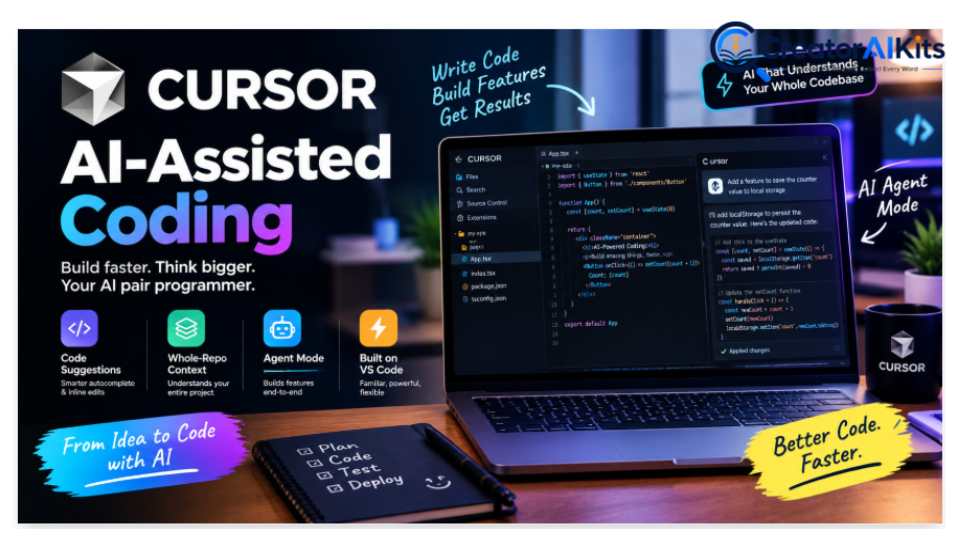
Best for: Developers working with larger codebases and AI-assisted programming workflows.
Cursor is an AI-focused code editor built around agentic development and codebase-level assistance.
Pricing
- Hobby: Free
- Pro: $20/month
- Pro+: $60/month
- Ultra: $200/month
- Team pricing is available separately.
Cursor’s current pricing page lists these individual plans and notes that annual billing can provide savings.
Key Features
- AI coding assistance
- Agent workflows
- Codebase context
- Frontier model access
- Cloud agents
- MCP support
- Bugbot usage-based features
Strengths
Cursor is designed around the idea that AI should understand more than the single line of code you are currently editing.
Limitations
- Advanced usage can increase costs
- Agent workflows require careful review
- Beginners may find the feature set overwhelming
Best suited to: Developers working on medium-to-large software projects.
GitHub Copilot — AI Coding Inside Your Existing Workflow
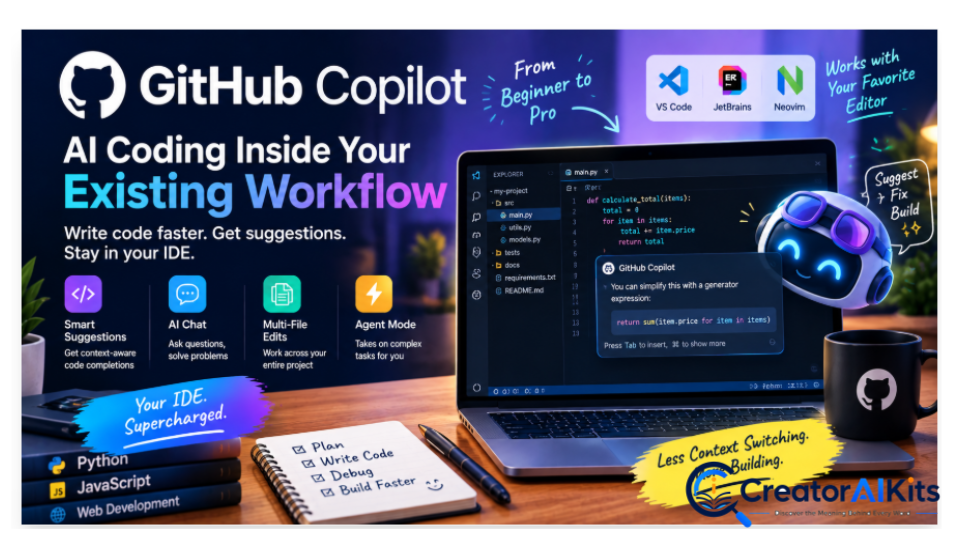
Best for: Developers who want AI coding assistance inside supported IDEs and GitHub workflows.
Pricing
- Free: $0
- Pro: $10/user/month
- Pro+: $39/user/month
- Max: $100/user/month
- Business: $19/user/month
- Enterprise: $39/user/month
GitHub’s current plans include 2,000 monthly completions on the Free plan, while paid plans add broader model and agent capabilities.
Key Features
- Code completion
- Chat assistance
- Agent mode
- Code review
- Cloud agent
- IDE integrations
- GitHub integration
Strengths
The biggest benefit is workflow integration. Developers can use Copilot without abandoning their familiar development environment.
Limitations
- AI-credit usage applies to some advanced interactions
- Complex agent workflows may consume more usage
- Output still needs code review
Best suited to: Developers who want AI assistance without moving to a completely different coding environment.
Midjourney — Creative AI Image Generation
Best for: Creative visuals, concept art, marketing imagery, illustrations, and visual experimentation.
Pricing
- Basic: $10/month
- Standard: $30/month
- Pro: $60/month
- Mega: $120/month
- Annual plans receive a 20% discount.
Midjourney’s official plan comparison confirms these current prices and includes GPU-time and privacy differences between plans.
Key Features
- AI image generation
- Multiple subscription levels
- Relax Mode on eligible plans
- Stealth Mode on Pro and Mega
- Creative image workflows
Strengths
Midjourney remains focused heavily on visual creation and creative control.
Limitations
- No standard free tier
- Generation capacity depends on the plan
- Users need to understand GPU-time usage
Best suited to: Designers, creators, marketers, illustrators, and businesses producing visual content.
Grammarly — Writing Improvement
Best for: Grammar, rewriting, tone, clarity, and professional communication.
Grammarly is particularly useful when you already have a draft and want to improve it rather than generate an entire article from scratch.
Pricing
- Free: $0
- Pro: $12/member/month when billed annually
- Monthly Pro pricing is $30/member/month
- Enterprise: Contact sales
Grammarly’s current pricing page lists these rates and features.
Key Features
- Grammar and spelling assistance
- Rewriting
- Tone adjustment
- Writing suggestions
- AI prompts
- Plagiarism and AI-related features on eligible plans
Strengths
Grammarly works directly in many writing environments, which can reduce the need to move text between applications.
Limitations
- Full AI writing is not its only purpose
- Advanced features require a paid plan
- It is more useful as a writing assistant than as a complete research platform
Best suited to: Students, freelancers, professionals, content writers, and business teams.
Jasper — Marketing Content
Best for: Marketing teams, brand-focused content, campaigns, and multi-brand workflows.
Jasper is designed specifically around marketing content rather than general-purpose AI assistance.
Pricing
- Pro: $59/month when billed annually
- Pro: $69/month when billed monthly
- Business: Custom pricing
- Free trial available
Jasper’s current pricing page lists Pro at $59/month annually or $69/month monthly.
Key Features
- Brand voice
- Marketing workflows
- Content creation
- Brand knowledge
- Marketing agents
- Team collaboration
Strengths
The platform is aimed at organizations that care about consistent brand messaging across multiple marketing workflows.
Limitations
- More expensive than general-purpose AI assistants
- May be unnecessary for occasional writers
- Advanced marketing features can be more useful to teams than individuals
Best suited to: Marketing professionals, agencies, and businesses managing brand content.
HeyGen — AI Avatar Video Creation
Best for: AI avatar videos, training, marketing videos, multilingual content, and presentations.
Pricing
- Free: $0/month
- Creator: $29/month
- Pro: $49/month
- Business: $149/month
- Enterprise: Custom
HeyGen’s current pricing page lists the Free, Creator, Pro, and Business tiers and their associated video limits and credits.
Key Features
- AI avatars
- Voice cloning
- AI video generation
- Translation
- 1080p and 4K options on paid tiers
- Video templates
Strengths
HeyGen can reduce the need for traditional camera-based production for certain types of videos.
Limitations
- Credits affect usage
- Avatar output still requires quality review
- Advanced plans can become expensive
Best suited to: Creators, marketers, trainers, educators, and businesses producing presenter-style videos.
OpusClip — Turn Long Videos Into Short Clips
Best for: YouTube Shorts, Instagram Reels, TikTok, and short-form content repurposing.
Pricing
- Free: $0/month
- Starter: $15/month
- Pro: $29/month
- Business: Custom
OpusClip currently lists 60 credits/month on Free, 150 credits/month on Starter, and 3,600 credits/year on its annual Pro option.
Key Features
- AI clipping
- Virality Score
- Animated captions
- Auto-reframing
- Social publishing
- AI B-roll
- Video editing
Strengths
Instead of manually searching through a long video for short clips, OpusClip automates much of the initial selection and formatting process.
Limitations
- AI-selected clips still need human review
- Free exports have restrictions
- Credit limits vary by plan
Best suited to: Podcasters, YouTubers, creators, agencies, and social-media teams.
Frase — SEO Content and AI Visibility
Best for: SEO content research, optimization, content briefs, and AI-search visibility.
Pricing
- Starter: $39/month billed annually or $49 monthly
- Professional: $103/month billed annually or $129 monthly
- Scale: $239/month billed annually or $299 monthly
- Enterprise: Custom
Frase’s current pricing page lists AI visibility across ChatGPT and Google AI, SEO/GEO scoring, content workflows, and different article/audit limits by plan.
Key Features
- Content briefs
- SEO scoring
- AI writing
- Content audits
- Internal linking suggestions
- AI visibility tracking
- Content publishing workflows
Strengths
Frase combines content research and optimization rather than treating them as completely separate tasks.
Limitations
- Higher tiers are aimed at teams
- Monthly content limits apply
- Beginners may need time to learn the platform
Best suited to: SEO writers, content teams, agencies, and website owners publishing content regularly.
Surfer — SEO and AI Search Optimization
Best for: Content optimization, SEO workflows, and tracking visibility across traditional and AI search.
Surfer’s current pricing has changed considerably from older pricing tables, so the older $59 Essential figure in the original draft should not be published as current pricing.
Current Pricing
- Discovery: $49/month billed yearly
- AI Search Analytics: $82/month
- Standard: $99/month billed yearly
- Pro: $182/month billed yearly
- Peace of Mind: $299/month billed yearly
- Enterprise: Custom
Surfer currently positions its platform around both Google visibility and AI-search visibility, including tracking across ChatGPT, Perplexity, Google AI Mode, Google AI Overviews, and Gemini.
Key Features
- Content optimization
- Content Score
- SERP analysis
- AI SEO optimization
- AI visibility tracking
- Keyword research
- Content audit
- Internal linking
- AI-search analytics
Strengths
Surfer is increasingly positioned as a broader visibility platform rather than only a traditional content-scoring tool.
Limitations
- More expensive than basic SEO tools
- Some features are designed for teams
- The platform can be more than a beginner needs
Best suited to: SEO professionals, agencies, content teams, and businesses investing seriously in organic visibility.
Notion — AI-Powered Workspace
Best for: Project organization, documentation, databases, collaboration, and knowledge management.
Pricing
- Free: $0
- Plus: $10/member/month annually
- Business: $20/member/month
- Enterprise: Custom
Notion’s current pricing page lists Plus at $10/member/month annually and Business at $20/member/month.
Key Features
- Documents
- Databases
- Project management
- Collaboration
- AI-powered workspace features
- Knowledge management
- Meeting and project workflows
Strengths
Notion’s major advantage is context. Projects, documents, databases, and team information can live in the same workspace.
Limitations
- The flexibility can create a learning curve
- AI features vary by plan
- Large workspaces can become complicated without good organization
Best suited to: Freelancers, startups, teams, students, and businesses that want one central workspace.
Motion — AI Scheduling and Project Management
Best for: Time management, task planning, meetings, scheduling, and project organization.
Pricing
Motion’s current pricing page lists:
- Pro AI: $19/seat/month
- Business AI: $29/seat/month
The plans include AI scheduling, projects, tasks, calendar features, documents, integrations, and monthly credits.
Key Features
- AI calendar
- Task planning
- Automatic scheduling
- Project management
- Meeting scheduling
- AI writing
- Dashboards
- Integrations
Strengths
Motion focuses on turning tasks and meetings into a more structured daily schedule rather than simply providing another chatbot.
Limitations
- Requires a structured workflow
- Some users may not need AI scheduling
- Credit usage applies to certain features
Best suited to: Busy professionals, managers, consultants, freelancers, and teams managing many deadlines.
AI Tool Comparison: ChatGPT vs Claude vs Gemini
If you are deciding between the three major general-purpose assistants, focus on your workflow rather than asking which one is universally “best.”
| Feature | ChatGPT | Claude | Gemini |
| General AI assistance | Strong | Strong | Strong |
| Writing | Strong | Strong | Strong |
| Coding | Strong | Strong | Strong |
| Research | Strong | Strong | Strong |
| Google integration | Limited compared with Gemini | Limited | Strong |
| Image capabilities | Available | More limited depending on product | Available |
| Free access | Yes | Yes | Yes |
| Paid starting point | $8 Go / $20 Plus | $20 Pro | $19.99 AI Pro |
Which one fits which workflow?
Choose ChatGPT when you want a broad set of AI capabilities in one place.
Consider Claude when long-form writing, reasoning, document work, or coding is central to your workflow.
Consider Gemini when your work is deeply connected to Google services.
The important point is that different strengths matter to different users.
Cursor vs GitHub Copilot
Developers often compare these two tools because they solve similar problems in different ways.
| Feature | Cursor | GitHub Copilot |
| Free option | Yes | Yes |
| Paid starting point | $20/month | $10/month |
| AI coding | Yes | Yes |
| Agent workflows | Yes | Yes |
| Code completion | Yes | Yes |
| IDE integration | Dedicated editor | Multiple supported IDEs |
| GitHub integration | Available | Native |
| Best fit | AI-first development workflow | Existing IDE/GitHub workflow |
Cursor may appeal to developers who want an AI-native editor, while Copilot may appeal to developers who want AI assistance inside their existing development environment.
Perplexity vs Gemini for Research
Both can support research, but their workflows are different.
| Feature | Perplexity | Gemini |
| Web research | Yes | Yes |
| Citations | Central to results | Available depending on workflow |
| Deep Research | Yes | Yes |
| Google ecosystem | Limited | Strong |
| Free access | Yes | Yes |
| Paid starting point | $20/month | $19.99/month AI Pro |
Perplexity is especially focused on source-backed answers, while Gemini can be attractive for users already working heavily inside Google’s ecosystem.
How to Choose the Right AI Tool
Buying AI tools because they are popular can quickly create subscription overload.
Use this five-step framework instead.
Step 1: Identify Your Biggest Bottleneck
Ask:
What takes too much time in my current workflow?
Examples:
- Research → consider a research-focused tool
- Writing → consider an AI writing assistant
- Coding → consider an AI coding tool
- Video editing → consider an AI video workflow
- SEO → consider an SEO/content optimization platform
- Scheduling → consider an AI productivity tool
Do not start with the tool.
Start with the problem.
Step 2: Check Whether It Fits Your Existing Workflow
A powerful tool can still be inconvenient if you constantly need to copy and paste information between applications.
Check whether it works with:
- Google Workspace
- Microsoft 365
- GitHub
- WordPress
- Slack
- CRM systems
- Project-management tools
- Your existing content workflow
The best workflow is often the one that removes unnecessary steps.
Step 3: Compare the Actual Output
Before paying, test the same task in two or three tools.
For example, ask each tool to:
- Write the same article outline.
- Analyze the same document.
- Solve the same coding problem.
- Research the same topic.
- Rewrite the same paragraph.
Then compare:
- Accuracy
- Relevance
- Clarity
- Editing required
- Speed
- Ease of use
This is more useful than choosing a tool simply because it has a higher marketing score.
Step 4: Calculate the Real Cost
Do not look only at the subscription price.
Consider:
Monthly cost + usage limits + seats + credits + additional tools required.
A $20 tool that you use every day may provide more practical value than a $5 tool that you rarely open.
Also check annual billing. Several providers offer lower effective monthly rates when you pay annually.
Step 5: Review Privacy and Data Controls
AI tools can process sensitive information.
Before uploading business or client material, check:
- Data retention
- Training policies
- Privacy controls
- Data deletion
- Team administration
- Security certifications
- Enterprise controls
Never assume that every AI service handles your data in the same way.
Recommended AI Stacks by User Type
Instead of buying everything, build a small stack around your actual needs.
For Content Creators
A possible workflow could include:
- One general AI assistant
- One image-generation tool
- One video-repurposing tool
For example, you could combine a general assistant with Midjourney and OpusClip depending on the type of content you produce.
For Developers
A simple stack could include:
- One AI coding tool
- One general AI assistant
- One research tool
Cursor + ChatGPT + Perplexity is one possible combination, but your existing IDE and workflow should determine the final choice.
For SEO Professionals
A potential workflow could include:
- One general AI assistant
- One SEO/content optimization platform
- One research tool
Frase and Surfer can serve different parts of the SEO workflow, so compare their current features and pricing before subscribing to both.
For Small Marketing Teams
A marketing-focused stack might include:
- General AI assistance
- Brand-focused content creation
- SEO/content optimization
- Writing quality control
Jasper, Grammarly, and an SEO platform can cover different parts of this workflow.
Are Paid AI Tools Worth It?
Sometimes yes—but not automatically.
A paid AI tool is easier to justify when it:
- Saves significant time
- Replaces repetitive manual work
- Improves an important workflow
- Provides capabilities unavailable in the free tier
- Integrates with your existing tools
- Is used frequently enough to justify the cost
If you only use an AI tool once or twice a month, the free version may be enough.
Do not buy an AI subscription simply because everyone is talking about it.
Do You Need More Than One AI Subscription?
Not necessarily.
For many users, one general-purpose AI assistant is enough.
A second subscription can make sense when it solves a completely different problem.
For example:
General AI + Research
or
Coding assistant + General AI
or
Writing assistant + SEO platform
The key is avoiding overlapping subscriptions that perform essentially the same job.
Frequently Asked Questions
What is the best AI tool in 2026?
There is no single AI tool that is best for every user. The right choice depends on your task, workflow, budget, integrations, and required features.
For general-purpose work, ChatGPT, Claude, and Gemini are major options. For research, Perplexity is strongly focused on cited web answers. Specialized tools can be more appropriate for coding, images, video, SEO, and productivity.
What is the best free AI tool?
The answer depends on what you want to do.
For general AI tasks, you can start with ChatGPT, Claude, or Gemini’s free options.
For research, Perplexity offers a free tier with citations.
For coding, GitHub Copilot has a free plan with monthly completion limits.
For images, many platforms offer limited free or trial access, but Midjourney currently uses paid subscriptions rather than a standard free tier.
Is ChatGPT worth paying for?
It can be, particularly if you use AI frequently for writing, research, analysis, coding, files, images, or other supported workflows.
ChatGPT Plus currently costs $20/month, while OpenAI also offers a lower-cost Go plan in supported markets.
Is Claude better than ChatGPT?
It depends on the task.
Claude can be particularly attractive for long-form writing, reasoning, document work, and coding. ChatGPT offers a broad collection of capabilities and tools.
Rather than choosing based on a universal ranking, test both with the exact work you perform most often.
Which AI tool is best for research?
Perplexity is specifically designed around web research and cited answers. Gemini also provides research capabilities, especially useful for users already working inside Google’s ecosystem.
Which AI coding tool should developers use?
Cursor and GitHub Copilot are both worth considering.
Cursor starts at $20/month for Pro, while GitHub Copilot Pro starts at $10/month.
The better fit depends on whether you want an AI-first coding environment or AI assistance integrated into your existing development workflow.
Are AI writing tools worth paying for?
They can be useful when writing is a significant part of your work.
However, not every writer needs a dedicated writing subscription. A general-purpose AI assistant plus a grammar/editorial tool may be enough for some workflows.
How much should I spend on AI tools each month?
Start with the smallest number of subscriptions that solves your biggest problems.
For an individual user, one general AI subscription may be enough.
As your workflow grows, you can add specialized tools for research, SEO, coding, video, or productivity.
The goal should be measurable usefulness—not the number of AI subscriptions you own.
Do AI tool prices change?
Yes.
AI companies frequently change plans, usage limits, models, credits, and features.
That is why prices in this guide should be treated as a current reference point, not a permanent guarantee. Always confirm the provider’s pricing page before subscribing.
Final Takeaway: Choose the Tool for the Job
The AI market in 2026 is too large to reduce to one universal winner.
The right tool depends on what you create, how you work, how often you use AI, and what you are willing to pay.
If you need general-purpose AI
Consider ChatGPT, Claude, or Gemini.
If you need web research
Consider Perplexity or Gemini’s research features.
If you are a developer
Compare Cursor and GitHub Copilot based on your coding environment.
If you create images
Consider Midjourney if creative image generation is a major part of your workflow.
If you need writing assistance
Consider Grammarly for editing and Jasper for marketing-focused workflows.
If you create videos
Consider HeyGen for avatar-based video and OpusClip for repurposing long-form content.
If SEO is your priority
Compare Frase and Surfer based on the exact SEO and AI-search features you need.
If productivity is the problem
Look at Notion or Motion depending on whether your main need is workspace organization or AI-driven scheduling.
The most important lesson is simple:
Do not build your AI stack around hype. Build it around your workflow.
Start with one problem.
Choose one tool.
Measure the result.
Then add another tool only when it solves a new problem.
That approach can help you get more value from AI while avoiding unnecessary subscription costs.
Pricing & Editorial Note
Pricing and plan information was checked against available official provider pages during the September 2026 update. AI products change frequently, so readers should confirm the current price, features, regional availability, and usage limits on the provider’s official website before purchasing.
Last updated: September 20, 2026
Primary keyword: best AI tools 2026
Secondary keywords: AI tools comparison, best AI tools, AI writing tools, AI coding tools, AI image generators, AI video tools, AI SEO tools, AI productivity tools
Search intent: Commercial investigation / informational
Recommended URL slug: /best-ai-tools-2026/

Welcome to CreatorAIKits! I’m passionate about learning and exploring AI tools, creativity, and technology.
I’m continuously researching and gaining hands-on experience with different AI tools and technologies.
My goal is to share simple, useful, and practical AI information for beginners and everyday users.
Thanks for visiting CreatorAIKits!
This is a really useful and well-written article. I liked how clearly the information is explained and how easy it is to follow. Looking forward to exploring more content on CreatorsAIKits.com! ✨
Thank you so much for your kind comment! I’m really glad you found the content helpful and valuable. I truly appreciate you taking the time to share your thoughts. 😊