
Introduction
Creating high-quality YouTube videos consistently can take hours of scripting, recording, editing, adding captions, creating thumbnails, finding visuals, and producing voiceovers. For beginners and solo creators, that entire production process can quickly become expensive and time-consuming.
That is where AI video generators can make a major difference.
In 2026, AI video tools can help creators turn a simple idea, script, article, or text prompt into videos with AI-generated visuals, voiceovers, avatars, captions, animations, B-roll, and editing assistance. Some tools are designed for complete prompt-to-video production, while others are much better for cinematic clips, AI avatars, voiceovers, editing, or YouTube Shorts.
But there is an important difference between generating a video and creating a good YouTube video. A tool may produce an impressive AI clip but still be unsuitable for a complete YouTube workflow. Creators need to consider video quality, editing control, narration, consistency, export quality, pricing, generation limits, ease of use, and how well the finished content fits YouTube’s originality and monetization requirements.
This guide compares 10 popular AI video tools for YouTube in 2026 and explains what each tool is best suited for. The list covers avatar videos, faceless channels, long-form content, YouTube Shorts, cinematic B-roll, blog-to-video workflows, AI voiceovers, and text-based editing.
Whether you are starting your first faceless YouTube channel, repurposing existing content, producing educational videos, or simply looking for a faster video-production workflow, this guide will help you understand which type of AI video generator fits your needs.
Quick answer: HeyGen is particularly useful for avatar-led videos, InVideo AI for prompt-to-video production, Pictory for blog and content repurposing, Runway for cinematic visuals, AutoShorts.ai for automated Shorts workflows, Fliki for narrated videos, Descript for text-based editing, CapCut for accessible editing, Kling AI for AI-generated motion, and ElevenLabs for high-quality AI voiceovers.
Comparison Table: Top 10 AI Video Generators for YouTube in 2026
| Tool | Best For | Starting Price* | Free Option | Main Strength |
| HeyGen | Avatar videos | $29/mo | Yes | AI presenters and voice |
| InVideo AI | Prompt-to-video | $20/mo | Yes | Complete video generation |
| Pictory | Blog-to-video | $29/mo | Trial | Content repurposing |
| Runway | Cinematic B-roll | $15/mo | Yes | Generative visuals |
| AutoShorts.ai | Automated Shorts | Check current plan | No/limited | Shorts automation |
| Fliki | Narrated videos | $28/mo | Yes | AI voices + visuals |
| Descript | Video editing | $24/mo annual | Yes | Text-based editing |
| CapCut | Editing & Shorts | Free | Yes | Beginner-friendly editing |
| Kling AI | AI motion | Credit-based | Limited | Realistic generated motion |
| ElevenLabs | Voiceovers | $6/mo | Yes | Natural AI voices |
*Prices can vary by billing cycle, region, platform, and plan changes. Always check the provider’s current pricing page before purchasing.
HeyGen — Best for AI Avatar YouTube Videos
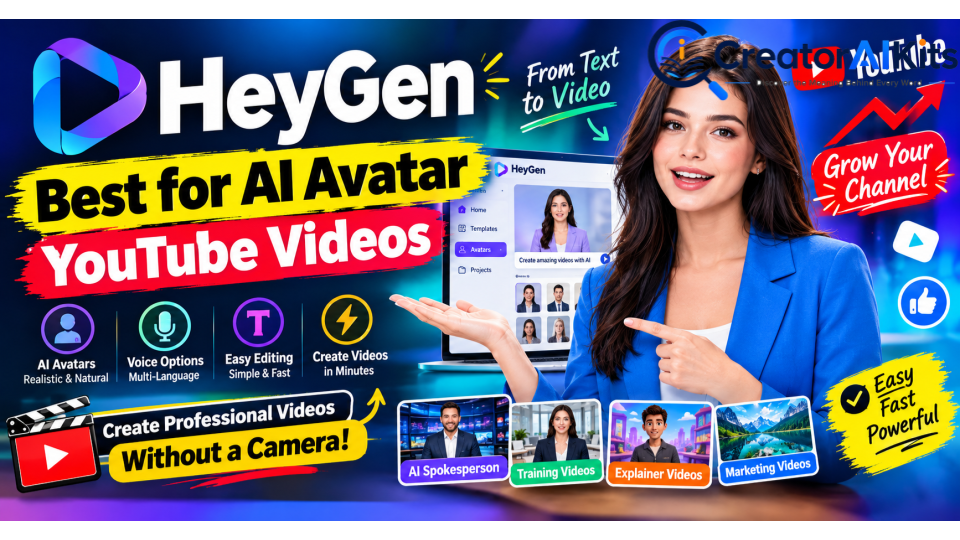
HeyGen is designed for creators who want to produce videos with AI presenters instead of recording themselves on camera.
It is particularly useful for educational videos, product explainers, tutorials, business content, and channels where a presenter-style format works well.
Key Features
- AI avatars and digital presenters
- Voice cloning
- Text-to-video workflows
- 175+ languages and dialects
- Automatic captions
- Video translation and dubbing
- Custom avatars
- Brand customization
- 1080p video export on supported plans
Pricing
HeyGen offers a free plan, while the Creator plan starts at approximately $29/month. Higher plans provide additional credits, features, and team functionality.
Best For
- Educational YouTube channels
- Explainer videos
- Product presentations
- Presenter-led content
- Multilingual channels
Limitations
Avatar-based videos can sometimes feel less personal than genuine camera footage. Creators should also pay attention to voice, script quality, pacing, and visual variety rather than relying entirely on an AI presenter.
InVideo AI — Best for Prompt-to-Full-Video Creation
InVideo AI is aimed at creators who want to go from an idea or prompt to a relatively complete video without manually building every scene.
You can provide a topic or detailed instruction, and the platform can assist with scripting, visuals, voiceover, captions, and editing.
Key Features
- Prompt-to-video generation
- AI-assisted scripting
- AI voiceovers
- Stock footage
- Templates
- AI-powered editing
- Multiple AI models
- YouTube-oriented video workflows
Pricing
InVideo AI has a free option with limitations. Paid plans vary depending on credits and billing cycle, with plans such as Plus starting around $20/month.
Best For
- Faceless YouTube channels
- List videos
- Educational explainers
- News-style videos
- Beginners who want an automated workflow
Limitations
AI-generated videos still require human review. Visual selections may not always perfectly match the script, and generated narration may need editing for pacing and accuracy.
Pictory — Best for Blog-to-Video Repurposing

Pictory is especially useful for creators who already have written content and want to convert it into videos.
For example, a blogger can take an existing article and transform its key ideas into a video format with visuals, narration, captions, and scenes.
Key Features
- URL-to-video
- Script-to-video
- Article repurposing
- Automatic captions
- AI voiceovers
- Stock media
- Text-based editing
- Highlight extraction from longer videos
Pricing
Pictory’s Starter plan is around $29/month, while annual billing can reduce the effective monthly price. Professional plans cost more and provide higher usage limits and additional features.
Best For
- Bloggers
- Content marketers
- Educators
- Podcasters
- YouTube content repurposing
Limitations
Pictory is more focused on efficient content repurposing than highly creative cinematic generation. Creators wanting complete control over generated scenes may prefer a generative video platform.
Runway — Best for Cinematic AI B-Roll
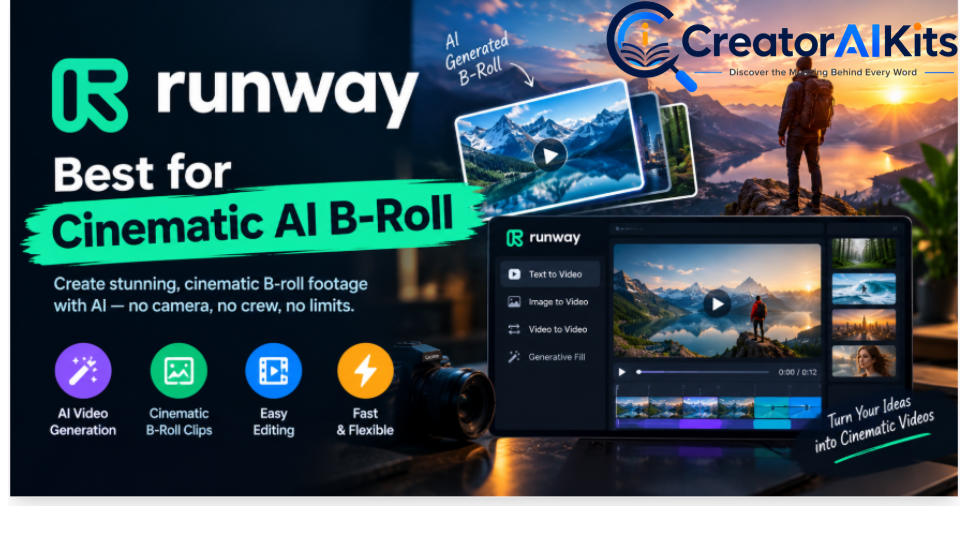
Runway is particularly valuable when a creator needs original AI-generated visuals rather than relying entirely on stock footage.
It can be used to create cinematic clips, visual concepts, B-roll, and creative scenes that can be incorporated into a larger YouTube production.
Key Features
- Text-to-video
- Image-to-video
- Generative visual effects
- Background removal
- Object manipulation
- Creative video generation
- Multiple AI generation models
Pricing
Runway offers a free tier with limited credits. The Standard plan starts around $15/month, with higher plans providing more credits and advanced capabilities.
Best For
- Cinematic YouTube videos
- Documentary B-roll
- Creative storytelling
- Product visuals
- Short cinematic scenes
Limitations
Generative video consumes credits, and producing a complete long-form YouTube video entirely through generation can become expensive. It is often more practical to use Runway for selected scenes and B-roll.
AutoShorts.ai — Best for Automated YouTube Shorts
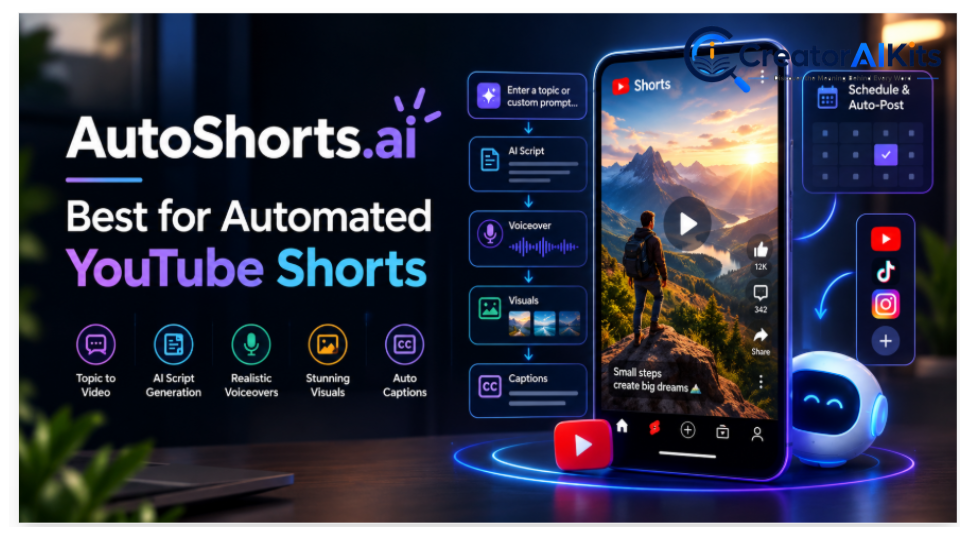
AutoShorts.ai focuses on automation rather than traditional video editing.
The platform is designed for creators who want to streamline the process of creating short-form videos and potentially schedule content across multiple platforms.
Key Features
- Automated Shorts creation
- AI-generated scripts
- AI voiceovers
- Stock visuals
- Automated workflows
- Scheduling features
- Short-form vertical video support
Best For
- YouTube Shorts
- Faceless channels
- High-volume short-form workflows
- Creators who want automation
Limitations
Automation can save time, but it should not become an excuse to publish large amounts of repetitive content. Each video should still provide original value and receive human review before publishing.
Pricing and available automation limits can change, so check the current AutoShorts.ai plan before purchasing.
Fliki — Best for Narrated YouTube Videos
Fliki combines AI script generation, text-to-speech, visuals, and video creation into one workflow.
It is particularly useful for educational videos, storytelling, facts, explainers, and other formats where narration is more important than an on-screen human presenter.
Key Features
- AI text-to-speech
- Large voice library
- Multiple languages
- Voice cloning
- Script-to-video
- Blog-to-video
- AI-generated visuals
- Stock media
Pricing
Fliki offers a free plan with limitations. Its Standard plan is listed around $28/month, while Premium is around $88/month. Annual billing can reduce the effective monthly price.
Best For
- Educational channels
- Documentary-style videos
- History videos
- Narrated explainers
- Faceless channels
Limitations
AI-generated visuals may require manual selection and refinement. The quality of the final video depends heavily on the script, voice choice, visual selection, and editing.
Descript — Best for Text-Based Video Editing
Descript takes a different approach from traditional AI video generators.
Instead of creating everything from a prompt, it allows creators to edit video by working with the transcript. Removing words from the transcript can remove the corresponding part of the video.
This makes it particularly useful for talking-head videos, podcasts, tutorials, interviews, and educational content.
Key Features
- Text-based video editing
- Automatic transcription
- AI voice tools
- Screen recording
- Filler-word removal
- Studio Sound
- Captions
- Background and visual editing
Pricing
Descript offers a free plan. Paid plans include Hobbyist, Creator, and Business tiers, with annual pricing reducing the effective monthly cost.
Best For
- YouTube tutorials
- Podcasts
- Interviews
- Course creators
- Talking-head videos
Limitations
Descript is primarily an editing platform rather than a complete text-to-video generator. It works best when you already have footage, audio, or a recording to edit.
CapCut — Best Beginner-Friendly Editing Option
CapCut has become a popular choice for creators who need an accessible video editor with a large collection of AI-assisted tools.
Its biggest advantage is that beginners can start creating videos without immediately paying for a professional editing suite.
Key Features
- Automatic captions
- Text-to-speech
- Background removal
- Motion tracking
- Auto-reframe
- Voice effects
- AI-assisted editing
- Templates
- Short-form video tools
- Desktop, web, and mobile workflows
Pricing
CapCut provides a free version with many core editing features. Pro pricing varies by region and platform, with official pricing commonly around $19.99/month or $179.99/year in some markets.
Best For
- YouTube Shorts
- Beginners
- Social media creators
- Quick editing
- Repurposing long videos into short clips
Limitations
Some advanced AI and premium features require a paid plan. Features and prices can also differ by region and device.
Kling AI — Best for AI-Generated Motion
Kling AI focuses heavily on generative video and realistic motion.
It can be useful when you need scenes that would be difficult or expensive to film manually.
Key Features
- Text-to-video
- Image-to-video
- Realistic motion
- Character consistency
- Multi-shot storytelling
- Native audio on supported models
- Cinematic scene generation
Kling’s Video 3.0 generation system supports features such as native audio, element consistency, and multi-shot narratives, with generation limits and credit requirements depending on the selected mode.
Best For
- Cinematic scenes
- AI storytelling
- Creative B-roll
- Product concepts
- Short visual sequences
Limitations
Generative video is credit-based, and costs depend on resolution, duration, and selected generation settings. It is better viewed as a visual-generation component of a YouTube workflow than automatically as a complete channel-production system.
ElevenLabs — Best for AI Voiceovers
ElevenLabs is primarily a voice-generation platform rather than a complete video editor.
However, high-quality narration is one of the most important parts of many faceless YouTube videos, which makes ElevenLabs valuable in an AI video workflow.
Key Features
- AI voice generation
- Voice cloning
- Multiple languages
- Natural-sounding narration
- Voice design
- Dubbing
- Speech-to-speech features
Pricing
ElevenLabs offers a free plan. Paid plans start around $6/month, with higher plans providing more characters and additional features.
Best For
- YouTube narration
- Documentary videos
- Educational videos
- Storytelling
- Faceless channels
- Multilingual content
Limitations
ElevenLabs does not replace a full video editor or video-generation platform. It is best combined with tools such as CapCut, Descript, Pictory, or another video-generation platform.
AI Video Generator Comparison by Use Case
| YouTube Goal | Recommended Tool Type |
| AI avatar videos | HeyGen |
| Prompt-to-full-video | InVideo AI |
| Blog-to-video | Pictory |
| Cinematic B-roll | Runway |
| Automated Shorts | AutoShorts.ai |
| Narrated videos | Fliki |
| Text-based editing | Descript |
| Beginner editing | CapCut |
| AI-generated motion | Kling AI |
| Professional AI voiceovers | ElevenLabs |
How Much Does an AI YouTube Video Cost?
The answer depends on how much of your workflow you want AI to handle.
A beginner does not necessarily need five or six paid AI subscriptions.
A simple workflow could use:
- CapCut for editing
- ElevenLabs for voiceovers
- A free AI video generator for initial experiments
- Your own script and research
A more advanced workflow might combine:
- An AI writing/research tool
- InVideo AI or Pictory for video creation
- ElevenLabs for narration
- Runway or Kling for custom B-roll
- CapCut or Descript for final editing
The important point is that more AI tools do not automatically mean better videos. The best workflow is usually the one that gives you enough control to create original, useful content without unnecessary subscription costs.
Can You Monetize AI-Generated Videos on YouTube in 2026?
Yes. Using AI does not automatically make a YouTube channel ineligible for monetization.
The important issue is the quality, originality, and value of the content.
Creators should avoid publishing large quantities of repetitive, low-value videos that simply use the same template, narration pattern, visuals, or scripts with minimal meaningful variation.
AI can be used for:
- Research assistance
- Script development
- Voiceovers
- Visual generation
- Captions
- Editing
- B-roll
- Translation
- Animation
However, creators should add meaningful human direction, review, editing, storytelling, commentary, or other original value.
YouTube Monetization Thresholds
YouTube’s standard YPP advertising eligibility currently includes:
- 1,000 subscribers, and
- 4,000 valid public watch hours in the previous 12 months, or
- 10 million valid public Shorts views in the previous 90 days.
YouTube has also announced changes for new creators starting February 1, 2027, increasing the advertising threshold to 8,000 qualified watch hours or 20 million qualified Shorts views, while existing YPP creators are not affected by that specific change.
Because YouTube policies can change, creators should check the current official YPP requirements before making business decisions.
Does YouTube Require AI Disclosure?
Not every use of AI requires the same disclosure.
For example, using AI to help brainstorm ideas, improve a script, create captions, or assist with editing is different from creating realistic synthetic footage that could mislead viewers about a real person, event, or situation.
Creators should follow YouTube’s current altered or synthetic content disclosure requirements when applicable.
The safest approach is to understand the distinction between:
AI assistance → writing, editing, captions, brainstorming, production assistance
and
Realistic synthetic or altered content → content that may make viewers believe something happened or was said when it did not.
7 Tips for Creating Better AI YouTube Videos
1. Start With a Strong Topic
AI cannot rescue a weak topic.
Choose topics with clear search intent, audience interest, and a reason for someone to click.
2. Write or Review the Script Yourself
Do not publish the first AI-generated script without checking it.
Verify:
- Facts
- Names
- Numbers
- Dates
- Examples
- Claims
- Sources
3. Make the First 30 Seconds Strong
The opening should quickly tell viewers what they will learn or gain from watching.
Avoid long introductions that delay the main point.
4. Use AI Visuals Strategically
Do not fill every second with random AI footage.
Use visuals when they help explain, demonstrate, or reinforce the narration.
5. Improve the Voiceover
A natural voice with good pacing is much more engaging than a robotic voice reading a paragraph.
Add pauses, emphasis, and appropriate background audio when needed.
6. Edit Before Publishing
Always watch the complete video before uploading.
Check:
- Pronunciation
- Captions
- Visual mistakes
- Audio levels
- Scene changes
- Repetitive footage
- Spelling
- Timing
7. Focus on Original Value
AI should help you produce content—not replace your responsibility as the creator.
Your research, perspective, storytelling, examples, editing, and presentation can make the difference between a useful YouTube video and generic automated content.
Which AI Video Generator Should Beginners Choose?
There is no single tool that is perfect for every YouTube creator.
Instead, choose based on the type of videos you want to produce.
If You Want AI Avatars
Choose HeyGen.
If You Want Complete Prompt-to-Video Creation
Choose InVideo AI.
If You Want to Convert Blog Posts Into Videos
Choose Pictory.
If You Want Cinematic AI B-Roll
Choose Runway.
If You Want Automated Shorts
Consider AutoShorts.ai.
If You Want Narrated Faceless Videos
Consider Fliki.
If You Already Record Videos
Choose Descript or CapCut for editing.
If You Need AI Voiceovers
Consider ElevenLabs.
If You Want Generative Motion
Try Kling AI or Runway.
Frequently Asked Questions
What is the best AI video generator for YouTube in 2026?
The right choice depends on the type of YouTube content you create. HeyGen is designed for avatar-led videos, InVideo AI for prompt-to-video workflows, Pictory for content repurposing, Runway and Kling for generative visuals, and CapCut and Descript for editing.
Are AI video generators free?
Several AI video platforms offer free plans or trials, although free versions commonly include limits on credits, exports, resolution, features, or watermarks.
Can I monetize AI-generated YouTube videos?
Yes. AI-generated or AI-assisted content can be monetized when it meets YouTube’s applicable monetization policies. Creators should avoid repetitive or mass-produced low-value content and focus on original, meaningful content.
Which AI tool is best for faceless YouTube channels?
The answer depends on the format. InVideo AI and Fliki can help create narrated faceless videos, HeyGen can create avatar-led content, and Runway or Kling can provide custom visual scenes.
Which AI video tool is best for YouTube Shorts?
CapCut is useful for editing Shorts, while specialized automation tools such as AutoShorts.ai are designed around high-volume Shorts workflows.
Can AI create a complete YouTube video?
Yes, several platforms can generate substantial parts of a complete video, including the script, narration, visuals, captions, and editing. However, human review is still important for accuracy, originality, pacing, and quality.
How much does an AI YouTube video cost?
It can cost anywhere from $0 using free tools to significantly more when multiple premium platforms are combined. A beginner can start with free tools and add paid subscriptions only when they solve a specific production problem.
Is AI voice allowed on YouTube?
AI voice itself does not automatically make content ineligible for monetization. The broader issue is whether the resulting content follows YouTube’s originality, authenticity, and other applicable policies.
Should I use one AI tool or multiple tools?
Beginners should generally start with one or two tools. Once you understand your workflow, you can add specialized tools for voiceovers, cinematic footage, editing, or automation.
What should I check before publishing an AI video?
Check the script, facts, narration, captions, visuals, copyright/licensing considerations, pacing, thumbnail, title, and whether the content follows current YouTube policies.
Final Verdict: Choosing Your AI Video Workflow
AI video generators have made YouTube production significantly more accessible in 2026, but the tool itself is only one part of the process.
A successful workflow starts with a strong topic and useful information. AI can then help with scripting, narration, visuals, editing, captions, and production speed.
For a simple beginner workflow, you can start with CapCut + an AI voice tool. If you want more automated production, InVideo AI or Pictory can handle more of the video-creation process. If you want AI presenters, HeyGen is built around that use case. For cinematic visuals, Runway or Kling AI can add custom scenes. For professional narration, ElevenLabs can complement almost any video workflow.
The most important thing is not how many AI tools you use. It is whether the final video is original, useful, accurate, engaging, and worth watching.
Use AI to save time—but keep human judgment at the center of your YouTube strategy.

Welcome to CreatorAIKits! I’m passionate about learning and exploring AI tools, creativity, and technology.
I’m continuously researching and gaining hands-on experience with different AI tools and technologies.
My goal is to share simple, useful, and practical AI information for beginners and everyday users.
Thanks for visiting CreatorAIKits!