
Building websites, applications, internal business tools, databases, and automated workflows traditionally required programming knowledge or help from a developer. In 2026, AI-powered no-code platforms have made many of these tasks much more accessible.
The best no-code AI tools allow users to describe what they want in natural language and use AI to generate websites, web applications, workflows, databases, dashboards, and other digital products with little or no traditional coding.
However, no two platforms are exactly alike. Some are designed primarily for AI-powered app development, while others specialize in business applications, data management, workflow automation, or interface prototyping.
In this guide, we compare the 10 best no-code AI tools in 2026 based on their AI capabilities, ease of use, no-code functionality, integrations, app-building features, automation, pricing, scalability, and suitability for beginners and businesses.
Editorial note: Software pricing, credits, usage limits, and features can change. Always verify the current plan details on the provider’s official website before purchasing.
Quick Comparison: Best No-Code AI Tools in 2026
| Tool | Best For | Free Plan | Starting Paid Price* | Ease of Use |
| Lovable | AI websites and web apps | Yes | Credit-based | ⭐⭐⭐⭐⭐ |
| Bolt | Fast websites and apps | Yes | $25/month | ⭐⭐⭐⭐⭐ |
| Replit | AI-assisted application development | Yes | $20/month annually | ⭐⭐⭐⭐ |
| Bubble | Advanced no-code applications | Yes | $59/month annually | ⭐⭐⭐⭐ |
| Base44 | AI-first full-stack apps | Yes | $16/month annually | ⭐⭐⭐⭐⭐ |
| Softr | Business apps and portals | Yes | Varies by plan | ⭐⭐⭐⭐⭐ |
| Glide | Data-driven business apps | Yes | $25/month | ⭐⭐⭐⭐⭐ |
| Make | Advanced workflow automation | Yes | $12/month | ⭐⭐⭐⭐ |
| Zapier | Simple automation | Yes | Usage-based | ⭐⭐⭐⭐⭐ |
| v0 | AI-generated interfaces | Yes/limited | Usage/plan dependent | ⭐⭐⭐⭐ |
*Pricing and limits can vary by billing cycle, credits, usage, and plan changes.
💡 Pro Tip
Choosing the right no-code AI tool is only one part of building an effective AI workflow. If you want to learn how to choose and use AI tools more strategically, check out our guide How to Use AI Tools Effectively in 2026: 10 Practical Steps on CreatorAIKits.com. It covers a simple step-by-step framework for choosing the right tool, writing better prompts, reviewing AI output, and applying AI effectively.
Lovable – Best Overall No-Code AI App Builder

Best for: Beginners who want to build websites and web applications using AI.
Lovable is an AI-powered development platform designed to help users turn ideas into working websites and web applications using natural-language instructions.
Instead of starting by manually designing every page and writing application logic, users can describe what they want and use AI to generate a starting point. You can then continue interacting with the AI to modify pages, functionality, layouts, and other parts of the project.
This makes Lovable particularly appealing to entrepreneurs, creators, marketers, and beginners who want to experiment with software ideas without first learning a programming language.
Key Features
- AI-powered website and web-app creation
- Natural-language prompting
- Application logic and authentication
- AI-powered functionality
- Hosting options
- Credit-based usage
- Collaboration features
- Rapid prototyping
Pricing
Lovable offers a free way to get started, while paid plans use different credit allowances and additional capabilities. Because its pricing and usage model can change, check the provider’s current pricing page before purchasing.
Pros
- Very beginner-friendly
- Fast idea-to-prototype workflow
- Natural-language development
- Useful for websites and web applications
Cons
- AI-generated applications still require testing
- Credit usage can become important for larger projects
- Complex applications may require technical knowledge
Why Choose Lovable?
Lovable is a strong choice if your priority is turning an idea into a functional website or web app quickly without traditional coding.
Our pick: 🏆 Best Overall
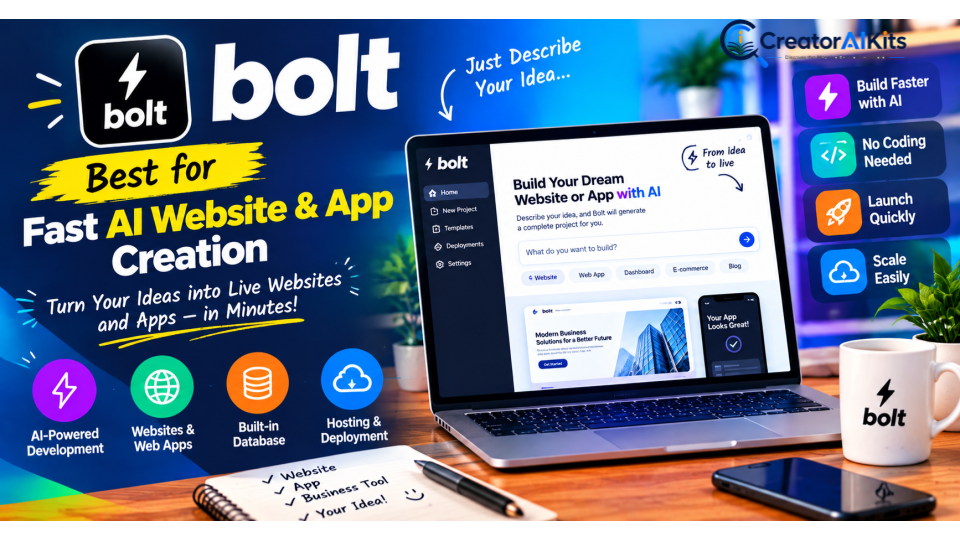
Bolt – Best for Fast AI Website and App Creation
Best for: Quickly creating websites, prototypes, and applications with AI.
Bolt is designed around AI-assisted development through natural-language instructions. Users can describe a project, allow AI to generate the initial implementation, and then refine it through additional prompts.
Its combination of AI generation, hosting, databases, and development features makes it attractive to people who want to move quickly from an idea to a working project.
Key Features
- AI-powered app and website builder
- Natural-language development
- Built-in hosting
- Database functionality
- Custom domains on paid plans
- SEO-related features
- AI image editing
- Private projects
Pricing
| Plan | Price |
| Free | $0 |
| Pro | $25/month |
| Teams | $30/member/month |
| Enterprise | Custom |
Bolt’s listed Pro plan starts at $25/month when billed monthly, but pricing and included usage can change.
Pros
- Fast project creation
- Beginner-friendly interface
- Useful for prototypes and websites
- Built-in hosting and database capabilities
Cons
- Usage limits can affect larger projects
- AI-generated output should be reviewed
- More complex projects may require technical understanding
Why Choose Bolt?
Choose Bolt if your main goal is rapid AI-powered website and application creation.
Our pick: 🌐 Best for Websites & Apps
Replit – Best for AI-Assisted Full-Stack Development
Best for: Users who want AI assistance while retaining more development control.
Replit combines an online development environment with AI-powered tools, databases, deployment, hosting, and collaborative development features.
Compared with beginner-first platforms, Replit has a stronger connection to traditional software development. That can make it more powerful for users who want to gradually learn technical concepts while using AI to accelerate development.
Key Features
- AI Agent
- Built-in database
- Application deployment
- AI integrations
- Collaborative development
- Development workspaces
- Private deployments
- Multiple AI-assisted development capabilities
Pricing
| Plan | Listed Price |
| Starter | Free |
| Core | $20/month annually |
| Pro | $95/month annually |
| Enterprise | Custom |
Pricing and included AI usage may change, so verify current details before subscribing.
Pros
- More development control
- Strong AI-assisted development capabilities
- Hosting and deployment included
- Suitable for more sophisticated projects
Cons
- Higher learning curve
- Less beginner-focused than some AI app builders
- Costs can increase with usage
Why Choose Replit?
Replit is a better fit when you want AI to help with development but don’t want to give up as much control over the underlying project.
Our pick: 🤖 Best for AI-Assisted Development
Bubble – Best for Advanced No-Code Applications
Best for: Startups and businesses that need sophisticated applications without traditional coding.
Bubble is one of the more established no-code application platforms. It provides visual tools for building application interfaces, databases, workflows, integrations, and business logic.
Its learning curve is higher than beginner-focused AI builders, but that additional complexity provides more control over application behavior.
Key Features
- Web application development
- Native mobile app capabilities
- Visual workflows
- Database
- API connections
- Plugins
- AI-assisted page creation
- Version control
- Custom domains
Pricing
| Plan | Price |
| Free | $0 |
| Starter | $59/month annually |
| Growth | $209/month annually |
| Team | $549/month annually |
| Enterprise | Custom |
Bubble uses a workload-based model, so actual costs can depend on application usage.
Pros
- Powerful visual development environment
- Extensive customization
- Large ecosystem
- Suitable for complex applications
Cons
- Steeper learning curve
- Pricing can become significant at scale
- Workload usage needs to be monitored
Why Choose Bubble?
Bubble makes sense when you need more control and flexibility than a simple AI website builder can provide.
Our pick: 🏗️ Best Advanced No-Code Platform
Base44 – Best for AI-First Full-Stack App Creation
Best for: Beginners who want to create functional applications with AI.
Base44 takes an AI-first approach to application development. Users can describe the application they want and have AI assist with the structure, functionality, database, and other components.
This can be useful for entrepreneurs who want to explore product ideas without assembling multiple technical services from the beginning.
Pricing
| Plan | Annual Monthly Price |
| Free | $0 |
| Starter | $16/month |
| Builder | $40/month |
| Pro | $80/month |
| Elite | $160/month |
The amount of usable functionality depends on the credits and limits included with each plan.
Pros
- AI-first experience
- Beginner-friendly
- Useful for rapid application creation
- Can reduce the need to configure multiple services
Cons
- Credit limits matter
- AI-generated applications still require review
- Larger projects may require a higher plan
Why Choose Base44?
Base44 is worth considering if you want an AI-first approach to building a functional application without starting with traditional development tools.
Our pick: 👶 Best for AI-first Beginners
Softr – Best for Business Apps and Portals
Best for: Client portals, internal tools, dashboards, CRMs, and business applications.
Softr is designed heavily around business use cases. Its AI-assisted building capabilities can help users generate applications from natural-language descriptions, while its visual editor allows further customization.
Typical use cases include client portals, internal tools, vendor management systems, project trackers, inventory applications, and business dashboards.
Key Features
- AI app builder
- Client portals
- Internal business tools
- Databases
- Workflows
- User permissions
- Templates
- Integrations
- Visual editing
Pricing
Softr provides a free option and several paid tiers. Pricing and feature limits can vary, so readers should check the current pricing page for the latest plan structure.
Pros
- Strong business focus
- Easy visual editing
- Useful for portals and internal tools
- Beginner-friendly
Cons
- Not designed for every type of complex application
- Advanced features may require paid plans
- Costs depend on users and features
Why Choose Softr?
Softr is particularly useful when you want to create business applications without building a traditional software product from scratch.
Our pick: 💼 Best for Business Apps
Glide – Best for Data-Driven Business Apps
Best for: Turning business data into useful applications.
Glide is particularly useful for people who already have structured information in spreadsheets or databases and want to transform that information into an interactive application.
Instead of starting with a completely blank development environment, you can build around existing business data and create dashboards, directories, internal tools, and other applications.
Key Features
- No-code app builder
- Database functionality
- Business dashboards
- Data-driven applications
- Workflows
- API capabilities
- Team collaboration
Pricing
| Plan | Price |
| Free | $0 |
| Solo | $25/month |
| Team | $125/month |
| Enterprise | Custom |
Pricing and plan limits should be checked before purchasing.
Pros
- Excellent for data-driven apps
- Beginner-friendly
- Useful for internal business tools
- Good fit for spreadsheets and structured data
Cons
- Less suitable for some highly customized applications
- Advanced capabilities may require higher plans
- Pricing depends on the project requirements
Why Choose Glide?
Choose Glide when your main goal is to turn existing business data into a useful application quickly.
Our pick: 📊 Best for Data-Driven Apps
Make – Best for Advanced No-Code Automation
Best for: Connecting applications and building sophisticated automated workflows.
Unlike Lovable, Bubble, and similar app builders, Make’s primary strength is workflow automation.
You can visually connect multiple applications and create processes such as:
Form submission → AI analyzes lead → CRM updated → Email sent → Team notified
This makes Make particularly useful for agencies, marketing teams, operations teams, and businesses with repetitive workflows.
Key Features
- Visual workflow builder
- Thousands of integrations
- AI automation
- Data transformation
- Conditional workflows
- Multi-step automation
- Business process automation
Pricing
| Plan | Price |
| Free | $0 |
| Core | $12/month |
| Pro | $21/month |
| Teams | $38/month |
| Enterprise | Custom |
Make’s usage-based credit system means that the effective cost depends on how many operations your workflows perform.
Pros
- Powerful visual automation
- Highly customizable workflows
- Good for complex processes
- Strong integration capabilities
Cons
- Learning curve is higher than simple automation tools
- Usage can increase costs
- Complex workflows require careful configuration
Why Choose Make?
Choose Make when you need advanced automation and more control over how different applications communicate.
Our pick: ⚙️ Best Advanced Automation
Zapier – Best for Easy Automation
Best for: Beginners who want to automate repetitive tasks quickly.
Zapier is one of the easiest ways to connect applications without traditional programming.
For example:
Gmail → Google Sheets → AI → Slack
A workflow can automatically move information between applications whenever a specific trigger occurs.
Zapier supports a broad range of business automation use cases, including lead management, marketing, CRM updates, notifications, data entry, and AI-powered processes.
Key Use Cases
- Lead management
- Email automation
- CRM workflows
- Marketing automation
- Data entry
- Notifications
- AI-powered workflows
Pricing
Zapier provides a free plan with limited usage, while paid plans increase task limits and capabilities. Its pricing is usage-based, so the appropriate plan depends on how many automated tasks your business performs.
Pros
- Extremely beginner-friendly
- Large integration ecosystem
- Fast setup
- Good for simple business automation
Cons
- Costs can increase with task volume
- Advanced workflows can become expensive
- Complex automation may be better suited to more flexible platforms
Why Choose Zapier?
Zapier is a strong choice if your priority is simplicity rather than maximum workflow complexity.
Our pick: 🔄 Best Easy Automation
v0 – Best for AI-Generated User Interfaces
Best for: Creating modern interfaces, landing pages, dashboards, and application prototypes with AI.
v0 is focused heavily on AI-assisted interface generation. You can describe an interface using natural language and generate design variations that can then be refined.
It is particularly useful for designers, startups, creators, and developers who want to experiment with modern interfaces quickly.
Key Advantage
You can describe the interface you want, generate variations, and iterate rapidly rather than designing every component manually from the beginning.
Pros
- Fast interface generation
- Useful for prototyping
- Modern UI-focused workflow
- Good for experimenting with layouts
Cons
- More focused on interfaces than complete business applications
- Usage-based pricing can vary
- Complex production applications may require additional development
Why Choose v0?
Choose v0 if your main priority is rapidly creating and experimenting with modern application interfaces.
Our pick: 🎨 Best for AI UI Prototyping
No-Code AI Tools Pricing Comparison for 2026
| Tool | Free Option | Paid Starting Point |
| Lovable | ✅ | Credit-based |
| Bolt | ✅ | $25/month |
| Replit | ✅ | $20/month annually |
| Bubble | ✅ | $59/month annually |
| Base44 | ✅ | $16/month annually |
| Softr | ✅ | Varies |
| Glide | ✅ | $25/month |
| Make | ✅ | $12/month |
| Zapier | ✅ | Usage-based |
| v0 | ✅/limited | Usage/plan dependent |
Why Pricing Alone Can Be Misleading
No-code AI platforms increasingly use credits, tokens, tasks, workload units, or other usage-based systems.
That means a $10 or $20 subscription isn’t necessarily cheaper than a $30 plan if the cheaper plan provides significantly less usable capacity.
Before choosing a platform, consider:
- Monthly usage
- AI credits
- Automation tasks
- Database limits
- Number of users
- Hosting requirements
- Integrations
- Deployment options
- Custom domains
- Scaling costs
How We Evaluated the Best No-Code AI Tools
To make this comparison useful rather than simply ranking tools by popularity, we considered several factors:
1. Ease of Use
How quickly can a beginner understand the platform and create something useful?
2. AI Capabilities
Does AI help with application creation, design, automation, data handling, or development?
3. No-Code Functionality
How much can users accomplish without manually writing traditional code?
4. App-Building Capabilities
Can the platform create websites, web apps, mobile apps, dashboards, portals, or internal tools?
5. Automation and Integrations
How effectively can the platform connect with other applications and automate repetitive processes?
6. Pricing and Value
We considered free availability, entry-level pricing, usage limits, and the potential cost of scaling.
7. Scalability
A tool that is excellent for a prototype may not be the right choice for a business-critical application. We therefore considered how suitable each platform is for projects that may grow over time.
8. Beginner and Business Use
We also considered whether the platform is practical for individual creators, entrepreneurs, small businesses, and larger teams.
How to Choose the Best No-Code AI Tool
The right platform depends on what you’re actually trying to build.
Best No-Code AI Tools for Beginners
If you’re completely new to software development, start with:
Lovable, Bolt, Base44, or Softr.
These platforms generally make it easier to describe what you want and iterate without having to understand a traditional development environment immediately.
Best for Advanced Applications
For projects requiring more control, consider:
Bubble or Replit.
Bubble is strongly focused on visual no-code application development, while Replit provides a more development-oriented environment with AI assistance.
Best for Business Applications
For portals, dashboards, internal tools, and business workflows:
Softr and Glide are strong options.
Best for Automation
For connecting different applications:
Make is a strong choice for advanced workflows, while Zapier is usually easier for beginners.
Best for UI Prototyping
For rapidly creating interface concepts:
v0 is worth considering.
Are No-Code AI Tools Really Replacing Developers?
Not completely.
No-code AI tools can reduce the amount of manual development required for many projects, but they do not eliminate the need for human judgment, testing, security reviews, architecture decisions, or maintenance.
AI-generated applications can still contain:
- Bugs
- Incorrect logic
- Security weaknesses
- Poor user experiences
- Performance problems
- Integration errors
- Scalability limitations
For a simple landing page, prototype, dashboard, or internal tool, an AI-powered no-code platform may be more than sufficient.
For highly regulated, security-sensitive, technically complex, or high-traffic products, experienced developers may still be necessary.
The most realistic way to think about no-code AI is as a productivity and development accelerator, rather than a universal replacement for software engineers.
Benefits of No-Code AI Tools
1. Faster Development
AI can generate an initial website, interface, workflow, or application structure much faster than building everything manually.
2. Lower Technical Barrier
People without traditional programming backgrounds can experiment with software ideas and business solutions.
3. Faster Prototyping
Entrepreneurs can test an idea before committing significant time and money to a traditional development project.
4. Easier Automation
Platforms such as Make and Zapier can automate repetitive tasks and reduce manual administrative work.
5. Lower Initial Costs
Many platforms provide free plans or inexpensive entry-level options, allowing users to validate an idea before investing more heavily.
Limitations of No-Code AI Tools
“No-code” does not mean “no limitations.”
Before adopting a platform for an important project, consider:
- Usage and credit limits
- Platform lock-in
- AI-generated errors
- Customization restrictions
- Scaling costs
- Integration limitations
- Security requirements
- Data handling
- Export options
- Vendor dependency
- Long-term pricing
A platform that works perfectly for a personal prototype may not necessarily be the best option for a large customer-facing application.
No-Code AI vs Traditional Development
| Factor | No-Code AI | Traditional Development |
| Initial learning curve | Usually lower | Usually higher |
| Development speed | Often faster for simple projects | Can be slower initially |
| Customization | Platform-dependent | Very high |
| Prototyping | Excellent | Good |
| Complex applications | Sometimes limited | Excellent |
| Maintenance | Platform-dependent | Developer-controlled |
| Vendor lock-in | Higher risk | Generally lower |
| Technical expertise | Lower for simple projects | Usually required |
| Scalability | Depends on platform | Highly controllable |
The best choice isn’t always one or the other. Many businesses can use no-code AI for prototypes, internal tools, automation, and early product validation while using traditional development for highly specialized or technically demanding systems.
Final Verdict: Which No-Code AI Tool Is Best in 2026?
There isn’t one no-code AI platform that is perfect for every project.
Lovable is our overall pick for beginners who want to turn natural-language ideas into websites and web applications.
Bolt is an excellent option for fast AI-powered website and app creation.
Replit is better suited to users who want AI assistance with greater development control.
Bubble is a strong choice for sophisticated no-code applications.
Base44 is attractive for users looking for an AI-first approach to full-stack application creation.
Softr and Glide are particularly useful for business applications, portals, dashboards, and internal tools.
For automation, Make is our preferred option for advanced workflows, while Zapier is better when ease of setup is the priority.
For interface generation and rapid prototyping, v0 is a useful option.
Our Overall Picks
| Category | Best Choice |
| 🏆 Best Overall | Lovable |
| 👶 Best for Beginners | Lovable / Base44 |
| 🌐 Best for Websites & Apps | Bolt |
| 💼 Best for Business Apps | Softr |
| 📊 Best for Data-Driven Apps | Glide |
| 🏗️ Best Advanced No-Code Platform | Bubble |
| 🤖 Best for AI-Assisted Development | Replit |
| ⚙️ Best Advanced Automation | Make |
| 🔄 Best Easy Automation | Zapier |
| 🎨 Best AI UI Prototyping | v0 |
Frequently Asked Questions
What is the best no-code AI tool in 2026?
For most beginners, Lovable is a strong overall choice because it combines natural-language AI development with an approachable workflow for creating websites and web applications. However, the best option depends on your specific project.
What is the easiest no-code AI app builder?
Lovable, Bolt, and Base44 are among the more beginner-friendly options for turning natural-language descriptions into applications.
Can I build an app without knowing how to code?
Yes. Modern no-code and AI-assisted platforms can help you create many types of websites, applications, dashboards, portals, and workflows without traditional programming. However, complex projects may still require technical knowledge or professional development support.
Are no-code AI tools free?
Many offer free plans, but free tiers usually have limitations involving AI credits, usage, features, users, storage, or deployment. Check the current pricing and usage limits before choosing a platform.
Can no-code AI replace developers?
No-code AI can automate and accelerate many development tasks, but it does not completely replace developers. Complex applications still require expertise in areas such as architecture, security, testing, performance, integrations, and maintenance.
Which no-code AI tool is best for automation?
Make is a strong choice for advanced visual workflows, while Zapier is generally easier for beginners who want to automate simple business tasks.
Conclusion
The biggest advantage of no-code AI in 2026 isn’t simply that it reduces the need to write code. Its real advantage is that it makes software creation accessible to a much wider range of people.
You can start with an idea, describe what you need, create a prototype, test it with real users, automate repetitive processes, and improve your product without immediately building a large development team.
For beginners, the smartest approach is to start with a free plan, build a small real project, evaluate the platform’s AI capabilities and limitations, and upgrade only when the tool proves useful for your needs.
No-code AI is not magic, and it isn’t the right solution for every project. But when matched with the right use case, it can significantly shorten the distance between an idea and a working product.

Welcome to CreatorAIKits! I’m passionate about learning and exploring AI tools, creativity, and technology.
I’m continuously researching and gaining hands-on experience with different AI tools and technologies.
My goal is to share simple, useful, and practical AI information for beginners and everyday users.
Thanks for visiting CreatorAIKits!