
AI can write an email, explain a difficult topic, analyze data, generate an image, summarize a document, help with coding, brainstorm ideas, and automate repetitive tasks.
But getting useful results from AI is not simply about opening an AI tool and typing a question.
So, how do you use AI tools effectively? Which AI tool should you choose? How should you write better prompts? How can you tell whether an AI answer is accurate? And what information should you avoid sharing?
The most effective approach is simple:
Define the problem → Choose the right tool → Provide context → Write a clear prompt → Review the output → Verify important information → Apply the result → Improve the workflow.
In this guide, you’ll learn 10 practical steps for using AI tools effectively in 2026, with examples, reusable prompts, privacy tips, verification techniques, and workflows for work, study, content creation, business, and coding.
Quick answer: The best way to use AI effectively is to treat it as an assistant—not an unquestioned source of truth. Give it a clear goal, provide relevant context, request a specific output, review the result, verify important claims, and use human judgment before making important decisions.
What Does It Mean to Use AI Effectively?
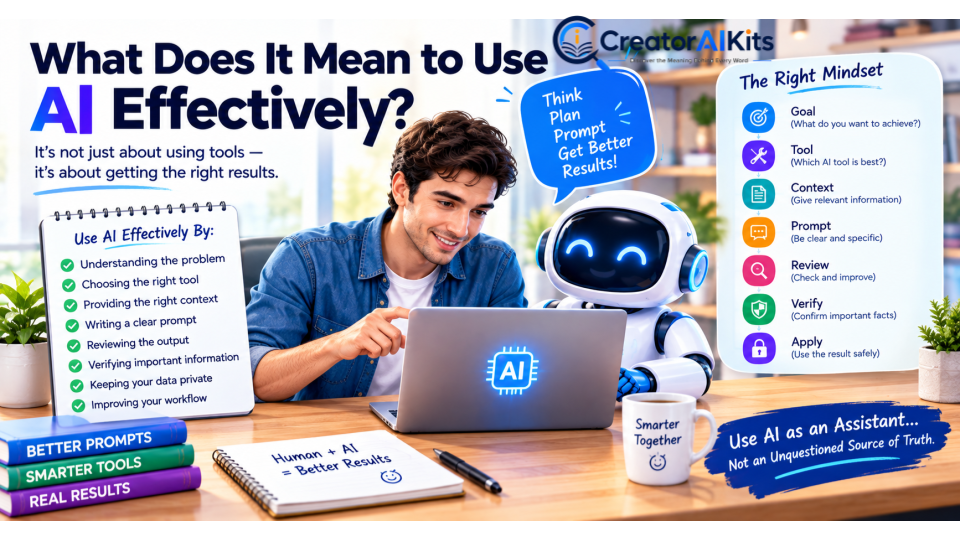
Using AI effectively does not mean collecting dozens of AI tools or learning complicated prompt formulas.
It means understanding:
- What problem you are trying to solve
- When AI can actually help
- Which tool is appropriate
- What information the AI needs
- What a successful result should look like
- How to review the output
- Which information needs verification
- What information should remain private
A practical AI workflow looks like this:
Problem → Goal → Tool → Context → Prompt → Output → Review → Verification → Final Result
For example, instead of asking:
“Help me with my website.”
Try:
“I want to improve my website homepage so first-time visitors can understand what my website offers within a few seconds. Suggest a clearer headline, subheading, value proposition, and call to action.”
The second prompt gives the AI a specific objective and makes its answer easier to evaluate.
The key lesson is simple:
Better AI results usually come from better problem definition and better instructions—not simply from using more powerful tools.
Step 1: Start With a Problem, Not a Tool
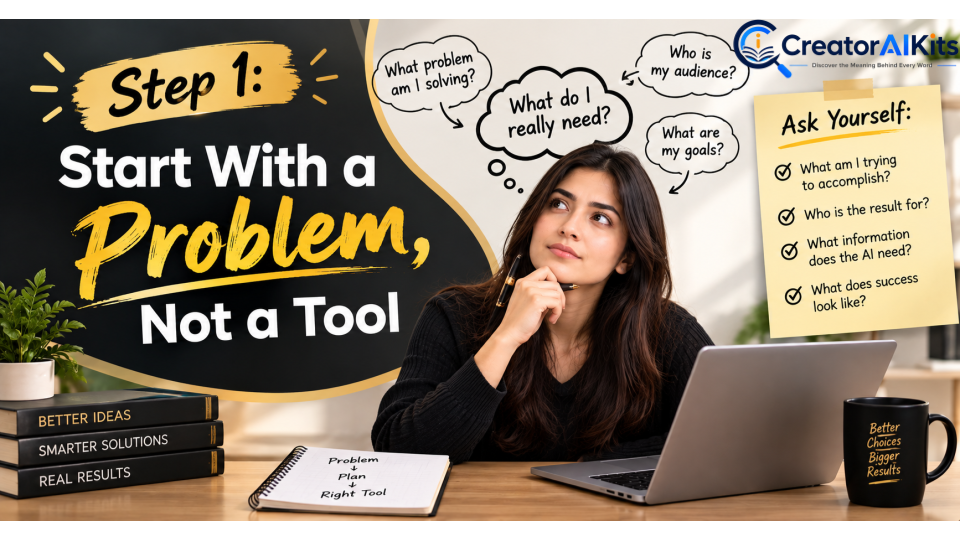
One of the most common beginner mistakes is choosing an AI tool before deciding what they actually need.
Instead, start with the problem.
Ask yourself:
- What am I trying to accomplish?
- What problem am I trying to solve?
- Who is the result for?
- What information does the AI need?
- What would a successful result look like?
Example
A weak request:
“Write something about marketing.”
A better request:
“Create a beginner-friendly marketing plan for a small online business that wants to attract customers through organic search and social media.”
The second request gives the AI a clear problem to solve.
Why does this work?
When your goal is specific, you can judge whether the AI actually solved the problem.
If you do not know what success looks like, it becomes much harder to decide whether an AI response is useful.
Simple rule
Don’t start with “Which AI tool should I use?”
Start with:
“What am I trying to accomplish?”
Then choose the tool.
Step 2: Define the Result You Want

Once you understand the problem, define the desired outcome.
Compare these two requests:
“Give me information about social media.”
And:
“Create a 30-day social media content calendar for a small AI website. Include the topic, content format, hook, caption, and call to action for each day.”
The second instruction gives the AI a clear destination.
A strong AI request should clarify:
- What you want
- Who it is for
- Why you need it
- How you want it presented
- Any important limitations
Example
Instead of:
“Help me improve my writing.”
Try:
“Edit this article for grammar, clarity, readability, and structure. Keep the meaning unchanged, remove repetition, and make the tone professional but easy for beginners to understand.”
The more clearly you define the outcome, the easier it becomes to produce and evaluate useful AI output.
Step 3: Choose the Right AI Tool
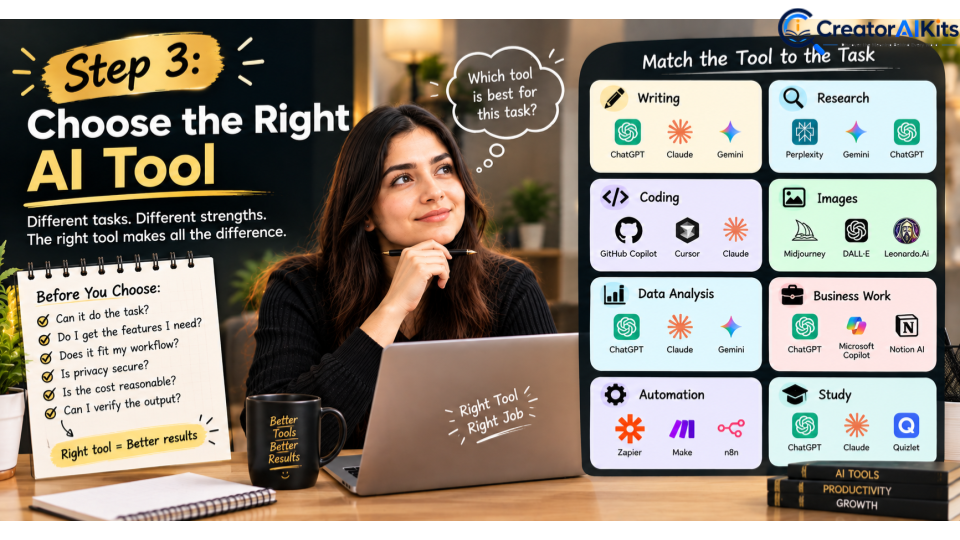
There is no single AI tool that is automatically the best for every task.
Different AI systems may have different strengths in areas such as writing, research, coding, image generation, data analysis, automation, integrations, and document handling.
Instead of asking:
“What is the best AI tool?”
Ask:
“What is the best AI tool for this particular task?”
Match the Tool to the Job
| Task | What to Look For |
| Writing | Strong writing and editing capabilities |
| Research | Web access and reliable source handling |
| Coding | Code generation, debugging, and testing |
| Images | Image generation and editing |
| Data analysis | File handling and analytical capabilities |
| Business work | Integrations and collaboration features |
| Automation | APIs, integrations, agents, or workflow features |
| Study | Explanations, summaries, quizzes, and learning support |
Before choosing a tool, ask:
- Can it actually perform the task?
- Does it provide the capabilities I need?
- Does it fit my existing workflow?
- Are its privacy controls appropriate?
- Is the cost reasonable?
- Can I review and verify its output?
The goal is not to use the most popular AI tool.
The goal is to use the right tool for the right job.
Step 4: Give AI Enough Context
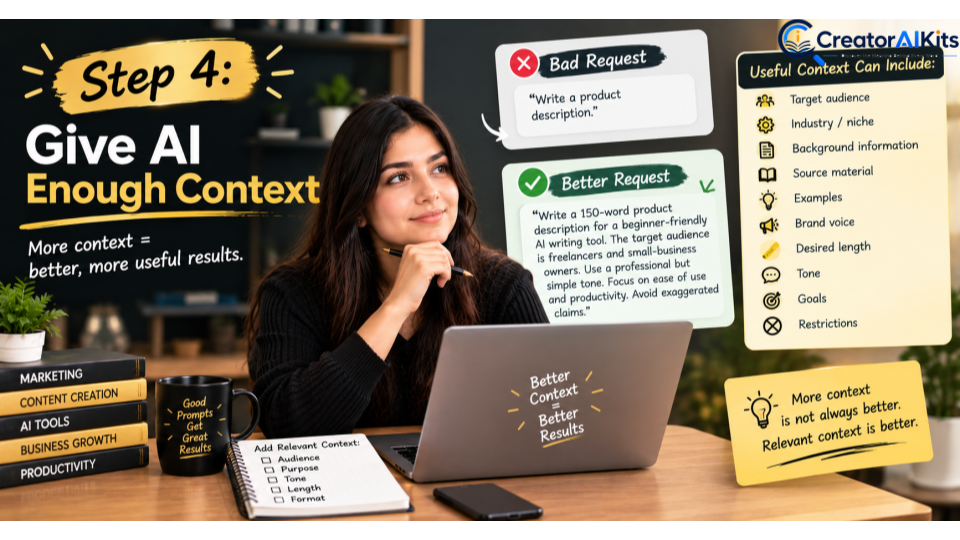
AI cannot reliably infer information that you never provide.
Suppose you ask:
“Write a product description.”
The AI may not know:
- Who the customer is
- What the product does
- What makes it different
- What tone you want
- How long the description should be
- Which claims are allowed
- Which benefits matter most
Instead, provide relevant context.
Better Prompt
“Write a 150-word product description for a beginner-friendly AI writing tool. The target audience is freelancers and small-business owners. Use a professional but simple tone. Focus on ease of use and productivity. Avoid exaggerated or unsupported claims.”
Useful context can include:
- Target audience
- Industry
- Background information
- Source material
- Examples
- Brand voice
- Desired length
- Tone
- Goals
- Restrictions
- Important facts
But remember:
More context is not always better. Relevant context is better.
Give AI the information it needs—not every piece of information you have.
Step 5: Write a Clear Prompt
You do not need a complicated “magic prompt” to get useful AI results.
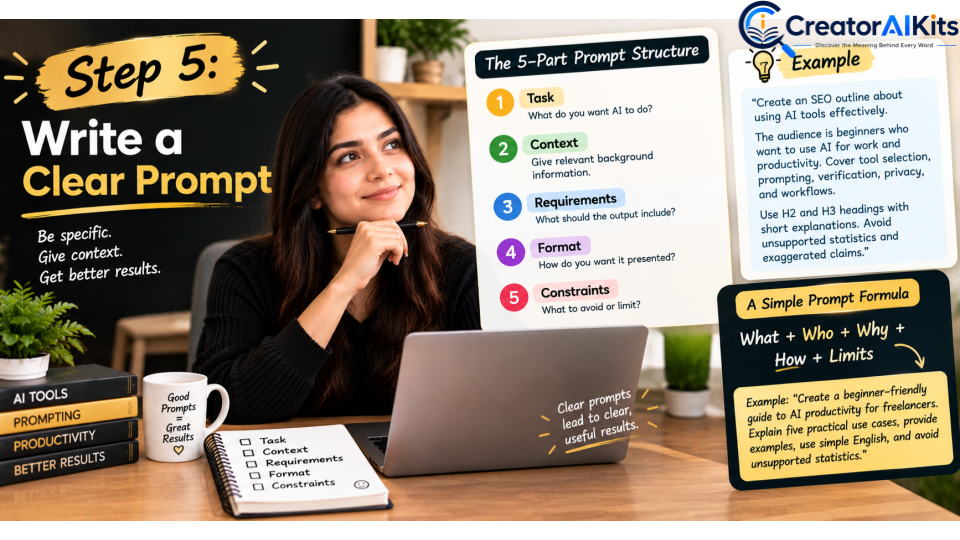
A practical prompt structure is:
Task + Context + Requirements + Format + Constraints
Example
Task: Create an SEO outline about using AI tools effectively.
Context: The audience is beginners who want to use AI for work and productivity.
Requirements: Cover tool selection, prompting, verification, privacy, and workflows.
Format: Use H2 and H3 headings with short explanations.
Constraints: Avoid unsupported statistics and exaggerated claims.
This structure tells the AI what to do, why it is doing it, what to include, and what to avoid.
A Simple Prompt Formula
You can remember this:
What + Who + Why + How + Limits
For example:
“Create a beginner-friendly guide to AI productivity for freelancers. Explain five practical use cases, provide examples, use simple English, and avoid unsupported statistics.”
Clear instructions usually matter more than complicated prompt formulas.
Step 6: Specify the Output Format
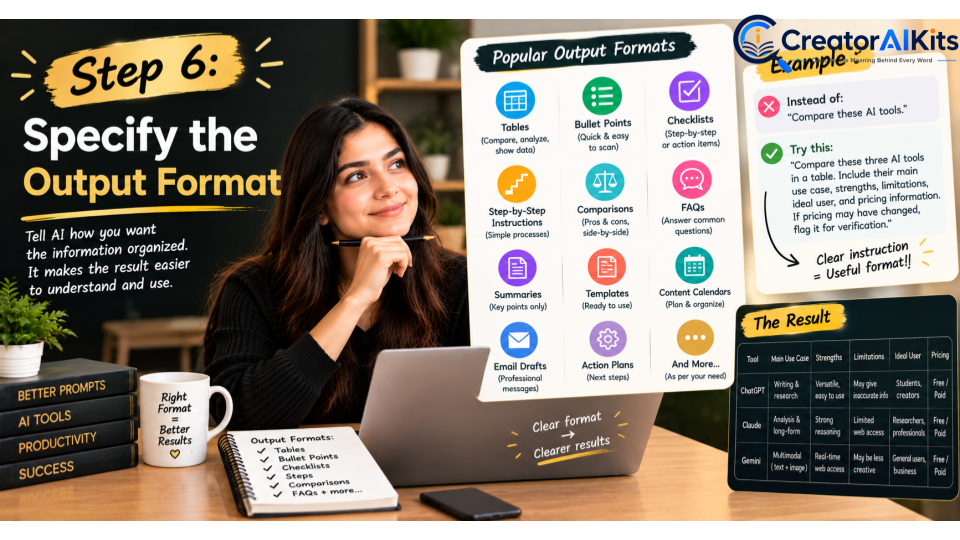
You can make an AI response more useful simply by explaining how you want the information organized.
Instead of:
“Compare these AI tools.”
Try:
“Compare these three AI tools in a table. Include their main use case, strengths, limitations, ideal user, and pricing information. If pricing may have changed, flag it for verification.”
You can ask AI for:
- Tables
- Bullet points
- Checklists
- Step-by-step instructions
- Comparisons
- Summaries
- FAQs
- Templates
- Content calendars
- Action plans
- Email drafts
Example
“Explain five ways AI can improve productivity. Use a table with four columns: task, how AI helps, example prompt, and limitation.”
This makes the response easier to scan, understand, and apply.
Step 7: Review and Improve the Response
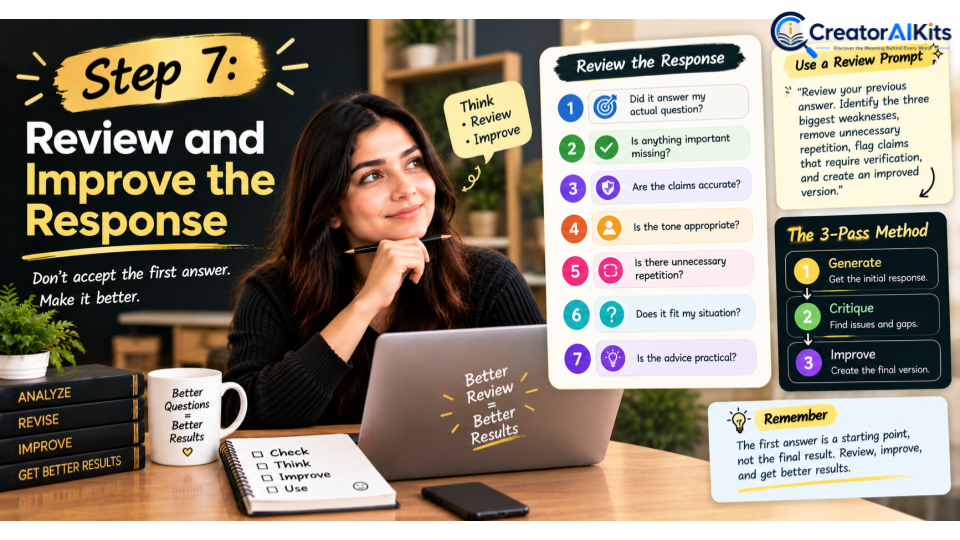
Do not automatically treat the first AI response as the final answer.
Think of it as a starting draft.
Ask:
- Did it answer my actual question?
- Is anything important missing?
- Are the claims accurate?
- Is the tone appropriate?
- Is anything repetitive?
- Did the AI make assumptions?
- Does the answer fit my situation?
- Is the advice practical?
Then refine it.
Useful Review Prompt
“Review your previous answer. Identify the three biggest weaknesses, remove unnecessary repetition, flag claims that require verification, and create an improved version.”
This turns AI use into an iterative process instead of a one-click process.
The 3-Pass Method
For important work, use three passes:
Pass 1: Generate
Create the initial response.
Pass 2: Critique
Ask AI to identify weaknesses, missing information, repetition, and unsupported claims.
Pass 3: Improve
Create the final version after addressing those issues.
This approach can produce much stronger results than simply accepting the first response.
Step 8: Verify Important Information

This is one of the most important parts of using AI responsibly.
AI-generated information is not automatically factual simply because it sounds confident.
AI can sometimes produce information that is:
- Incorrect
- Outdated
- Incomplete
- Misleading
- Unsupported
The level of verification should depend on the consequences of being wrong.
For Low-Risk Tasks
Brainstorming ideas or generating creative variations may require only a basic review.
For High-Risk Tasks
Medical, legal, financial, safety, cybersecurity, and other consequential information require much more careful verification and, when appropriate, professional advice.
Use the Five-Point Verification Check
1. Source
Where did the claim come from?
2. Accuracy
Can you independently confirm it?
3. Currency
Could the information have changed recently?
4. Context
Is important information missing?
5. Consequences
What could happen if the information is wrong?
Remember:
A confident AI answer is not proof of accuracy.
For current information, check reliable primary sources whenever possible.
Step 9: Protect Your Privacy

Before entering information into an AI system, ask whether the system actually needs it.
Avoid unnecessarily sharing:
- Passwords
- Authentication codes
- Private financial information
- Highly sensitive personal information
- Confidential business information
- Private customer information
- Proprietary source code
- Information you are not authorized to disclose
A Simple Privacy Rule
Ask:
“What is the minimum information this AI tool needs to complete my task?”
If sensitive information is unnecessary, leave it out.
For business or professional use, also follow your organization’s AI and data-handling policies.
Example
Instead of uploading a document containing a customer’s full personal information, remove unnecessary personal details if the AI only needs the document’s structure or general content.
Use AI with the minimum necessary information.
Step 10: Build Repeatable AI Workflows

Once you discover a prompt or process that consistently works, save it.
Instead of repeatedly starting from zero, create a workflow.
Example: AI Content Workflow
Research
↓
Search-intent analysis
↓
Outline
↓
Draft
↓
Fact-checking
↓
Original analysis
↓
Editing
↓
Human review
↓
Publish
↓
Monitor and update
This is much more useful than simply telling an AI:
“Write an article for me.”
The real productivity gain comes from building a repeatable process—not merely generating more text.
Example: Freelance Workflow
You could create a repeatable workflow such as:
Client brief → Research → Outline → Draft → Quality check → Client-specific editing → Final delivery
The more predictable the task, the more valuable a repeatable AI workflow can become.
Do You Need a Paid AI Tool?
Not always.
For many beginner tasks, a free AI tool can be enough to learn the fundamentals and experiment with real problems.
Paid plans may provide additional capabilities such as:
- Higher usage limits
- Additional models
- Advanced features
- Larger context limits
- Integrations
- Team features
- Organizational controls
But the right question is not:
“Do I need the most expensive AI subscription?”
Ask:
“Does the additional capability solve a problem I actually have?”
If a free tool already handles your task well, upgrading may not provide meaningful value.
Choose based on your workflow—not on the price or popularity of the tool.
Common AI Mistakes to Avoid
1. Starting Without a Clear Goal
A vague question often leads to a vague answer.
Define the problem first.
2. Choosing a Tool Before Defining the Task
Start with the problem, then select the appropriate tool.
3. Providing Too Little Context
The AI may fill missing information with assumptions.
4. Expecting the First Answer to Be Perfect
Important work often requires refinement.
5. Trusting AI Without Verification
Important facts should be independently checked.
6. Sharing Sensitive Information
Only provide information necessary for the task.
7. Using AI for Tasks Where It Adds Little Value
Sometimes doing a task yourself is faster than generating and checking AI output.
A useful AI skill is knowing when not to use AI.
8. Publishing Raw AI-Generated Content
AI can assist with content creation, but strong publishing requires human review, originality, fact-checking, and meaningful value.
Don’t publish an AI-generated article simply because it is long.
Ask:
Does this page actually help the reader?
9. Inventing Expertise
Never create fake:
- Experience
- Credentials
- Tests
- Statistics
- Case studies
- Customer reviews
- Research results
If you do not have first-hand experience, don’t pretend that you do.
10. Writing Only for Search Engines
SEO should support helpful content—not replace it.
The goal should be to satisfy the reader’s question better than competing pages, not simply to insert a keyword a certain number of times.
10 Practical AI Prompts You Can Use Today
1. Learning Prompt
“Explain [topic] to me as a beginner. Start with the basic concept, give me a simple example, and finish with three common mistakes to avoid.”
2. Research Prompt
“Help me research [topic]. Separate established facts from claims that require verification. Identify information that may have changed recently and suggest authoritative sources to check.”
3. Writing Prompt
“Create a first draft about [topic] for [audience]. Use a professional, natural tone. Avoid unsupported claims, repetition, and exaggerated language.”
4. Editing Prompt
“Edit this text for grammar, clarity, structure, and readability. Preserve the original meaning and do not introduce new factual claims.”
5. Critical Review Prompt
“Act as a critical editor. Identify unsupported claims, logical gaps, missing context, repetition, and unclear sections. Explain how each issue should be improved.”
6. SEO Content Prompt
“Create a people-first content outline for [topic]. Cover the main search intent, related questions, practical examples, common mistakes, and FAQs. Avoid unnatural keyword repetition.”
7. Comparison Prompt
“Compare these options based on features, cost, limitations, ease of use, ideal user, and major trade-offs. Clearly distinguish facts from subjective recommendations.”
8. Brainstorming Prompt
“Give me 20 ideas for [goal]. Group them by difficulty and potential impact. Avoid generic suggestions and explain why the five strongest ideas are worth testing.”
9. Data Analysis Prompt
“Analyze this dataset and identify the most important trends, anomalies, and patterns. Clearly distinguish observations from assumptions.”
10. Quality-Control Prompt
“Review this final answer as a strict editor and fact-checker. Identify claims that require verification, missing information, unsupported certainty, repetition, and areas that should be improved.”
How to Use AI for Different Tasks
Content Creation
AI can assist with:
- Brainstorming
- Outlining
- Research assistance
- Drafting
- Editing
- Repurposing
- Content planning
For stronger content, combine AI assistance with original research, useful examples, reliable sources, human judgment, and fact-checking.
The strongest AI-assisted content should provide something useful beyond simply rewording information that already exists online.
Studying and Learning
AI can help you:
- Explain difficult concepts
- Create practice questions
- Summarize notes
- Generate examples
- Build study plans
- Quiz you
- Explain the same concept in different ways
Try:
“Teach me [topic] step by step as a beginner. After each section, ask me one question to test my understanding.”
This turns AI from a simple answer generator into an interactive learning assistant.
Business
AI can assist with:
- Brainstorming
- Content planning
- Customer-support drafts
- Meeting summaries
- Internal documentation
- Research assistance
- Data analysis
- Repetitive administrative tasks
Important business decisions should still be evaluated using appropriate evidence and human judgment.
Coding
AI can help with:
- Explaining code
- Debugging
- Generating tests
- Refactoring
- Documentation
- Exploring implementation approaches
However, generated code should be reviewed and tested before being trusted in a real application.
For security-sensitive code, testing and human review are particularly important.
A Simple AI Workflow Anyone Can Follow
You can remember the entire process with this framework:
DEFINE → CHOOSE → PROMPT → REVIEW → VERIFY → APPLY
DEFINE
What problem are you solving?
CHOOSE
Which tool is appropriate?
PROMPT
What exactly should the AI do?
REVIEW
Does the response actually solve the problem?
VERIFY
Are important claims accurate?
APPLY
Can you safely use the final result?
This simple process is more valuable than memorizing dozens of complicated prompt formulas.
How to Evaluate an AI Answer
Before using an AI-generated response, score it against five questions:
| Check | Question |
| Relevance | Did it answer the actual question? |
| Accuracy | Can important claims be verified? |
| Completeness | Is anything important missing? |
| Clarity | Can the intended audience understand it? |
| Usefulness | Can I actually use the result? |
If an answer fails one of these checks, improve it before relying on it.
For important work, also ask:
Is this information current?
This is especially important for software, pricing, laws, products, statistics, company information, and other fast-changing topics.
How to Build Trustworthy AI-Assisted Content
If you use AI while creating content for a website, quality control matters.
A trustworthy publishing process should include:
- A clear author
- An accurate author bio
- Reliable sources
- Original analysis
- Useful examples
- Fact-checking
- Human editorial review
- Appropriate updates
- Clear separation between facts and opinions
Most importantly, don’t claim personal experience that you don’t actually have.
If you tested a product yourself, explain what you observed.
If you did not test it yourself, don’t write:
“I personally tested this tool and found…”
Instead, accurately explain how the information was gathered.
That distinction matters for reader trust.
Frequently Asked Questions
What is the best way to use AI tools?
Start with a specific problem, define the desired result, choose the right tool, provide relevant context, write a clear prompt, review the output, verify important information, and refine the result.
How can I get better results from AI?
Be clear about the task, audience, context, requirements, limitations, and desired format. Then review and refine the response instead of automatically accepting the first answer.
Do I need advanced prompt engineering?
No. Clear instructions and useful context are generally more important than complicated prompt formulas.
Can I trust AI-generated information?
Not automatically. AI output can contain errors, outdated information, missing context, or unsupported claims. Verify important information before relying on it.
Which AI tool is best?
There is no universal best AI tool. The right choice depends on your task, required capabilities, privacy needs, budget, and workflow.
Can AI replace human judgment?
AI can accelerate many tasks, but human judgment remains important—especially when decisions involve accuracy, safety, privacy, money, or significant consequences.
How should beginners start using AI?
Start with one real problem you already understand. Use AI to help solve it, review the output, and gradually build a repeatable workflow.
Should AI prompts be very long?
No. A prompt does not need to be long to be effective. It needs to contain the relevant task, context, requirements, and desired output.
Can AI make mistakes even when it sounds confident?
Yes. A confident writing style does not guarantee factual accuracy.
Should I use AI to write everything for me?
AI can assist with many parts of a workflow, but strong results still benefit from human judgment, original thinking, verification, and editing.
How can I use AI more efficiently?
Identify repetitive tasks, create reusable prompts, save successful workflows, and regularly evaluate whether AI is actually saving time.
Final AI Effectiveness Checklist
Before using an AI-generated result, ask:
✅ Goal
Did I clearly define the problem?
✅ Tool
Did I choose a tool appropriate for the task?
✅ Context
Did I provide the relevant information?
✅ Prompt
Did I clearly explain what I need?
✅ Format
Did I specify how I want the result presented?
✅ Review
Did I critically examine the output?
✅ Verification
Did I verify important claims?
✅ Privacy
Did I avoid unnecessary sensitive information?
✅ Human Judgment
Did I make the final decision where appropriate?
✅ Originality
Did I add meaningful human insight, analysis, experience, or examples?
If the answer is yes to all ten, you are not simply using AI.
You are using it effectively.
Conclusion
The biggest mistake people make with AI is thinking that better results come from simply using more AI tools.
They don’t.
Better results come from using the right tool for the right problem, giving it the right context, communicating clearly, reviewing its output, verifying important information, protecting sensitive data, and building workflows that genuinely improve your work.
The process is simple:
Define the problem → Choose the right tool → Give useful context → Write a clear prompt → Review → Verify → Apply → Improve.
AI can make work faster, but speed is not the only measure of success.
The strongest AI workflow is one that produces results that are:
- Useful
- Accurate
- Relevant
- Responsible
- Efficient
- Valuable to the end user
The goal is not to let AI make every decision for you.
The goal is to use AI intelligently so you can work smarter, solve problems faster, and make better-informed decisions.

Welcome to CreatorAIKits! I’m passionate about learning and exploring AI tools, creativity, and technology.
I’m continuously researching and gaining hands-on experience with different AI tools and technologies.
My goal is to share simple, useful, and practical AI information for beginners and everyday users.
Thanks for visiting CreatorAIKits!