Introduction
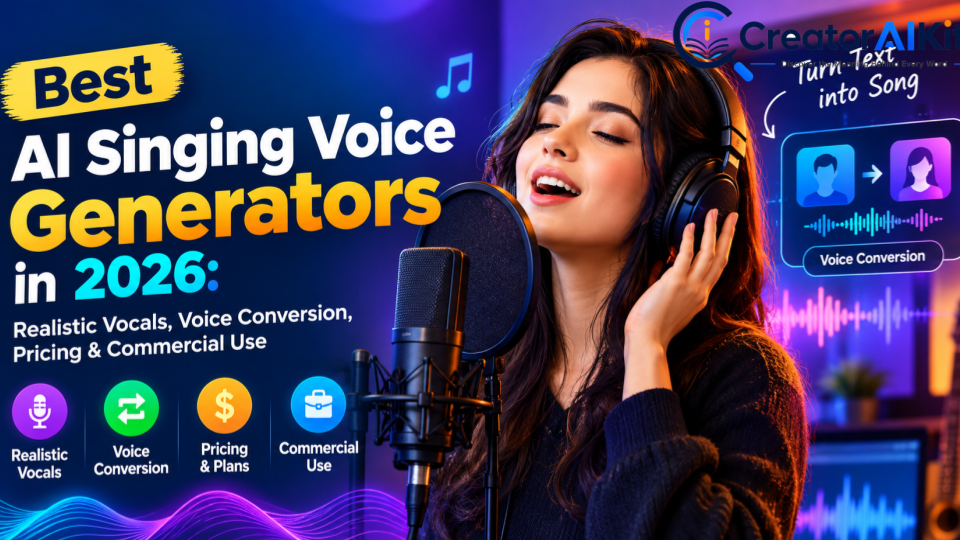
AI singing tools have moved far beyond simple robotic voice effects. In 2026, you can use AI to generate a singing performance from lyrics and MIDI, transform an existing vocal into another voice, create harmonies, clone an authorized voice, or build a complete vocal demo for a song.
But there is one important problem: not every AI singing tool does the same job.
Some tools are designed for MIDI-and-lyrics-based singing synthesis. Others are better for converting a recorded performance into another singing voice. Some focus on professional vocal production, while others are built for quick songwriting experiments.
So, instead of simply listing popular AI tools, this guide compares them by workflow, control, pricing, voice options, and commercial-use considerations.
Quick answer: Which AI singing tool should you consider?
- For MIDI-based singing synthesis: ACE Studio and Synthesizer V Studio 2 Pro are strong options to investigate.
- For converting an existing singing performance: Kits AI and Audimee are designed around vocal conversion workflows.
- For songwriting and vocal-arrangement experimentation: LyricToMelody AI is worth considering.
- For browser-based singing voice transformation: ElevenLabs now offers a dedicated singing voice changer.
- For technical users who want local control: RVC-based workflows such as Applio can be attractive, but licensing and setup require more responsibility.
- For commercial music: Never choose a tool based only on the monthly price. Check the exact voice/model license and commercial-use terms.
- For the most realistic result: Your source recording, melody, pronunciation, vocal range, model selection, and post-production can matter as much as the AI platform itself.
Important: “Free,” “royalty-free,” and “commercial use” are not interchangeable terms. Always check the current license for the specific tool, voice, model, and workflow you plan to use.
What Is an AI Singing Voice Generator?
An AI singing voice generator uses machine-learning technology to create or transform sung vocals.
However, there are several different technologies that are often grouped under the same term.
AI singing synthesis
Singing synthesis generates vocals from inputs such as:
- Lyrics
- MIDI notes
- Melody
- Timing
- Expression controls
- Selected AI voice
This approach is useful when you do not already have a finished vocal recording.
For example, a songwriter can enter a melody and lyrics and use a synthesized singer to create a vocal demo.
AI voice conversion for singing
Voice conversion starts with an existing singing performance and changes the perceived voice.
You provide:
- A recorded vocal
- Melody
- Timing
- Lyrics
- Performance dynamics
The AI then transforms the voice while attempting to preserve the original performance.
This is particularly useful when you already like your performance but want to experiment with a different vocal identity.
AI voice cloning
Voice cloning creates a model based on voice recordings.
For ethical and legal reasons, you should only clone:
- Your own voice, or
- A voice for which you have appropriate authorization.
A technically possible voice clone is not automatically a legally cleared voice clone.
AI harmony generation
Some platforms can also create additional vocal parts.
These can include:
- Harmonies
- Backing vocals
- Choir-style layers
- Vocal doubles
- Alternative vocal textures
This can speed up songwriting and production workflows without requiring several recorded singers.
Best AI Singing Voice Generators in 2026
The tools below are organized by their main workflow, rather than pretending that every platform performs exactly the same job.
ACE Studio — Best for Controlled AI Singing Synthesis
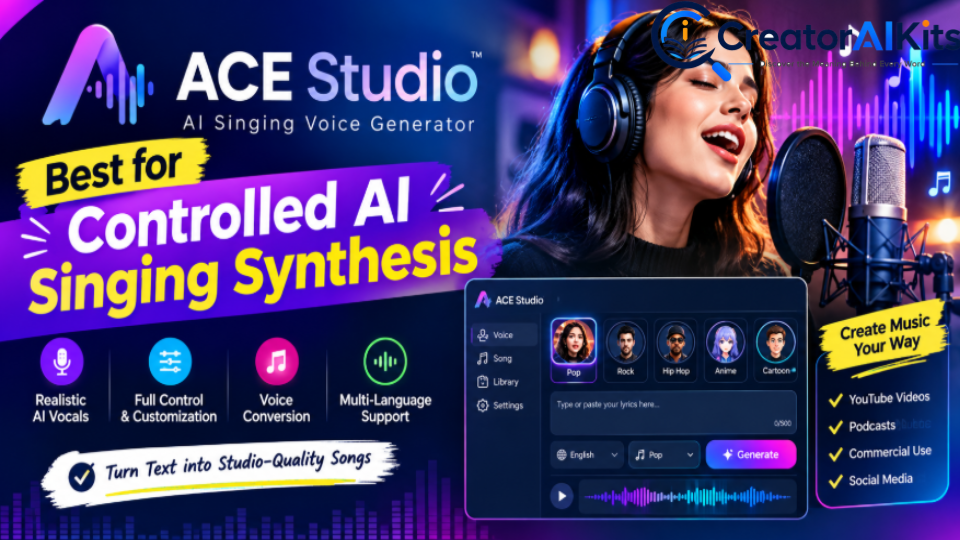
ACE Studio is particularly relevant if you want to create and edit singing vocals from MIDI and lyrics rather than simply transform an existing recording.
Its current product documentation describes MIDI input, lyric entry, AI voices, pitch editing, vocal controls, voice blending, choir functions, and voice cloning.
Best for
- Songwriters
- Music producers
- MIDI-based vocal production
- Detailed vocal editing
- AI backing vocals
- Vocal harmony creation
- Creating demos before hiring a vocalist
Key features
- MIDI-based singing generation
- Lyrics-to-vocal workflow
- Pitch editing
- Vocal expression controls
- Voice blending
- AI choir workflows
- Voice cloning
- DAW integration
Current pricing
ACE Studio’s current pricing page lists:
| Plan | Current displayed price* | Notable features |
| Artist | $16.58/month | 160+ royalty-free AI voices, 40+ AI instruments, 1 vocal-synth cloning slot |
| Artist Pro | $22/month | More voice-cloning capacity and higher included credits |
*These displayed prices are based on annual billing/rent-to-own options shown on the official pricing page. Pricing and plan structures can change.
Pros
- Strong control over generated singing
- MIDI and lyrics workflow
- Detailed pitch and expression editing
- Large voice library
- Useful for music-production workflows
Limitations
- More technical than simple browser-based voice changers
- Requires more preparation than one-click conversion
- Pricing and licensing should be checked for the exact voice/workflow
Best for: Producers who want to actually compose and control AI vocals, rather than simply change the identity of an existing singer.
Synthesizer V Studio 2 Pro — Best for Detailed Vocal Editing
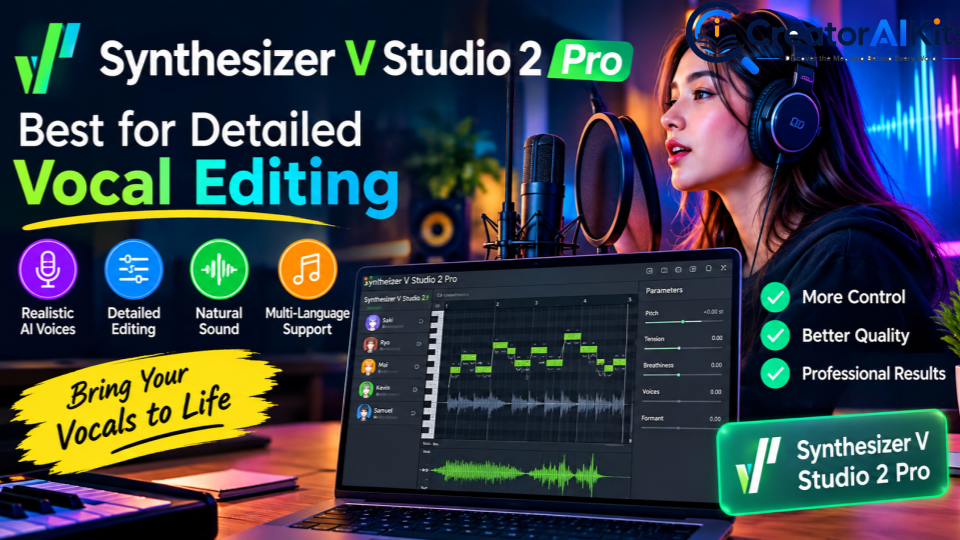
Synthesizer V Studio 2 Pro is a dedicated singing-synthesis application from Dreamtonics.
Instead of treating AI singing as a simple text-to-audio generator, it gives producers detailed control over notes, lyrics, pitch, phonemes, timing, and vocal expression.
Best for
- Professional vocal production
- Songwriters
- Composers
- MIDI-based workflows
- Detailed pitch editing
- Precise pronunciation control
Key features
- Enter notes and lyrics
- AI singing synthesis
- Pitch editing
- Phoneme editing
- Timing controls
- Expression parameters
- Standalone workflow
- VST3/AU/AAX/ARA support
Current price
The official Dreamtonics Store currently lists Synthesizer V Studio 2 Pro at $99 as a one-time purchase, including one complimentary voice.
A 14-day free trial is also available.
Additional voices are sold separately, with current Dreamtonics voice pricing varying by voice.
Pros
- Very detailed editing controls
- Strong MIDI workflow
- One-time software purchase
- Useful for serious music production
- Suitable for detailed vocal arrangement
Limitations
- Desktop-focused
- Additional voice purchases can increase the total cost
- More complex than a simple online voice converter
Best for: Producers who want fine-grained control over pitch, pronunciation, timing, and vocal expression.
Kits AI — Best for Music-Focused Voice Conversion
Kits AI focuses heavily on AI vocal production and voice conversion.
Its workflow is especially useful when you already have a singing performance and want to transform it into another AI singing voice.
Best for
- Vocal conversion
- Music producers
- Independent artists
- Vocal experimentation
- Voice cloning
- AI harmonies
- Vocal production
Key features
- AI singing voice conversion
- Voice library
- Voice cloning
- Vocal processing tools
- Harmony tools
- Generative vocals
- Voice blending
Current pricing
Kits AI’s current pricing page displays the following annual-billing monthly-equivalent prices:
| Plan | Price shown | Conversion | Download minutes |
| Free | $0 | 30 minutes | 0 |
| Starter | $8/month* | Unlimited | 15/month |
| Producer | $16/month* | Unlimited | 60/month |
| Professional | $40/month* | Unlimited | Unlimited |
*Prices shown are based on annual billing and may differ under monthly billing.
Kits AI also states that unlimited usage is subject to fair-use conditions.
Important commercial-use point
Do not assume every Kits AI voice has identical commercial licensing.
Kits AI’s official artist-model terms explain that some artist AI models have a separate process for obtaining commercial rights. The official platform also provides a track-submission workflow for commercial releases using artist voices.
Pros
- Strong music-focused workflow
- Voice conversion
- Voice cloning
- Vocal-production features
- Browser-based access
Limitations
- Commercial rights can depend on the specific AI model
- Download limits vary by plan
- Results depend heavily on the quality of the source vocal
Best for: Creators who already have a vocal performance and want to experiment with different singing voices.
Audimee — Best for Browser-Based Vocal Conversion
Audimee is another platform focused on transforming vocal recordings.
Its current feature set includes vocal conversion, custom voice models, pitch editing, harmony creation, vocal isolation, stem separation, and mixed voices.
Best for
- Fast browser-based vocal conversion
- Producers
- Songwriters
- Vocal experimentation
- Harmony creation
- Custom voice models
Current pricing
Audimee currently lists:
| Plan | Price | Conversion time | Custom voice slots |
| Free | $0 | 15 minutes | 0 |
| Starter | $9/month | 1 hour/month | 1 |
| Pro | $19/month | 3 hours/month | 3 |
| Ultimate | $37/month | Unlimited | 8 |
The free plan is intended for personal use, while the paid plans include commercial-use access according to Audimee’s current pricing information.
Pros
- Easy browser workflow
- Vocal conversion
- Pitch editor
- Harmony Maker
- Vocal isolation
- WAV exports on paid plans
- Custom voice models
Limitations
- Free plan is limited
- Conversion time is quota-based
- Commercial publishing requires the appropriate paid plan
Best for: Creators who want a simple online environment for transforming vocals without building a technical local setup.
LyricToMelody AI — Best for Songwriting and Vocal Arrangements
Recent 2026 search results show growing interest in tools that go beyond voice conversion and help create vocal arrangements from lyrics or musical input.
LyricToMelody AI is one example of this workflow.
It is positioned around creating vocal drafts and arrangements rather than simply changing an existing singer’s identity.
Best for
- Songwriters
- Vocal demos
- Melody development
- Vocal arrangements
- DAW-oriented workflows
What to look for
Depending on the current plan and workflow, evaluate:
- Lyrics-to-vocal generation
- MIDI support
- Vocal arrangement features
- Stem export
- Voice customization
- Commercial rights
- Editing options
Why it belongs in this comparison
A common mistake in AI singing articles is comparing a vocal synthesizer directly against a voice-conversion service as if they were identical products.
They are not.
If your starting point is lyrics and melody, a synthesis-focused platform may make more sense. If your starting point is a recorded vocal, a conversion platform may be more appropriate.
Best for: Songwriters who want to move from lyrics or musical ideas toward a usable vocal demo.
ElevenLabs — Best for Easy Singing Voice Experimentation
ElevenLabs is widely known for AI voice generation, but its current product lineup also includes a dedicated Singing Voice Changer.
The important distinction is that you should not automatically treat a general speech voice generator as a professional singing synthesizer.
Best for
- Singing voice experimentation
- Voice transformation
- Quick creative projects
- Browser-based workflows
Current capabilities
ElevenLabs currently offers singing AI voices and a dedicated singing voice changer.
Pros
- Easy to access
- Large AI voice ecosystem
- Singing-specific functionality
- Useful for experimentation
Limitations
- It should be evaluated separately from dedicated MIDI-based singing synthesizers
- Commercial rights depend on the applicable plan and terms
- Professional music-production requirements may require more specialized software
Best for: Creators who want a quick way to experiment with AI singing voices.
RVC-Based Tools — Best for Technical Users and Local Workflows
RVC, or Retrieval-based Voice Conversion, is a technology used in a variety of community and open-source voice-conversion workflows.
Tools built around RVC can provide significant flexibility, but they are not as straightforward as commercial browser platforms.
Best for
- Technical users
- Local processing
- Custom model experimentation
- Open-source workflows
- Users comfortable managing models and datasets
Pros
- Flexible
- Local/self-hosted possibilities
- Large community ecosystem
- Can be economical
Limitations
- More difficult setup
- Quality varies by model
- Hardware can matter
- Model licensing may be unclear
- Commercial rights are not automatically granted
Important: Downloading an AI voice model does not automatically give you the right to use the model or its outputs commercially.
AI Singing Voice Generators Compared
| Tool | Main workflow | Best for | Platform | Pricing model | Custom voice |
| ACE Studio | Singing synthesis | MIDI + lyrics | Desktop/Web ecosystem | Subscription/rent-to-own | Yes |
| Synthesizer V 2 Pro | Singing synthesis | Detailed editing | Desktop | One-time purchase | Voice-dependent |
| Kits AI | Voice conversion | Music producers | Browser | Subscription | Yes |
| Audimee | Voice conversion | Fast online conversion | Browser | Subscription | Yes |
| LyricToMelody AI | Vocal generation/arrangement | Songwriters | Web | Freemium/subscription | Feature-dependent |
| ElevenLabs | Voice transformation | Easy experimentation | Web | Subscription | Feature-dependent |
| RVC workflows | Voice conversion | Technical users | Local/self-hosted | Often free/open-source | Model-dependent |
Which AI Singing Tool Should You Choose?
Instead of asking only, “Which AI singing generator is best?”, start with your actual workflow.
Choose ACE Studio if:
- You want to create vocals from MIDI and lyrics.
- You want detailed singing controls.
- You want AI choir or harmony workflows.
- You are comfortable with a music-production environment.
Choose Synthesizer V if:
- You want detailed note-level editing.
- You prefer desktop music-production software.
- You want precise control over pronunciation and expression.
- You prefer a one-time software purchase.
Choose Kits AI if:
- You already have a singing performance.
- You want to change the perceived voice.
- You want music-focused AI vocal tools.
- You want to experiment with voice models.
Choose Audimee if:
- You want a browser-based workflow.
- You want vocal conversion and harmony tools.
- You need vocal isolation and pitch editing.
- You prefer a simple interface.
Choose LyricToMelody AI if:
- You are starting from songwriting ideas.
- You want to create vocal drafts.
- You need an arrangement-oriented workflow.
Choose ElevenLabs if:
- You want to experiment with singing voice transformation.
- You prefer an easy browser workflow.
- You are already using the ElevenLabs ecosystem.
Choose an RVC-based workflow if:
- You are technically comfortable.
- You want local control.
- You understand model licensing and dataset rights.
What Makes an AI Singing Voice Sound Realistic?
A realistic AI vocal is not determined by the AI model alone.
Several factors influence the result.
1. Source vocal quality
For voice-conversion tools, start with a clean recording.
Ideally:
- Low background noise
- Minimal room reverb
- No clipping
- Clear pronunciation
- Stable timing
- A suitable vocal range
A poor source recording can produce poor AI output even with a sophisticated model.
2. Pitch and timing
AI can help transform a performance, but it does not guarantee that an unstable performance will suddenly become perfect.
Record the melody as accurately as possible.
3. Vocal range
If the source performance sits far outside the natural range of the target model, artifacts can become more noticeable.
Test:
- Low notes
- High notes
- Sustained vowels
- Fast lyrics
- Large melodic jumps
4. Pronunciation
Consonants can expose artificiality very quickly.
Pay particular attention to:
- S sounds
- T sounds
- K sounds
- Fast syllables
- Long vowels
- Word transitions
5. Vibrato and expression
AI vocals can sometimes sound less convincing during:
- Long sustained notes
- Strong vibrato
- Sudden emotional changes
- Breathy phrases
- Powerful belting
That is why manual editing remains useful.
How to Create More Realistic AI Vocals
Step 1: Start with a clean vocal
Use a dry, clear recording whenever possible.
Avoid excessive:
- Reverb
- Background noise
- Compression
- Distortion
- Stereo effects
Step 2: Perform the melody carefully
Give the AI a strong source performance.
Accurate pitch and timing generally make conversion easier.
Step 3: Remove unnecessary noise
Use moderate noise reduction.
Over-processing can create metallic or watery artifacts.
Step 4: Choose a suitable target voice
Consider:
- Vocal range
- Tone
- Genre
- Language
- Vocal character
- Emotional delivery
Step 5: Test difficult phrases
Do not judge an AI voice from one easy sentence.
Test:
- High notes
- Low notes
- Fast lyrics
- Long vowels
- Breathy vocals
- Strong consonants
- Emotional phrases
Step 6: Edit the result
A DAW can help you refine:
- EQ
- De-essing
- Compression
- Timing
- Volume
- Reverb
- Delay
- Breaths
- Harmonies
Step 7: Humanize the performance
Perfectly uniform timing and dynamics can sometimes sound artificial.
Small musical variations can make the final performance feel more natural.
Common AI Singing Problems and How to Fix Them
| Problem | Possible cause | What to try |
| Metallic sound | Model/source mismatch | Try another model or cleaner source |
| Unclear lyrics | Pronunciation issue | Improve consonants and timing |
| Robotic emotion | Flat source performance | Record stronger dynamics |
| Unstable vibrato | Difficult sustained notes | Simplify or manually edit |
| Watery artifacts | Aggressive processing | Reduce preprocessing |
| Noisy conversion | Poor source recording | Clean/separate the vocal |
| Phase problems | Poorly aligned layers | Check harmony timing and mono compatibility |
| Artificial breaths | Conversion artifacts | Edit or replace breaths manually |
Are AI Singing Voices Legal to Use Commercially?
This is one of the most important questions to answer before publishing or monetizing an AI-generated song.
There is no single commercial-use rule for every AI singing tool.
Your rights can depend on:
- The platform
- Your subscription
- The specific voice
- The model
- Your source recording
- The licensing agreement
- Whether the voice belongs to a real artist
- The date the output was generated
- The platform where you distribute the music
Before commercial release, check all of the following.
1. Do you own the source recording?
If another singer performed the original vocal, make sure you have the appropriate permission.
2. Are you authorized to use the target voice?
Do not assume that a recognizable singer’s voice is available for unrestricted commercial imitation.
3. Does the specific model allow commercial use?
Read the license for the exact voice/model.
4. Does the free plan allow commercial use?
A free account may provide access for experimentation while restricting commercial publication.
5. Are additional approvals required?
Some artist-licensed AI models may require an additional approval or registration process before commercial release.
6. Can your distributor accept the content?
Check the current policies of the music distributor or platform you intend to use.
7. Save the terms
Keep a copy of the relevant license or terms that applied when you generated the audio.
The safest rule is simple: if the commercial rights are unclear, do not assume that you have them.
Are Free AI Singing Generators Really Free?
Not always in the way users expect.
A free plan may limit:
- Conversion minutes
- Download minutes
- Audio quality
- Voice choices
- Custom voice models
- Commercial rights
- Project saving
- Export formats
For example, Audimee’s current free plan provides introductory conversion time but limits commercial use, while Kits AI’s free plan currently provides conversion access without download minutes.
So compare the complete workflow, not just the signup price.
AI Singing Generator vs AI Voice Changer: What’s the Difference?
This distinction is extremely important.
| Feature | AI Singing Generator | AI Singing Voice Converter |
| Starting point | Lyrics/MIDI/melody | Existing vocal |
| Creates new performance | Usually | Usually transforms existing performance |
| Requires recorded singing | Not necessarily | Usually |
| Melody control | High | Comes from source |
| Voice identity | Selected AI singer | Converted target voice |
| Best for | Composition | Vocal transformation |
| Examples | ACE Studio, Synthesizer V | Kits AI, Audimee |
If you already recorded yourself singing, look primarily at voice-conversion tools.
If you have lyrics and a melody but no finished vocal performance, investigate singing-synthesis tools.
Who Should Use AI Singing Voice Generators?
AI singing tools can be useful for:
- Songwriters creating demos
- Music producers testing arrangements
- Independent artists experimenting with vocal styles
- Creators making backing vocals
- Composers developing ideas
- Musicians creating temporary vocals
- Teams prototyping music before recording final vocals
They may be less suitable when:
- You require a guaranteed human performance
- A project depends heavily on unique human emotion
- Commercial licensing cannot be verified
- You want to imitate a real artist without authorization
- The voice/model rights are unclear
How We Recommend Testing AI Singing Tools
A reliable comparison should not be based only on marketing claims.
If you want to publish a genuinely first-hand tested version of this article, use the same controlled test for every platform.
Our recommended test protocol
- Prepare the same clean vocal sample.
- Use the same lyrics and melody.
- Keep tempo and musical phrase consistent.
- Test low notes, high notes, sustained notes, and fast lyrics.
- Record the exact tool, plan, model, date, and export format.
- Compare pronunciation, pitch stability, naturalness, artifacts, and expression.
- Save screenshots of the actual workflow.
- Save representative audio samples where licensing permits.
- Record processing time where measurable.
- Verify pricing and licensing immediately before publication.
Suggested comparison categories
| Category | What to evaluate |
| Vocal naturalness | Does the output maintain a believable vocal character? |
| Pitch stability | Are notes and transitions consistent? |
| Pronunciation | Are lyrics understandable? |
| Expression | Does the vocal respond naturally to dynamics? |
| Artifacts | Are there metallic, watery, or robotic sounds? |
| Control | How much can you edit? |
| Workflow | How easy is the process? |
| Export | Are the available formats suitable? |
| Licensing | Are commercial rights clearly documented? |
| Value | Do the features justify the cost for the target user? |
Do not publish a numerical score unless you actually calculate it from a documented methodology.
💡 Pro Tip
If you’re using AI tools for more than just singing and want to build a more efficient AI workflow, our guide How to Use AI Tools Effectively in 2026: 10 Practical Steps can help you choose, evaluate, and use AI tools more effectively.
Frequently Asked Questions
What is the best AI singing voice generator in 2026?
There is no single tool that fits every singing workflow. ACE Studio and Synthesizer V Studio 2 Pro are designed for detailed singing synthesis, while Kits AI and Audimee focus strongly on transforming existing vocal performances. The right choice depends on whether you are generating vocals from lyrics and MIDI or converting a recording.
Can AI turn my normal singing voice into another singing voice?
Yes. Voice-conversion platforms can transform an existing singing performance into another AI voice. Results depend on the source recording, melody, pronunciation, vocal range, target model, and processing.
Can I create a singing voice from lyrics?
Yes. Singing-synthesis tools can generate vocals using lyrics combined with musical information such as MIDI notes or melody.
Can I use AI vocals on Spotify?
Potentially, but you must verify the current commercial license of the specific tool and voice, as well as the current policies of your distributor. A free account does not automatically provide unrestricted commercial rights.
Are AI singing generators free?
Some offer free plans or trials, but limitations can include conversion minutes, downloads, voice selection, audio quality, project saving, or commercial rights.
Can I clone another singer’s voice?
You should only clone or commercially imitate a voice when you have the necessary authorization and rights. A tool making the technology available does not automatically give you permission to imitate a real person.
Does AI singing sound completely human?
Not consistently. Some outputs can sound highly convincing, but artifacts may appear in pronunciation, breaths, vibrato, transitions, extreme notes, or emotional passages. Human editing can still make a substantial difference.
What is better for singing: voice conversion or singing synthesis?
It depends on your starting point.
Choose voice conversion when you already have a singing performance and want to change the voice.
Choose singing synthesis when you want to create a vocal performance from lyrics, melody, or MIDI.
What audio format should I upload?
The required format depends on the platform. Follow the specific tool’s documentation for supported file type, sample rate, channels, duration, and file-size limits.
Final Takeaway
AI singing technology in 2026 is no longer one simple category.
The biggest decision is to identify what you are actually trying to create.
If you want to generate and control a vocal from lyrics and MIDI, look at dedicated singing-synthesis tools such as ACE Studio and Synthesizer V Studio 2 Pro.
If you already have a vocal recording and want to transform its voice, Kits AI and Audimee are built around that workflow.
If your priority is songwriting experimentation, newer vocal-generation platforms such as LyricToMelody AI are also worth investigating.
And if commercial music is your goal, licensing should be treated as a core feature—not an afterthought.
The most convincing AI vocal is also not necessarily the one with the most impressive demo. Source-recording quality, vocal range, pronunciation, expression, model choice, editing, and final mixing can all change the result.
For that reason, the most reliable way to choose an AI singing tool is to test the same musical phrase across several platforms, compare the actual output, and verify the current license before releasing anything commercially.
AI can accelerate the vocal-production process, but the best results still come from combining the technology with human musical judgment and editing.

Welcome to CreatorAIKits! I’m passionate about learning and exploring AI tools, creativity, and technology.
I’m continuously researching and gaining hands-on experience with different AI tools and technologies.
My goal is to share simple, useful, and practical AI information for beginners and everyday users.
Thanks for visiting CreatorAIKits!