
Work can get overwhelming quickly. Writing content, managing projects, researching information, taking meeting notes, and handling repetitive tasks can consume hours every week. The good news is that Notion AI tools can help you reduce this workload and spend more time on work that actually matters.
In this guide, we’ll explore 10 of the best AI tools for Notion and everyday work in 2026. You’ll learn what each tool does, who it’s best for, its main strengths, and how it can fit into a practical workflow.
What Are Notion AI Tools and How Do They Work?
Notion AI tools are artificial intelligence-powered applications that help you create content, organize information, manage tasks, research topics, summarize documents, and automate parts of your workflow. Some tools work directly inside Notion, while others connect with Notion through integrations and automation platforms.
These tools understand natural-language instructions and can assist with tasks that would normally require manual work. For example, you can use Notion AI to summarize a project page, ChatGPT to brainstorm ideas, Perplexity to research a topic, and Zapier to move information between different applications.
The important thing to remember is that AI doesn’t need to replace your entire productivity system. In many cases, the best results come from adding AI to the parts of your workflow that are repetitive, time-consuming, or difficult to organize.
How We Selected the Best Notion AI Tools in 2026
We selected these tools based on practical factors that matter when you’re choosing AI productivity software. These include AI capabilities, ease of use, integrations, workflow automation, productivity features, research capabilities, collaboration options, and data security.
We also considered what each tool does best instead of simply ranking tools by the number of features they offer. For example, Notion AI is a natural choice for users who want AI inside their workspace, while Zapier is better suited to cross-app workflow automation. Perplexity focuses on research, whereas Otter.ai focuses on meeting transcription and notes.
Our goal is simple: help you choose an AI tool that fits your actual workflow instead of adding another unnecessary app to your toolbox.
Why Use Notion AI Tools in 2026?
Modern work involves dozens of small tasks that can quietly consume your day. AI-powered productivity tools can reduce this workload by helping with repetitive activities, content creation, research, organization, and communication.
The biggest benefit isn’t simply getting work done faster. It’s reducing the mental effort required to move from one task to another. When AI handles routine work, you can spend more time on planning, decision-making, creativity, and other tasks that require human judgment.
Save Time on Repetitive Tasks
Repetitive work is one of the easiest areas to improve with AI. Summarizing documents, creating basic reports, organizing information, drafting routine messages, and creating task descriptions can often be completed much faster.
For example, imagine receiving several pages of project updates every Monday. Instead of manually turning them into a summary, you can use an AI tool to identify important updates and create a structured draft. You still review the output, but you don’t have to start from an empty page.
Organize Work and Projects More Efficiently
A busy workspace can quickly become difficult to manage. AI can help structure notes, summarize project information, organize ideas, and surface information when you need it.
This is especially useful for teams. A well-designed AI workspace can connect documents, tasks, databases, and project information so people spend less time searching for answers.
Notion’s current AI features include workspace and connected-app search, research capabilities, database assistance, AI agents, and AI Meeting Notes.
Create, Edit, and Summarize Content Faster
Content creation is another area where AI can save time. An AI writing assistant can help you brainstorm topics, create outlines, rewrite paragraphs, summarize research, and improve clarity.
You don’t have to rely on one tool for everything. For example, you might use ChatGPT or Claude for brainstorming, Notion AI for organizing your material, and Grammarly for final editing.
Improve Team Collaboration and Productivity
Teams often lose time searching for information, repeating updates, and turning conversations into documentation. AI can reduce this friction by summarizing information and making useful knowledge easier to find.
AI meeting assistants can also turn conversations into transcripts, summaries, and action items. Notion’s AI Meeting Notes, for example, can transcribe meetings and identify key points and action items.
The important point is that AI should support collaboration rather than replace communication. Team members should still review important decisions and confirm action items.
10 Best Notion AI Tools in 2026
There are many AI tools available today, but you don’t need dozens of applications to improve your workflow. A smaller set of well-chosen tools is often easier to manage.
Here are 10 options covering AI writing, research, project management, automation, collaboration, and meeting productivity.
| Tool | Best For | Key Strength |
| Notion AI | Overall productivity | AI-powered workspace |
| ChatGPT | Advanced AI assistance | Writing and brainstorming |
| Claude | Long-form work | Analysis and content |
| Google Gemini | Research and brainstorming | Google ecosystem |
| Microsoft Copilot | Microsoft workflows | Microsoft 365 productivity |
| Grammarly | Writing and editing | Content improvement |
| ClickUp AI | Project management | AI task management |
| Zapier | Workflow automation | App integrations |
| Perplexity | Research | AI-powered search |
| Otter.ai | Meeting notes | Transcription and summaries |
Notion AI – Best Overall AI Workspace Tool
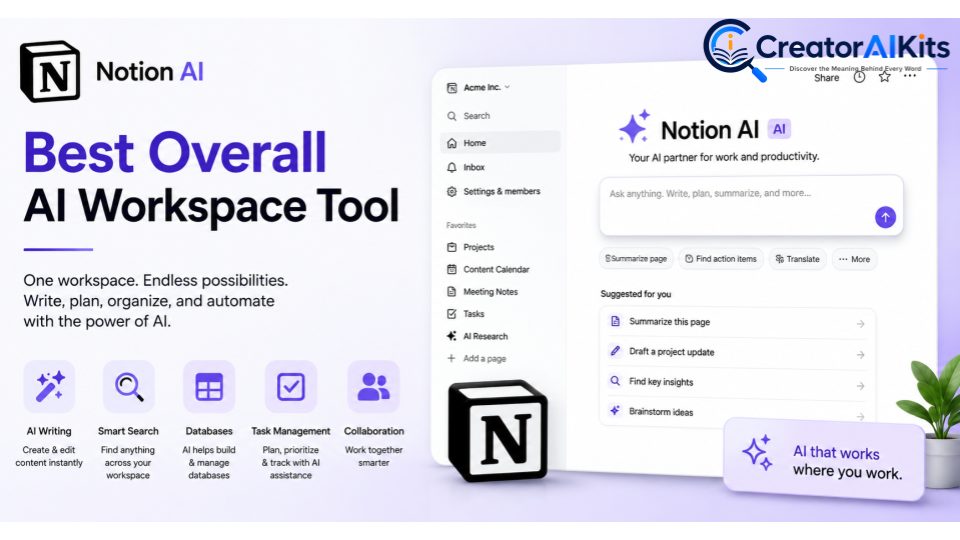
Notion AI is the strongest starting point if your work already lives inside Notion. It works alongside pages, documents, databases, tasks, and other workspace content instead of forcing you to move between separate applications.
You can use it for writing, summarization, research, workspace search, database tasks, meeting notes, and more. Notion’s current AI offering also includes features such as Notion Agent, Enterprise Search, Research Mode, and AI Meeting Notes.
Best for: People and teams that want an AI-powered workspace.
Key features:
- AI writing and editing
- Document summarization
- Workspace search
- Database assistance
- Research support
- AI Meeting Notes
- AI agents
Practical use: If you manage your content calendar, project notes, and task database in Notion, AI can help you summarize updates and turn information into actionable tasks.
ChatGPT – Best for Advanced AI Assistance
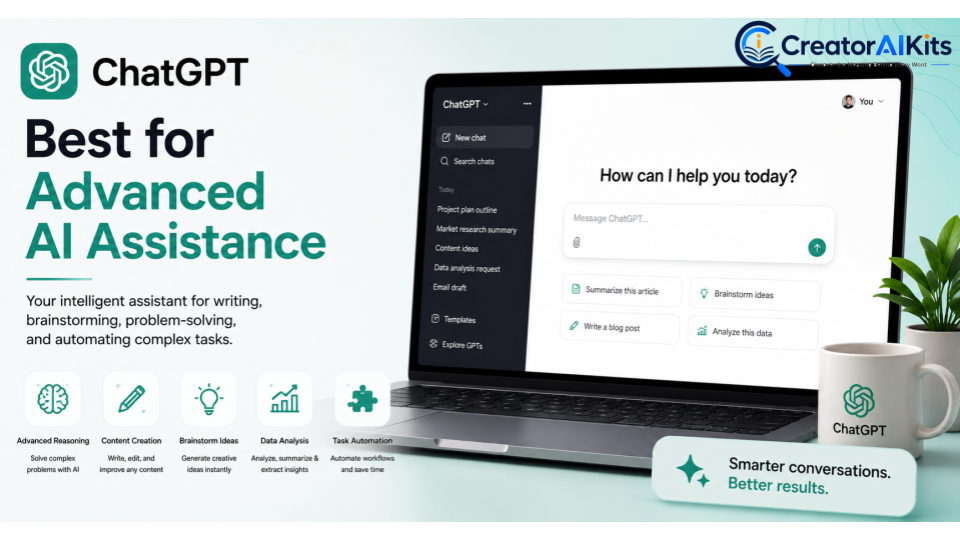
ChatGPT is a flexible AI assistant that can support writing, brainstorming, research, planning, analysis, and problem-solving.
Its biggest advantage is versatility. You can use it for one task in the morning and something completely different later in the day. For example, you can turn rough notes into a project plan, brainstorm article ideas, analyze information, or create a first draft.
Best for: Professionals who need a flexible AI assistant.
Key features:
- AI writing
- Brainstorming
- Research assistance
- Content creation
- Summarization
- Analysis
- Planning
Practical use: Use ChatGPT to develop ideas or organize complex information before moving the useful output into Notion.
Claude – Best for Long-Form Content and Analysis
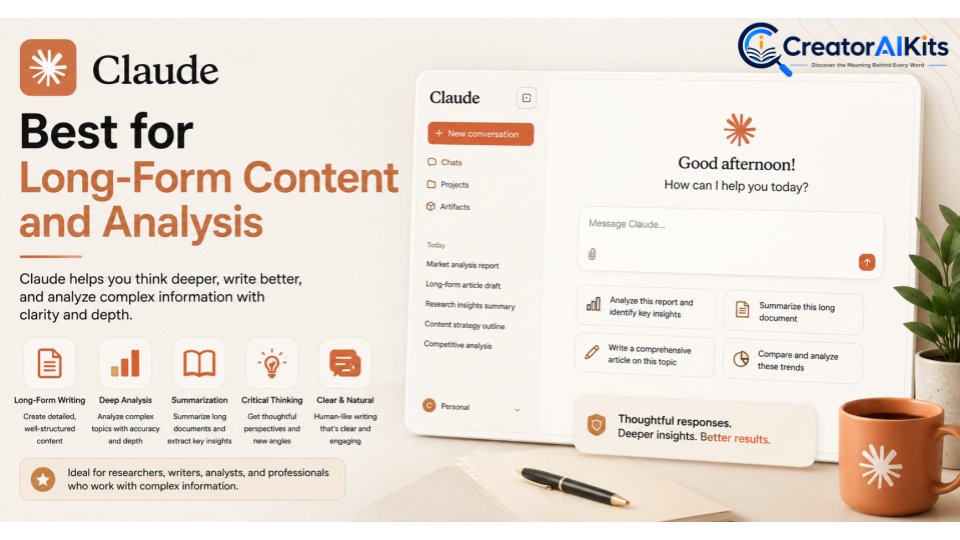
Claude is a strong option for long-form writing, document analysis, brainstorming, and detailed information processing.
It’s useful when you’re working with lengthy material and need help understanding or restructuring it. For example, you could use Claude to analyze a report, identify key findings, or create an outline from a large collection of notes.
Best for: Long-form writing and detailed analysis.
Key features:
- Long-form AI writing
- Document analysis
- Research assistance
- Summarization
- Brainstorming
- Content development
Practical use: Researchers and content professionals can use Claude to process large amounts of information before organizing the final material in Notion.
Google Gemini – Best for Research and Brainstorming
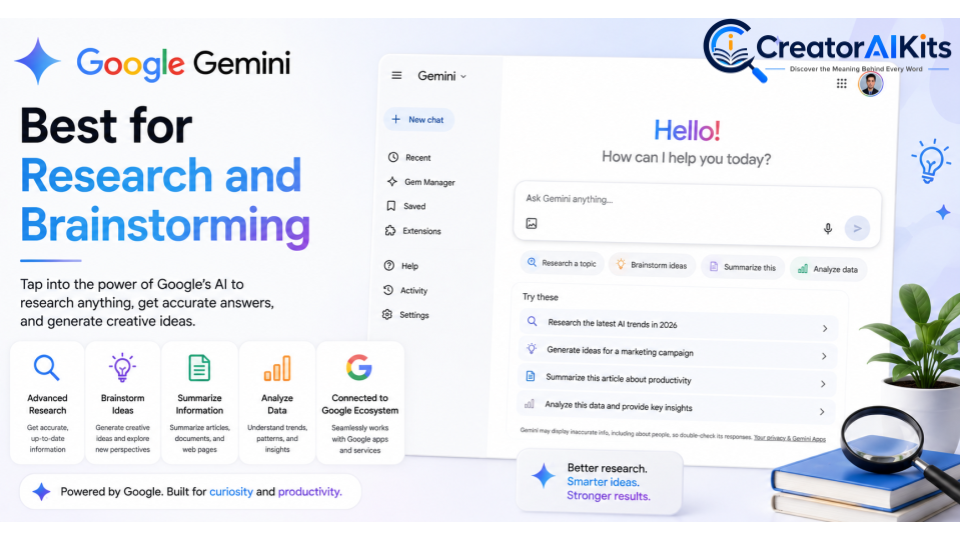
Google Gemini is worth considering if your everyday work already depends on Google’s ecosystem. It can help with brainstorming, writing, research, planning, and other productivity tasks.
Its usefulness increases when you’re already working with Google services. You can develop ideas with Gemini and then organize the final notes, tasks, and project information in Notion.
Best for: Google Workspace users and research-heavy workflows.
Key features:
- AI brainstorming
- Research assistance
- Writing support
- Productivity assistance
- Google Workspace integration
- Content generation
Microsoft Copilot – Best for Microsoft 365 Workflows
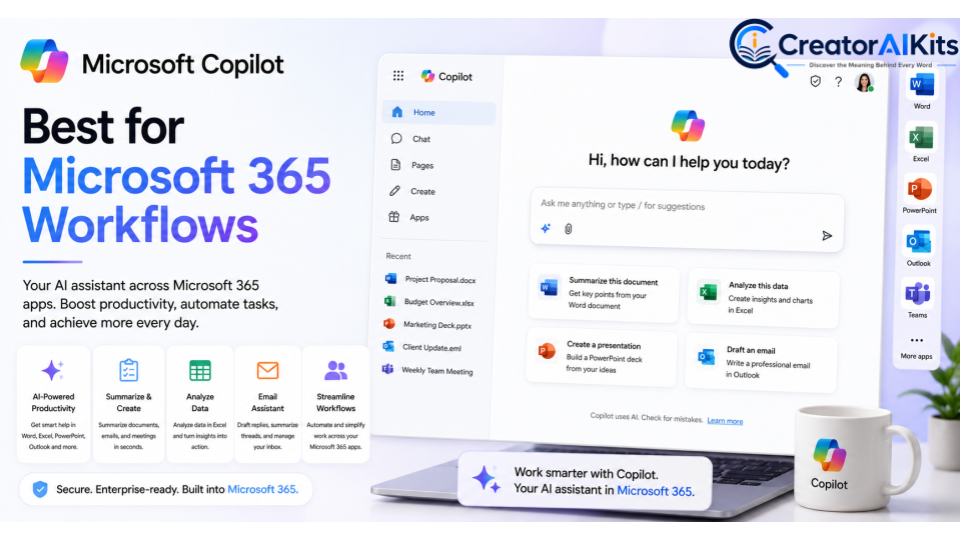
Microsoft Copilot is designed for people and organizations that rely heavily on Microsoft 365. It can assist with work involving documents, spreadsheets, presentations, email, and meetings.
For example, you can use an AI office assistant to help summarize information or prepare content in your Microsoft workflow, while Notion can serve as a separate knowledge base or project workspace.
Best for: Professionals and teams using Microsoft 365.
Key features:
- Document assistance
- Email support
- Presentation assistance
- Microsoft 365 productivity
- AI workplace assistance
- Workflow support
Grammarly – Best for AI Writing and Editing
Grammarly has evolved beyond basic grammar checking. It can help improve clarity, grammar, tone, sentence structure, and overall communication.
It’s particularly useful after you’ve created a first draft. For example, you can write an article in Notion, review the structure, and then use Grammarly to polish the language before publishing.
Best for: Writers, marketers, students, and professionals.
Key features:
- AI writing assistant
- Grammar checking
- AI editing
- Tone suggestions
- Sentence rewriting
- Content improvement
ClickUp AI – Best for AI-Powered Project Management
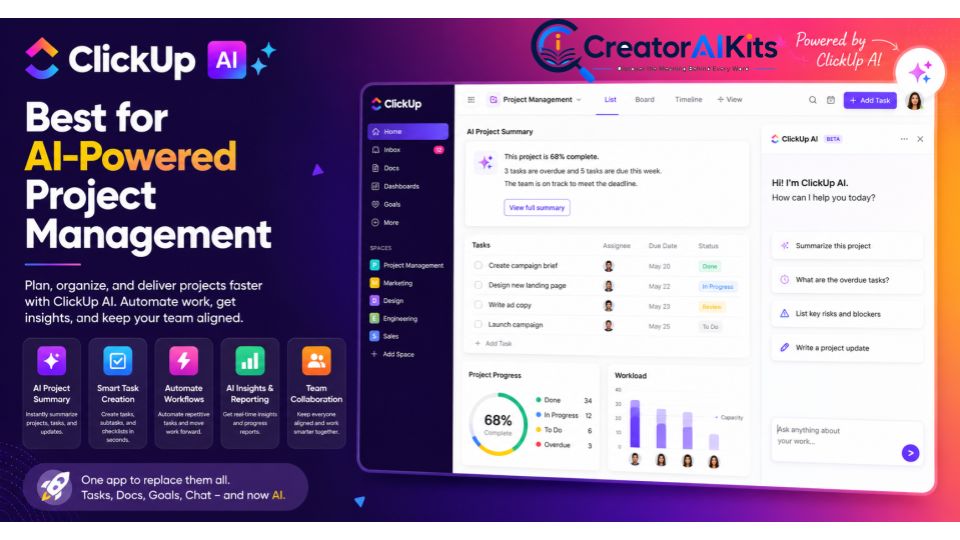
ClickUp AI combines project management and AI assistance. It can help teams manage tasks, summarize project information, create content, and organize work.
It’s a useful option when your productivity system depends heavily on deadlines, assignments, tasks, and project operations.
Best for: Teams focused on project and task management.
Key features:
- AI project management
- AI task management
- Work management
- Project summaries
- AI writing
- Team productivity
Practical use: A project manager could use AI to summarize a project update and turn important information into clearer next actions.
Zapier – Best for AI Workflow Automation
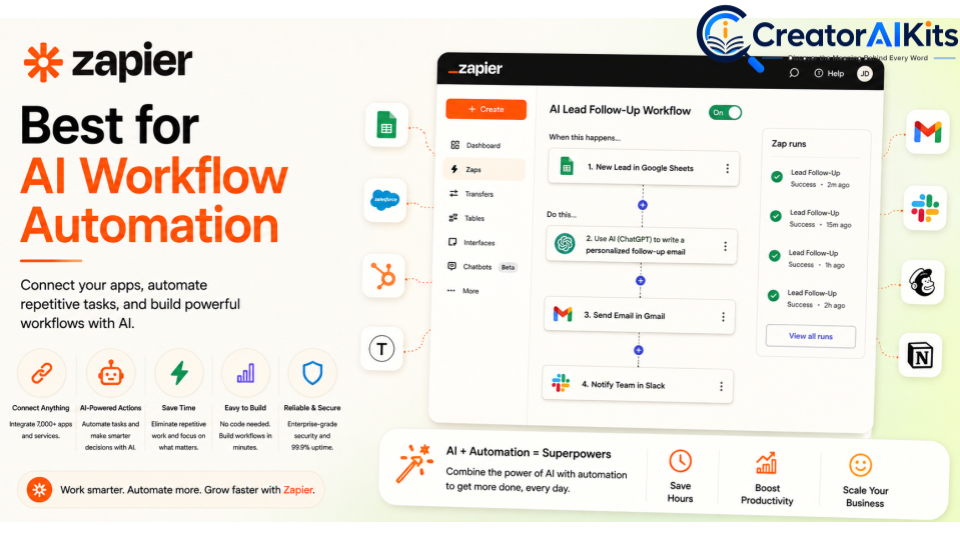
Zapier is different from most tools on this list because its main purpose is automation. It connects applications and lets you create workflows that trigger actions automatically.
For example, a new form submission could trigger an AI step that classifies the request, create a task in another application, and notify a team member. Zapier currently supports no-code, low-code, and full-code automation options and connects thousands of applications.
Best for: Professionals and businesses that need cross-app automation.
Key features:
- Workflow automation
- AI automation
- App integrations
- Automated workflows
- No-code automation
- AI-powered workflows
Perplexity – Best for AI Research and Information
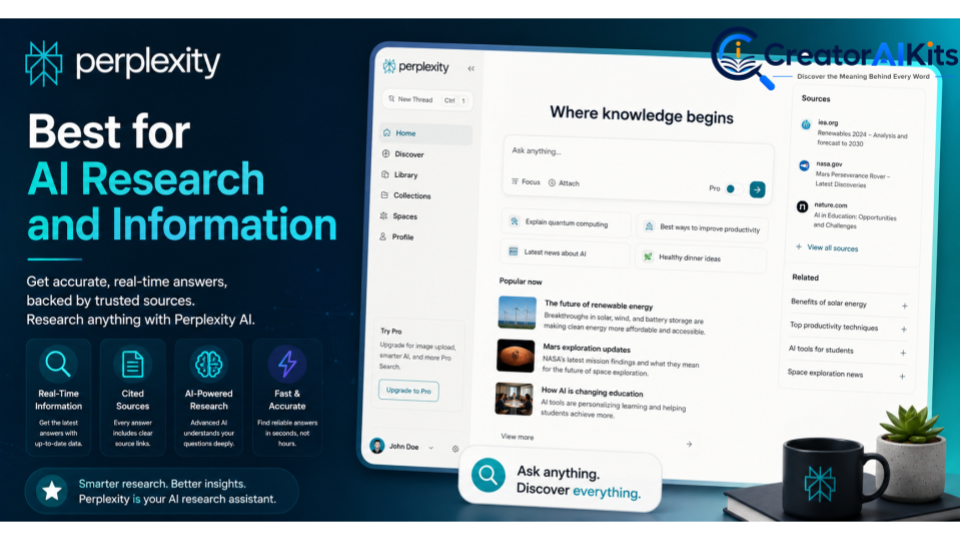
Perplexity is designed primarily for AI-powered search and research. It’s useful when you need to explore a topic, discover information, and investigate sources.
For content creators, it can speed up the research stage. However, AI-generated research shouldn’t automatically be treated as fact. Check important claims against reliable primary sources before publishing them.
Best for: Research and information discovery.
Key features:
- AI search
- Web research
- Research assistance
- Information discovery
- AI-powered search
- Research summaries
Otter.ai – Best for AI Meeting Notes and Transcription
Otter.ai focuses on meetings. It can turn conversations into transcripts, summaries, and useful notes so you don’t have to manually document everything.
This can be especially helpful for teams that have frequent meetings. Instead of constantly typing notes, you can focus on the conversation and review the generated information afterward.
Best for: Professionals and teams with frequent meetings.
Key features:
- AI meeting notes
- Meeting transcription
- AI transcription
- Meeting summaries
- Action items
- Meeting assistant
Best Notion AI Tools for Different Use Cases
The best tool depends on what you actually need to accomplish. A writer may prioritize content creation, while an operations team may care more about automation.
Best Notion AI Tool for Content Writing
Notion AI, ChatGPT, Claude, and Grammarly work well together for content workflows.
ChatGPT or Claude can help with brainstorming and drafting. Notion AI can organize the content, while Grammarly can help polish the final version.
Top choices: Notion AI, ChatGPT, Claude, Grammarly.
Best Notion AI Tool for Project Management
Notion AI and ClickUp AI are strong options for project management.
Notion is especially useful when your documents, databases, tasks, and project information already live together. ClickUp is a strong alternative for teams that need a more task-focused project management environment.
Top choices: Notion AI and ClickUp AI.
Best Notion AI Tool for Research
Perplexity, ChatGPT, Claude, Gemini, and Notion AI can support different parts of the research process.
Perplexity is useful for information discovery. ChatGPT and Claude can help analyze and organize information, while Notion can store your final research notes.
Top choices: Perplexity, ChatGPT, Claude, Gemini.
Best Notion AI Tool for Team Collaboration
Notion AI is a strong choice when teams want shared documentation, project information, and knowledge management in one workspace.
Microsoft Copilot can be more suitable for organizations that already rely heavily on Microsoft 365.
Top choices: Notion AI and Microsoft Copilot.
Best Notion AI Tool for Automating Repetitive Tasks
Zapier is particularly useful for connecting multiple applications and automating actions between them.
Notion AI is more suitable when you want AI assistance within your Notion workspace. The right choice depends on whether your automation stays inside Notion or crosses multiple apps.
Top choice: Zapier for cross-app automation and Notion AI for workspace-based tasks.
How to Choose the Best Notion AI Tool for Your Needs
Don’t choose an AI tool simply because it has the longest feature list. Start with your actual workflow.
Ask yourself which tasks take the most time. Then compare tools based on capabilities, integrations, cost, usability, and security.
Consider Your Main Workflow
Think about your normal workday.
Do you write articles? Manage projects? Research topics? Attend meetings? Move information between different applications?
Your answers will quickly narrow down your options.
Compare AI Features and Integrations
Integrations can be just as important as AI features.
A tool becomes much more valuable when it works with the applications you already use. Check whether it connects with your project management software, calendars, communication tools, cloud storage, databases, and other important services.
Check Pricing and Free Plans
Don’t judge a tool only by its advertised starting price.
Check what the free plan includes, whether AI usage is limited, and which features require a paid subscription. Pricing and feature availability can change, so check the provider’s current pricing page before making a purchase.
Look at Ease of Use and Learning Curve
A powerful tool isn’t useful if it takes weeks to understand.
Beginners may prefer simple AI assistants. Advanced users may benefit more from automation builders, APIs, custom workflows, and AI agents.
Choose a tool that matches your experience and workflow complexity.
Consider Privacy and Data Security
Privacy should be a major consideration when AI tools handle business information.
Before connecting a tool to sensitive documents or systems, review its privacy policy, permissions, retention practices, security controls, and data-training policies.
For important business information, don’t assume that every AI platform handles data in the same way.
Notion AI Tools vs Traditional Productivity Tools
Traditional productivity software usually requires you to perform most actions manually. You create documents, write summaries, enter tasks, search for information, and update records yourself.
AI-powered productivity tools add an intelligent layer to these processes. They can help draft content, summarize information, classify data, suggest actions, and automate repetitive workflows.
| Feature | Traditional Tools | AI-Powered Tools |
| Writing | Mostly manual | AI-assisted |
| Research | Manual searching | AI-assisted |
| Meeting notes | Manual | Automated transcription |
| Summaries | Manual | AI-generated |
| Task creation | Manual entry | AI-assisted |
| Data organization | Manual sorting | AI-assisted classification |
| Workflows | Rule-based | AI-powered |
| Brainstorming | Human-led | AI-assisted |
The goal isn’t to replace traditional productivity software. It’s to make your existing workflow more efficient.
Are Notion AI Tools Worth Using in 2026?
Yes, if they solve a real problem.
If you spend hours every week on repetitive writing, research, meeting notes, task management, or moving information between apps, AI can potentially save significant time.
However, more tools don’t always mean more productivity. Too many applications can create extra complexity and make your workflow harder to maintain.
Start with one tool that solves your biggest problem. Measure the result, then add another tool only when you have a clear reason.
FAQs
What is the best Notion AI tool in 2026?
Notion AI is the best overall choice if you want AI directly inside your workspace. However, other tools can be better for specialized tasks such as research, writing, or automation.
Can Notion AI tools automate repetitive tasks?
Yes. Notion AI can assist with repetitive work inside your workspace, while automation platforms such as Zapier can connect different applications.
Are Notion AI tools free?
Some tools provide free plans or limited free access. Advanced features, higher usage limits, business controls, and automation capabilities may require paid plans.
Which Notion AI tool is best for productivity?
Notion AI is a strong all-around option because it combines AI assistance with workspace organization. ChatGPT is useful for general AI assistance, while Zapier is stronger for cross-app automation.
Can Notion AI tools help with content creation?
Yes. They can assist with brainstorming, research, outlining, drafting, editing, summarization, and content organization.
Are Notion AI tools safe to use?
They can be used safely when you understand the provider’s privacy and security policies. Avoid sharing sensitive information until you’ve reviewed how the service handles your data.
Final Verdict: Which Notion AI Tool Should You Choose?
There isn’t one winner for every user. Notion AI is the best overall choice if you want an AI-powered workspace for documents, databases, projects, research, and knowledge management.
For advanced AI assistance, ChatGPT is a flexible option. Claude is strong for long-form work and analysis, while Gemini and Microsoft Copilot can be useful for people already invested in Google or Microsoft ecosystems. Grammarly is a strong writing companion, ClickUp AI focuses on project management, Zapier stands out for workflow automation, Perplexity is useful for research, and Otter.ai focuses on meetings.
The best strategy isn’t to use every tool. Choose one or two that solve your biggest problems. Build a simple workflow around them, measure the results, and expand only when you see a genuine productivity benefit.
Conclusion
AI is becoming a practical part of everyday work. From writing and research to project management, meetings, and workflow automation, the right tools can reduce repetitive work and give you more time for meaningful tasks.
If you’re new to AI productivity tools, start with Notion AI if your work already lives in Notion. Then add a specialized tool such as ChatGPT for advanced assistance, Perplexity for research, Grammarly for editing, Otter.ai for meetings, or Zapier for automation. Keep your workflow simple, verify important AI-generated information, and let automation handle repetitive tasks while you focus on decisions that require human judgment.

Welcome to CreatorAIKits! I’m passionate about learning and exploring AI tools, creativity, and technology.
I’m continuously researching and gaining hands-on experience with different AI tools and technologies.
My goal is to share simple, useful, and practical AI information for beginners and everyday users.
Thanks for visiting CreatorAIKits!