
AI tools have moved far beyond simple chatbots. In 2026, you can use AI to write an article, analyze a PDF, research a topic, create images, edit videos, generate marketing campaigns, organize projects, write code, and automate parts of your daily workflow.
The problem is no longer finding an AI tool.
The real problem is choosing the right one.
With hundreds of AI apps competing for attention, a tool that looks impressive in a short demo may not be the right choice for your actual work. Some are excellent for writing but weak for visual creation. Others are powerful for research but unnecessary for simple tasks. Some have generous free plans, while others become expensive once you need higher limits.
By the end of this guide, you’ll know:
- ✅ Which AI tool fits your specific task
- ✅ Which tools offer a useful free plan
- ✅ What the major paid plans cost
- ✅ Which tools are strongest for writing, research, images, video, design, and productivity
- ✅ The best qualities of every tool
- ✅ The biggest limitations you should know before paying
- ✅ The real pros and cons of each platform
- ✅ Which tools can replace several separate apps
- ✅ Which AI tools are better suited to beginners, creators, marketers, students, developers, and businesses
- ✅ How to choose an AI tool without wasting money
Important pricing note: AI companies frequently change subscription prices, regional availability, usage limits, and included features. Prices below are shown in USD where official pricing information is available and should be checked on the provider’s pricing page before purchase. Taxes and local pricing can also change the final amount.
Quick Answer: Which AI Tool Should You Use?
If you don’t have time to read the complete guide, start here.
| Your Main Task | AI Tool to Consider | Why It Stands Out |
| General AI assistance | ChatGPT | Broad range of writing, analysis, research, coding, files, and creative tasks |
| Long-form writing & coding | Claude | Strong document work, writing, reasoning, and coding workflows |
| Google ecosystem & research | Gemini | Deep integration with Google services and AI features |
| Web research | Perplexity | Search-focused answers with inline citations |
| AI image creation | Midjourney | Strong creative image-generation workflow |
| AI video creation | Runway | Video generation and creative video tools |
| Graphic design | Canva | Templates, design tools, and integrated AI features |
| Video/audio editing | Descript | Text-based editing plus AI video/audio tools |
| Productivity & workspace | Notion | Documents, databases, projects, and integrated AI |
| Marketing content | Jasper | Brand-focused marketing workflows and AI agents |
There is no single AI tool that is objectively best for every person or every task. The right choice depends on what you need to accomplish, how often you use it, your budget, and which ecosystem you already use.
Best AI Tools in 2026: Comparison at a Glance
| Tool | Main Category | Free Option | Paid Starting Point* | Best For |
| ChatGPT | General AI | Yes | Go: $8/mo in the U.S. | Everyday AI, writing, analysis, coding |
| Claude | AI assistant | Yes | Pro: $20/mo | Writing, coding, documents |
| Gemini | AI assistant | Yes | AI Pro: $19.99/mo | Google users, research, multimodal work |
| Perplexity | AI search/research | Yes | Pro: $20/mo | Web research and cited answers |
| Midjourney | Image/video generation | No standard free tier | $10/mo | Creative images and visual concepts |
| Runway | AI video | Yes/limited | Varies by plan | AI video creation and editing |
| Canva | Design | Yes | Pro: $144/year shown on current annual pricing page | Graphics, social posts, presentations |
| Descript | Video/audio | Yes | Hobbyist: $16/mo billed annually | Editing video through text |
| Notion | Productivity | Yes | Business: $20/member/mo | Workspace, knowledge, projects |
| Jasper | Marketing AI | 7-day trial | $59/mo billed yearly | Marketing and brand content |
*Pricing can vary by billing cycle, country, taxes, promotions, and plan availability. Always verify the final checkout price.
ChatGPT — A Versatile AI Assistant for Everyday Work
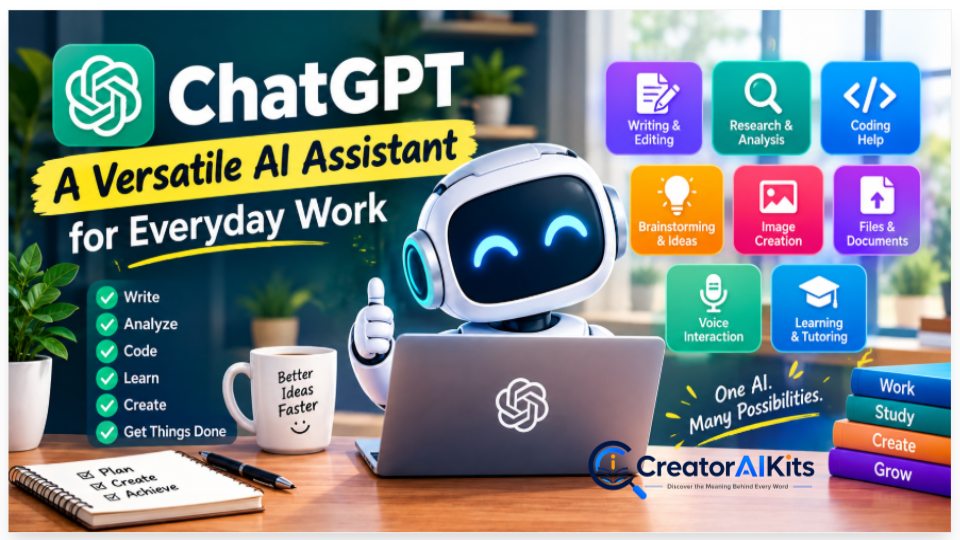
Best for: Writing, brainstorming, analysis, coding, learning, research, files, and general productivity
ChatGPT is designed as a general-purpose AI assistant rather than a tool limited to one specific workflow. Depending on the plan and available features, users can work with text, files, images, voice, coding workflows, research, and other AI capabilities.
OpenAI currently lists ChatGPT Go at $8/month in the U.S., Plus at $20/month, and Pro at $200/month. OpenAI also notes that Go pricing is localized in some markets.
Key Features
- AI-assisted writing and editing
- Brainstorming and idea generation
- Data and document analysis
- Coding assistance
- File uploads
- Image-related capabilities
- Research-oriented workflows
- Voice interaction
- Different subscription levels for different usage needs
Pros
- Useful across many different tasks
- Beginner-friendly interface
- Can handle both simple and complex workflows
- Useful for writers, students, creators, marketers, and developers
- Multiple subscription levels
- Strong ecosystem of AI capabilities
Cons
- Usage limits depend on plan and workload
- Some advanced capabilities require paid access
- AI-generated information still needs fact-checking
- The broad feature set can be overwhelming for beginners
Limitations
ChatGPT should not be treated as an automatic source of truth. Important statistics, legal information, medical information, financial information, product specifications, and current events should be independently verified.
Pricing
| Plan | U.S. Price | General Position |
| Free | $0 | Basic access |
| Go | $8/month | More access at a lower paid price |
| Plus | $20/month | More advanced individual use |
| Pro | $200/month | High-end power-user access |
OpenAI states that Go’s $8 figure is the U.S. price and that some markets use localized pricing.
Best For
ChatGPT is worth considering if you want one flexible AI assistant that can support many different types of work rather than a narrowly specialized application.
Claude — Strong for Writing, Documents and Coding
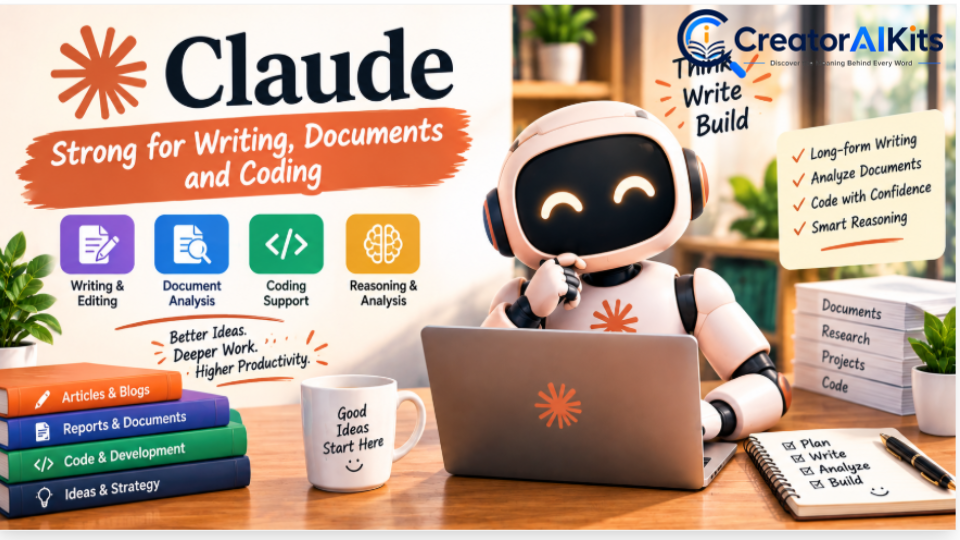
Best for: Long-form writing, document analysis, reasoning, and coding
Claude is Anthropic’s AI assistant and is particularly relevant for people who work extensively with written material, documents, and software-development tasks.
Anthropic’s current documentation lists Claude Pro at $20/month, while Max plans include $100/month and $200/month tiers with substantially higher usage levels.
Key Features
- Long-form writing assistance
- Document analysis
- Coding support
- Reasoning and analysis
- Claude Code workflows
- Projects and workspace-oriented features
- Different usage levels for individual users
Pros
- Strong option for substantial writing projects
- Useful for analyzing long documents
- Helpful for coding and codebase work
- Clean, focused interface
- Paid plans offer higher usage
Cons
- Heavy usage can consume limits
- Not designed as an all-in-one graphic-design platform
- Users who need extensive image/video creation may need additional tools
Limitations
The amount of work you can perform depends on your plan and usage. Anthropic explains that message and coding limits can vary according to factors such as message length, conversation length, file attachments, and project complexity.
Pricing
| Plan | Price | Main Audience |
| Free | $0 | Casual users |
| Pro | $20/month | Regular individual users |
| Max | $100/month | Heavy users |
| Max | $200/month | Very high usage |
Best For
Claude is particularly useful when your workflow involves large amounts of text, detailed documents, coding, analysis, or long-form content.
Gemini — Best for People Deeply Using Google Services
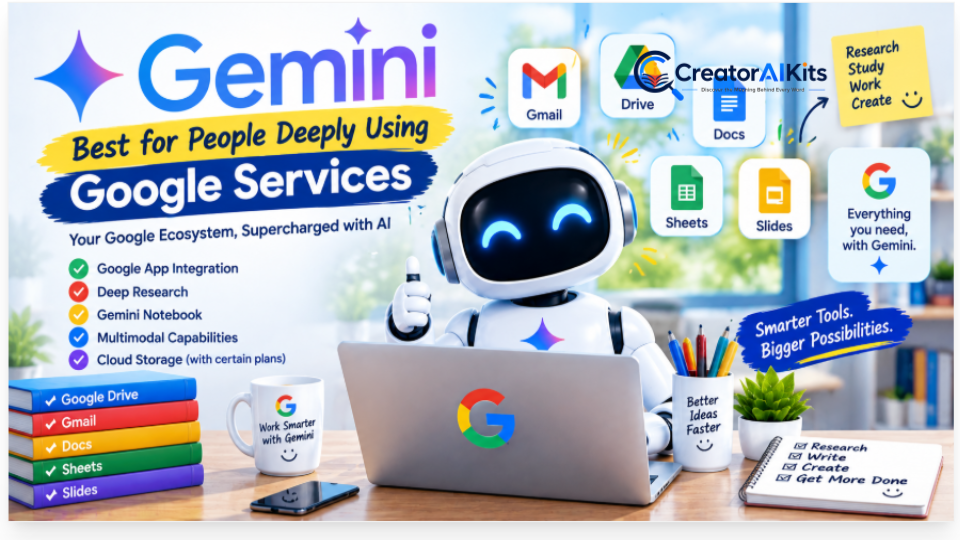
Best for: Google ecosystem users, research, multimodal work, studying, and productivity
Gemini becomes especially relevant if your everyday workflow already revolves around Google products.
Google’s current Google AI Pro plan is listed at $19.99/month in the U.S. and includes 5 TB of storage, expanded Gemini access, Deep Research, Google app integrations, and expanded access to Gemini Notebook.
Google also offers other AI plans, including Google AI Plus and Google AI Ultra, with availability and pricing depending on market.
Key Features
- Gemini AI assistant
- Google app integrations
- Deep Research
- Gemini Notebook
- AI features inside Google services
- Multimodal capabilities
- Cloud storage bundled with certain plans
Pros
- Excellent fit for Google-centric workflows
- Integrates with familiar Google services
- Useful for research and studying
- Strong multimodal direction
- Paid plans can bundle AI and cloud storage
Cons
- Value depends heavily on how much you use Google’s ecosystem
- Features and availability can vary by country
- Some advanced capabilities may require a paid plan
Pricing
| Plan | Current Position |
| Google AI Plus | Lower-cost paid AI tier; pricing varies by market |
| Google AI Pro | $19.99/month in the U.S. |
| Google AI Ultra | Higher-end plan; pricing varies by market |
Google’s current plan information confirms $19.99/month for Google AI Pro in the U.S. and highlights expanded Gemini access, Deep Research, Gemini Notebook, and Google-app integrations.
Best For
Gemini is worth considering if you already use Gmail, Google Drive, Docs, Photos, and other Google services heavily and want AI integrated into that environment.
Perplexity — AI Search and Research With Citations
Best for: Web research, source discovery, current information, and citation-backed answers
Perplexity is different from a traditional chatbot because its core experience is centered around search and research.
Perplexity says its answers are grounded in real-time web sources and include inline citations. Its current information lists a free option and Pro at $20/month or $200/year.
Key Features
- Web search
- Inline citations
- Pro Search
- Research workflows
- File analysis
- Projects
- Image generation on paid plans
- Access to multiple AI models
Pros
- Excellent for discovering sources
- Citations make answers easier to check
- Useful for current information
- Good research workflow
- Can combine search with AI reasoning
Cons
- Search results still need human verification
- Not a replacement for every creative AI tool
- Some advanced features require Pro
- Source quality can vary depending on the query
Pricing
| Plan | Price |
| Free | $0 |
| Pro | $20/month or $200/year |
| Max | $200/month |
| Enterprise | Custom |
Perplexity’s current pricing information lists Pro at $20/month or $200/year and Max at $200/month.
Best For
Use Perplexity when your primary question is:
“I need to research something and I want to see the sources behind the answer.”
Midjourney — AI Image and Visual Creation
Best for: Creative images, visual concepts, illustrations, and image-driven projects
Midjourney remains focused heavily on visual generation rather than general-purpose text assistance.
Its current official plan comparison lists four tiers: Basic $10/month, Standard $30/month, Pro $60/month, and Mega $120/month. Annual billing receives a 20% discount according to Midjourney’s documentation.
Key Features
- AI image generation
- Creative visual exploration
- Image editing and variation workflows
- Video generation capabilities
- Relax generation on qualifying plans
- Stealth Mode on Pro and Mega
Pros
- Strong creative workflow
- Excellent for concept development
- Multiple subscription levels
- Commercial usage terms are clearly documented
- Higher plans provide substantially more generation capacity
Cons
- No conventional free plan comparable to many AI assistants
- Generation consumes available GPU time
- Higher-volume users may need a more expensive plan
- Some advanced privacy features are limited to higher tiers
Pricing
| Plan | Monthly Price | Annual Price* |
| Basic | $10 | $96 |
| Standard | $30 | $288 |
| Pro | $60 | $576 |
| Mega | $120 | $1,152 |
*Annual prices shown by Midjourney represent the full annual payment and a 20% discount.
Best For
Midjourney is particularly suitable for designers, creators, marketers, concept artists, and anyone whose main priority is visual generation.
Runway — AI Video Creation and Creative Production
Best for: AI video generation, creative video workflows, and visual experimentation
Runway focuses on AI-powered video creation and creative production. It is more specialized than general AI assistants and therefore makes more sense when video is a major part of your workflow.
Runway’s current documentation says its Pro plan includes 2,250 credits per month and 500 GB of asset storage, while its Max plan includes 9,500 credits, one month of credit rollover, and first access to newer models.
Key Features
- AI video generation
- Creative video tools
- Text-to-video workflows
- Image-to-video workflows
- Voice and speech tools
- Asset management
- Higher-credit plans for heavier users
Pros
- Specialized for AI video
- Useful for creators and production workflows
- Multiple plan levels
- Additional voice and creative capabilities
- Suitable for experimenting with generative video
Cons
- Credits can become a limiting factor
- Heavy generation can require a higher subscription
- AI video results can still require editing
- Professional workflows may need additional video software
Best For
Choose Runway when your priority is creating or experimenting with AI-generated video, rather than general writing or research.
Canva — AI-Powered Design for Everyday Creators
Best for: Social media graphics, presentations, thumbnails, documents, marketing visuals, and simple design
Canva combines traditional graphic-design tools with AI capabilities, making it particularly accessible to beginners.
Canva’s current pricing page lists a free plan and a Pro plan. The annual Pro price shown is $144/year on one current pricing view, while Canva’s pricing display can vary by market and billing selection. Canva also lists a Business plan at $250/year per person on the current pricing page.
Key Features
- Templates
- Graphic design
- Presentations
- Social media content
- AI design features
- Background removal
- Resize and translation tools
- Brand Kits
- Stock media
- Cloud storage
Pros
- Beginner-friendly
- Huge template ecosystem
- Useful for many content formats
- Strong combination of design and AI
- Excellent for social-media content
Cons
- Advanced AI usage may have limits
- Some premium assets require paid access
- Professional designers may want more specialized tools
- Pricing can vary by market and billing method
Pricing
| Plan | Current Pricing Information |
| Free | $0 |
| Pro | $144/year shown on current annual pricing view |
| Business | $250/year per person shown on current pricing page |
| Enterprise | Contact Canva |
Canva’s current page also states that Pro includes substantially more AI usage than Free and that AI Pass can be purchased separately.
Best For
Canva is especially useful if you want to create professional-looking graphics without learning complicated professional design software.
Descript — AI Video and Audio Editing Through Text
Best for: Podcasts, YouTube videos, interviews, screen recordings, and text-based video editing
Descript takes a different approach to editing: instead of relying only on a traditional timeline, it allows creators to work with a transcript and edit media through text.
Its current pricing information lists Free at $0, Hobbyist at $16/month when billed annually, Creator at $24/month when billed annually, and Business at $50/month when billed annually.
Key Features
- Text-based video editing
- Transcription
- AI editing tools
- Filler-word removal
- Studio Sound
- Clip creation
- Voice tools
- Video generation features
- AI co-editor capabilities
Pros
- Very approachable for beginners
- Text-based editing saves time
- Useful for podcasts and talking-head videos
- Strong transcription workflow
- Helpful AI editing tools
Cons
- Usage limits vary by plan
- Advanced workflows require paid plans
- Professional editors may prefer traditional editing software for complex projects
Pricing
| Plan | Annual Billing Price |
| Free | $0 |
| Hobbyist | $16/month |
| Creator | $24/month |
| Business | $50/month |
Descript’s current pricing page specifies different media-hour and AI-credit allowances for these plans.
Best For
Descript is a strong fit for YouTubers, podcasters, educators, interview creators, and anyone who wants to edit video by editing its transcript.
Notion — AI-Powered Productivity and Knowledge Management
Best for: Project management, documentation, databases, notes, knowledge management, and team workflows
Notion combines documents, databases, project management, and AI features inside one workspace.
Its current pricing page lists Free at $0, Plus at $10/member/month, Business at $20/member/month, and Enterprise with custom pricing. Notion says its core AI capabilities are included with Business and Enterprise, while Free and Plus users receive limited trial AI usage.
Key Features
- Notes and documents
- Databases
- Project management
- Notion Agent
- AI Meeting Notes
- Enterprise Search
- Research features
- Connected-app search
- Custom Agents
Pros
- Combines multiple productivity functions
- Useful for teams and individuals
- AI works inside the workspace
- Strong documentation capabilities
- Useful for organizing large amounts of information
Cons
- Can feel complicated at first
- Some advanced AI features require Business or Enterprise
- AI usage can involve workspace allowances and credits
- Not primarily a general-purpose chatbot
Pricing
| Plan | Price |
| Free | $0/member/month |
| Plus | $10/member/month |
| Business | $20/member/month |
| Enterprise | Custom |
Notion currently states that Custom Agents use Notion credits, with credits priced at $10 per 1,000 credits for the relevant plans.
Best For
Notion is a good option when your problem is not simply “I need AI,” but rather:
“I need one organized workspace for my information, projects, documents, and team knowledge.”
Jasper — AI for Marketing and Brand Content
Best for: Marketing teams, brand content, campaigns, and scalable marketing workflows
Jasper is more specialized than general AI assistants. Its platform is designed specifically around marketing workflows and brand consistency.
Jasper currently lists its Pro plan at $69/month when billed monthly or $59/month when billed yearly. Business pricing is custom, and the Pro plan includes a 7-day free trial.
Key Features
- Marketing content generation
- Brand Voice
- Knowledge assets
- Marketing agents
- Campaign workflows
- Browser extension
- Brand-focused customization
- Business-level AI workflows
Pros
- Built specifically for marketing
- Strong focus on brand consistency
- Useful for teams
- Marketing-specific agents and workflows
- Supports multiple brand assets
Cons
- More expensive than many general AI assistants
- May be unnecessary for casual users
- Best value comes when marketing is a significant part of your workflow
- Business features require custom pricing
Pricing
| Plan | Price |
| Pro | $69/month |
| Pro, annual billing | $59/month equivalent |
| Business | Custom |
| Free trial | 7 days |
Jasper confirms that the annual Pro price is $59/month billed yearly, while monthly billing is $69/month.
Best For
Jasper makes the most sense for marketers, agencies, and businesses that need structured, brand-consistent marketing content at scale.
AI Tools Comparison by Task
Choosing an AI tool becomes easier when you start with the task rather than the brand name.
| Task | Tools to Consider | What to Look For |
| Blog writing | ChatGPT, Claude, Jasper | Editing, research, brand voice |
| Research | Perplexity, Gemini, ChatGPT | Citations, current information, source quality |
| Coding | Claude, ChatGPT, Gemini | Reasoning, codebase context, debugging |
| Image generation | Midjourney, ChatGPT, Canva | Image quality, editing, style control |
| AI video | Runway, Descript | Generation, editing, credits |
| Social graphics | Canva, ChatGPT | Templates, resizing, AI design |
| Productivity | Notion, ChatGPT | Organization, automation, workflow |
| Marketing | Jasper, ChatGPT | Brand voice, campaigns, workflow |
| Presentations | Canva, ChatGPT, Gemini | Templates, content generation |
| Document analysis | Claude, ChatGPT, Gemini | File support, context, analysis |
Pricing Comparison: How Much Do Popular AI Tools Cost?
| Tool | Free | Paid Starting Price / Reference Price |
| ChatGPT | Yes | $8/mo Go in U.S. |
| Claude | Yes | $20/mo Pro |
| Gemini | Yes | $19.99/mo Google AI Pro |
| Perplexity | Yes | $20/mo Pro |
| Midjourney | No standard free tier | $10/mo Basic |
| Runway | Yes/limited | Plan-dependent |
| Canva | Yes | $144/year Pro on current annual pricing view |
| Descript | Yes | $16/mo Hobbyist annually |
| Notion | Yes | $10/mo Plus; $20/mo Business |
| Jasper | Trial | $69/mo monthly or $59/mo annual |
Current provider pages should be treated as the final source for checkout pricing because AI subscriptions can change and may vary by country.
Free vs Paid AI Tools: Which Should You Choose?
You do not necessarily need to pay for an AI tool immediately.
A free plan can be enough if you:
- Use AI occasionally
- Write a few prompts each day
- Need basic brainstorming
- Want to test a tool
- Don’t need high usage limits
- Don’t require advanced features
A paid plan becomes more relevant when you:
- Use AI every day
- Regularly hit usage limits
- Work with large files
- Need advanced models or features
- Generate a lot of images or videos
- Need team collaboration
- Depend on AI professionally
A Simple Rule
Don’t subscribe because an AI tool is popular. Subscribe because it solves a problem you actually have.
What to Check Before Paying for an AI Tool
Before entering your credit-card details, check these six things.
1. Check the Real Pricing
Don’t look only at the advertised monthly number.
Check:
- Monthly vs annual billing
- Taxes
- Regional pricing
- Usage limits
- Extra credits
- Add-ons
- Cancellation terms
2. Check Usage Limits
A tool can appear inexpensive until you discover that your workflow consumes credits quickly.
This is particularly important for:
- AI video
- Image generation
- Deep research
- AI agents
- Large document analysis
3. Check Commercial-Use Terms
If you plan to use AI output for:
- Client projects
- Websites
- YouTube
- Advertising
- Product marketing
- Business designs
read the provider’s current terms carefully.
For example, Midjourney’s documentation specifies its usage rights and explains when higher plans are required for businesses above certain revenue thresholds.
4. Check Privacy
If you’re uploading:
- Client documents
- Internal company information
- Financial documents
- Personal information
- Proprietary code
review the provider’s privacy and data-handling policies first.
5. Test Before Upgrading
Whenever a free tier or trial is available, use it on your real workflow, not a random demo prompt.
6. Calculate the Time Saved
The most useful question is not:
“Is this AI tool cheap?”
Ask:
“Does this tool save enough time or improve my workflow enough to justify the subscription?”
Common Mistakes People Make When Choosing AI Tools
Using Too Many AI Tools
Having 10 subscriptions does not automatically make you more productive.
You may end up:
- Repeating the same work
- Moving information between apps
- Paying for overlapping features
- Learning unnecessary interfaces
Choosing a Tool Because It Is Trending
A viral AI tool may be excellent for one specific task and completely unnecessary for yours.
Ignoring Pricing Limits
A $10 plan can become expensive if you constantly need additional credits.
Trusting AI Without Verification
AI can produce incorrect, outdated, or misleading information.
For important work, verify the facts before publishing or acting on them.
Buying Annual Plans Too Quickly
Annual plans can save money, but only if you know you will use the product consistently.
Test first when possible.
Frequently Asked Questions About AI Tools
What is the best AI tool for everyday use in 2026?
There is no single tool that is best for every user. General-purpose assistants such as ChatGPT, Claude, and Gemini can handle many everyday tasks, while specialized tools may be more appropriate for research, images, video, or marketing.
What is the best free AI tool?
The answer depends on the task. Free versions of ChatGPT, Claude, Gemini, Perplexity, Canva, and Notion can all be useful, but their features and usage limits differ.
Which AI tool is best for writing?
ChatGPT and Claude are both strong options for writing. Jasper becomes more relevant when the workflow is specifically focused on marketing, brand voice, and campaign content.
Which AI tool is best for research?
Perplexity is specifically designed around web research and cited answers. Gemini and ChatGPT can also support research workflows. Regardless of the tool, important claims should be checked against the underlying sources.
Which AI tool is best for coding?
Claude, ChatGPT, and Gemini can all support coding. Your choice should depend on the programming language, project size, preferred workflow, context requirements, and usage limits.
Is Midjourney free?
Midjourney’s current official plan comparison lists paid Basic, Standard, Pro, and Mega subscriptions rather than a standard free subscription. The current monthly prices are $10, $30, $60, and $120 respectively.
How much does ChatGPT cost in 2026?
OpenAI currently lists ChatGPT Go at $8/month in the U.S., Plus at $20/month, and Pro at $200/month. OpenAI notes that Go pricing is localized in some markets.
How much does Claude Pro cost?
Claude Pro currently costs $20/month. Anthropic also offers higher-usage Max plans at $100/month and $200/month.
How much does Gemini Pro cost?
Google’s current Google AI Pro pricing page lists the plan at $19.99/month in the U.S., with 5 TB storage and expanded access to Gemini and related features.
How much does Perplexity Pro cost?
Perplexity Pro is currently listed at $20/month or $200/year.
How much does Canva Pro cost?
Canva’s current pricing page shows regional and billing-dependent pricing. One current annual pricing view lists Canva Pro at $144/year for one person, while another regional pricing view may display a different amount. Check Canva’s pricing page for your country before purchasing.
Which AI tool should beginners start with?
Beginners should usually start with a tool that matches their main task rather than subscribing to several products immediately.
For example:
- General AI → ChatGPT, Claude, or Gemini
- Research → Perplexity
- Design → Canva
- Images → Midjourney
- Video → Runway or Descript
- Marketing → Jasper
- Productivity → Notion
Start with one, learn it properly, and expand only when your workflow requires another specialized tool.
How to Build Your Own AI Tool Stack
You don’t need every tool in this article.
A simple workflow might look like this:
Step 1: Choose One General AI Assistant
Start with ChatGPT, Claude, or Gemini.
Use it for:
- Brainstorming
- Drafting
- Summarizing
- Analysis
- Planning
- General problem-solving
Step 2: Add a Research Tool If Necessary
If your work depends heavily on current web information and sources, consider adding Perplexity.
Step 3: Add a Visual Tool
If you regularly create graphics, choose Canva or a specialized image-generation platform such as Midjourney.
Step 4: Add Video Software Only When Needed
If video becomes a major part of your workflow, consider Runway or Descript.
Step 5: Review Your Subscriptions
Every few months, ask:
- Am I using this tool?
- Does it save me time?
- Am I paying for duplicate features?
- Can another tool already handle this task?
- Do I actually need the paid plan?
This simple audit can prevent unnecessary subscription costs.
Final Comparison: Which Tool Fits Which Workflow?
| If You Need… | Tools to Consider |
| One flexible AI assistant | ChatGPT |
| Long documents and coding | Claude |
| Google-centered AI | Gemini |
| Source-backed web research | Perplexity |
| Creative AI images | Midjourney |
| AI video generation | Runway |
| Easy graphic design | Canva |
| Text-based video editing | Descript |
| Organized workspace + AI | Notion |
| Marketing-focused AI | Jasper |
The key is to match the tool to the job, not the other way around.
Want to Explore More AI Tools?
If you want to discover more practical AI tools for productivity, content creation, research, and everyday work, check out our complete guide to the best AI productivity tools in 2026. It covers additional tools, key features, pricing, and real-world use cases to help you build a smarter AI workflow.
Conclusion: The Best AI Tool Is the One That Fits Your Workflow
The AI market in 2026 is crowded, fast-moving, and sometimes confusing.
New tools appear constantly. Existing platforms add new models and features. Pricing changes. Usage limits change. A tool that was ideal for one workflow last year may not be the right choice today.
That is why choosing an AI tool should not be about finding the most famous name.
Instead, start with your actual requirement.
If you need a flexible assistant for writing, analysis, coding, and everyday work, a general-purpose AI platform may be enough. If your priority is web research, a search-focused tool can make more sense. If you’re creating visual content, look at dedicated image or design platforms. For video, choose a tool built around video generation or editing. And if your main challenge is marketing at scale, a marketing-focused platform may offer capabilities that general chatbots do not.
Most importantly, don’t buy five AI subscriptions when one or two can handle your workflow.
Start small.
Test the free version or trial when available. Use the tool on real work. Measure the time it saves. Check the limitations. Review the pricing. Then decide whether upgrading makes sense.
AI can dramatically improve how you work—but the real advantage doesn’t come from collecting AI tools.
It comes from knowing how to use the right tool for the right task.
And as AI platforms continue to evolve, the smartest strategy is not to chase every new release.
Build a simple AI workflow that actually helps you create, research, design, write, and work better.

Welcome to CreatorAIKits! I’m passionate about learning and exploring AI tools, creativity, and technology.
I’m continuously researching and gaining hands-on experience with different AI tools and technologies.
My goal is to share simple, useful, and practical AI information for beginners and everyday users.
Thanks for visiting CreatorAIKits!