
Hiring can become overwhelming when recruiters have hundreds of applications to review for a single position. Manually reading resumes, checking qualifications, comparing skills, asking initial screening questions, and keeping candidate information organized can take valuable time away from interviews and strategic recruiting.
That is where AI screening tools can help. Modern AI recruiting software can assist with tasks such as resume analysis, candidate matching, skills assessments, automated screening conversations, and candidate organization. However, the best results come from using AI as a recruiting assistant—not as a replacement for human judgment. Recruiters still need to define job-related criteria, verify important information, and review candidates before making significant hiring decisions.
In this guide, we’ll compare 5 of the best AI screening tools in 2026: Gem, TestGorilla, Mokka, Paradox, and Manatal. We’ll explain what each platform is best for, how its screening approach works, its key strengths and limitations, pricing considerations, and which type of organization should consider it.
Editor’s note: AI features, pricing, credits, integrations, and availability can change. We recommend checking each provider’s official website before purchasing or publishing pricing information.
Quick Comparison: Best AI Screening Tools
| AI Screening Tool | Best For | Screening Approach | Pricing |
| Gem | Recruiting teams and all-in-one workflows | AI-assisted recruiting, sourcing, outreach, scheduling, and candidate workflows | Custom pricing |
| TestGorilla | Skills and competency screening | Skills tests, resume scoring, qualifying questions, and AI interviews | Free tier + paid plans |
| Mokka | Recruitment automation | Conversational and automated candidate screening | Custom pricing |
| Paradox | High-volume and frontline hiring | Conversational AI and automated candidate interactions | Custom pricing |
| Manatal | SMBs and recruitment agencies | AI candidate enrichment, matching, scoring, and ATS workflows | From $15/user/month annually |
TestGorilla currently offers free screening tools such as resume scoring, qualifying questions, and custom questions, while its paid plans add larger assessment libraries and additional screening capabilities. Manatal’s current Professional plan starts at $15 per user/month when billed annually, with AI candidate enrichment, recommendations, scoring, and other recruitment features included across its plans.
How We Evaluated These AI Screening Tools
Choosing recruitment software based only on the number of AI features can be misleading. A useful screening platform should solve a real recruiting problem and fit naturally into the hiring workflow.
For this comparison, the key factors to consider are:
- Screening capabilities: How effectively the platform supports early-stage candidate evaluation.
- Automation: Whether it can reduce repetitive recruiting tasks.
- Candidate experience: How easy and clear the screening process is for applicants.
- Workflow integration: Whether the platform can fit into an existing recruitment process.
- Scalability: Whether it makes sense for small teams as well as larger hiring operations.
- Pricing: Whether the available plans match the organization’s budget and hiring volume.
- Human oversight: Whether recruiters can review and validate AI-assisted recommendations.
- Trust and transparency: Whether important candidate decisions can be reviewed rather than treated as unexplained AI outputs.
This approach is important because the “best” AI screening software is not necessarily the platform with the most AI features. It is the one that fits the organization’s actual hiring process.
Gem – Best for All-in-One Recruiting Workflows
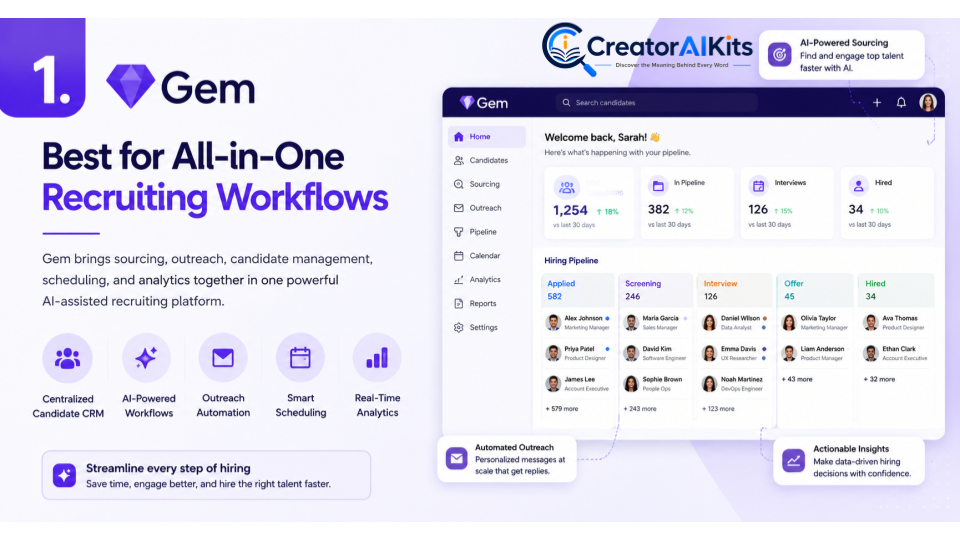
Gem is built for recruiting teams that want to manage multiple parts of the talent acquisition process from one platform. Its current offering can work alongside an existing ATS or serve as an all-in-one recruiting platform, with capabilities covering areas such as sourcing, outreach, scheduling, analytics, and recruiting workflows. Gem currently lists custom pricing for its core platform.
For growing organizations, this broader approach can be useful because candidate screening does not happen in isolation. Recruiters often need to source applicants, communicate with them, schedule interviews, and track candidates throughout the hiring funnel.
Best For
- Startups and growing companies
- Recruiting teams
- Talent acquisition teams
- Organizations wanting broader recruiting workflows
- Teams looking to reduce repetitive recruitment administration
Key Features
- AI-assisted recruiting workflows
- Candidate sourcing
- Outreach automation
- Scheduling
- Recruiting analytics
- ATS and recruiting workflow options
Pros
- Broad recruiting workflow coverage
- Can work with an existing ATS
- Useful for recruiting teams that need multiple functions
- Helps centralize recruitment activities
Cons
- Pricing is customized
- Smaller businesses may not need its full range of recruiting capabilities
E-E-A-T Tip
Use AI recommendations as supporting information rather than automatically rejecting candidates. Establish clear, job-related screening criteria before using AI and have recruiters review important decisions.
Standout Feature
A broader AI-powered recruiting workflow rather than a screening-only tool.
TestGorilla – Best for Skills-Based Candidate Screening
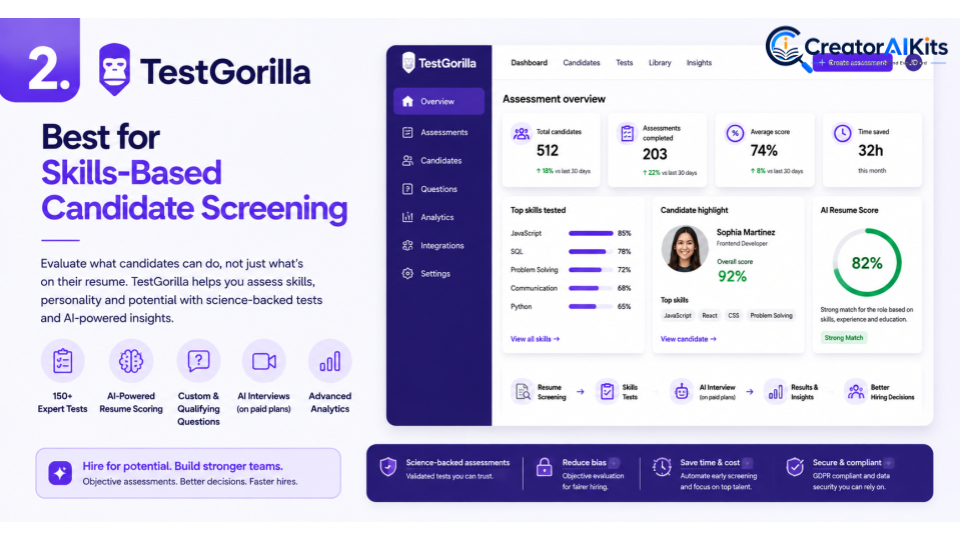
A resume can tell you about a candidate’s background, but it does not always demonstrate whether the person has the skills required for a particular role. TestGorilla takes a skills-based approach by allowing employers to assess candidates using tests, qualifying questions, resume scoring, and other evaluation methods.
Its current free plan includes resume scoring, qualifying questions, custom questions, and a limited set of other capabilities. Paid plans expand access to its larger assessment library, AI interviews, job simulations, coding challenges, and other features.
Best For
- Skills-based hiring
- Technical recruitment
- Competency testing
- Recruiters
- Companies that want structured assessments
Key Features
- Skills assessments
- Resume scoring
- Qualifying questions
- AI interviews on applicable plans
- Custom assessments
- Coding challenges on applicable plans
- Assessment analytics
Pros
- Strong focus on measurable skills
- Structured assessment process
- Free option available
- Large assessment library on paid plans
- Useful for supplementing resume screening
Cons
- Candidates need to complete assessments
- Poorly selected tests can create unnecessary friction
- Assessment results should not be treated as the only measure of candidate suitability
E-E-A-T Tip
Only use assessments that are relevant to the position. For example, a coding test can make sense for a software engineering role, while unrelated tests may add noise rather than useful evidence.
Standout Feature
Skills-focused candidate evaluation.
Mokka – Best for Recruitment Automation
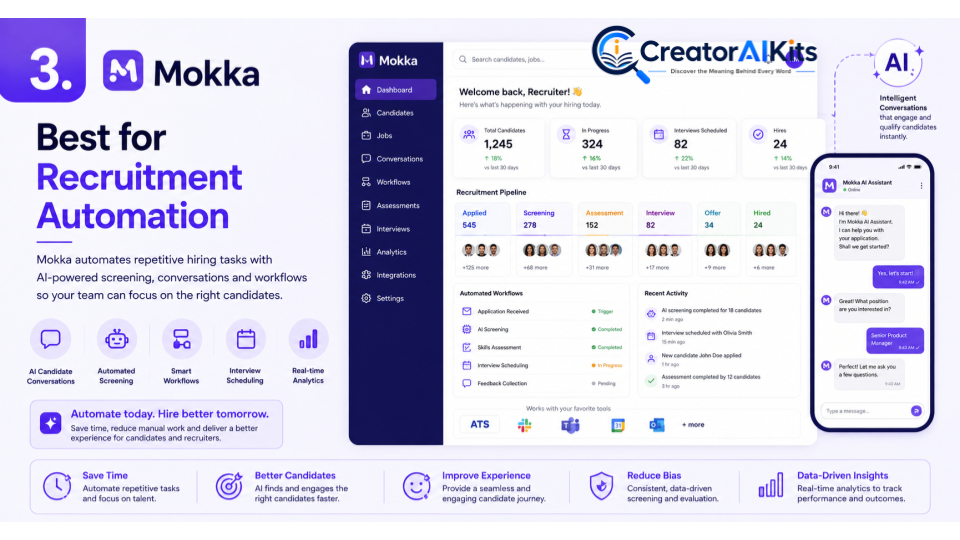
Mokka is positioned around AI and automation for recruitment and HR workflows. Because current publicly available information is less extensive than for some of the other platforms in this comparison, pricing and exact feature availability should be confirmed directly with the provider before publication or purchase.
Its potential value for hiring teams is in using automation to handle parts of the candidate journey and reduce repetitive recruitment tasks.
Best For
- Recruitment automation
- Initial candidate screening
- High-volume recruitment workflows
- Organizations exploring conversational recruitment
- Teams interested in automating repetitive hiring tasks
Screening Approach
Mokka’s recruitment-focused offering is associated with AI and automation. When evaluating the platform, recruiters should specifically ask how candidate screening is performed, what information the AI uses, how recommendations are explained, and where human review is built into the process.
Pros
- Focus on recruitment automation
- Potential to reduce repetitive tasks
- Relevant to organizations exploring AI-assisted hiring
- Can be evaluated for broader recruitment workflows
Cons
- Pricing and feature availability should be confirmed directly
- Organizations should evaluate the quality and transparency of AI recommendations
- Human review remains important
E-E-A-T Tip
Before deploying an automated screening workflow, test it against real candidate profiles and known hiring criteria. Look for false positives and false negatives rather than judging the system only by how quickly it processes applications.
Standout Feature
Automation across the recruitment workflow.
Paradox – Best for High-Volume and Frontline Hiring
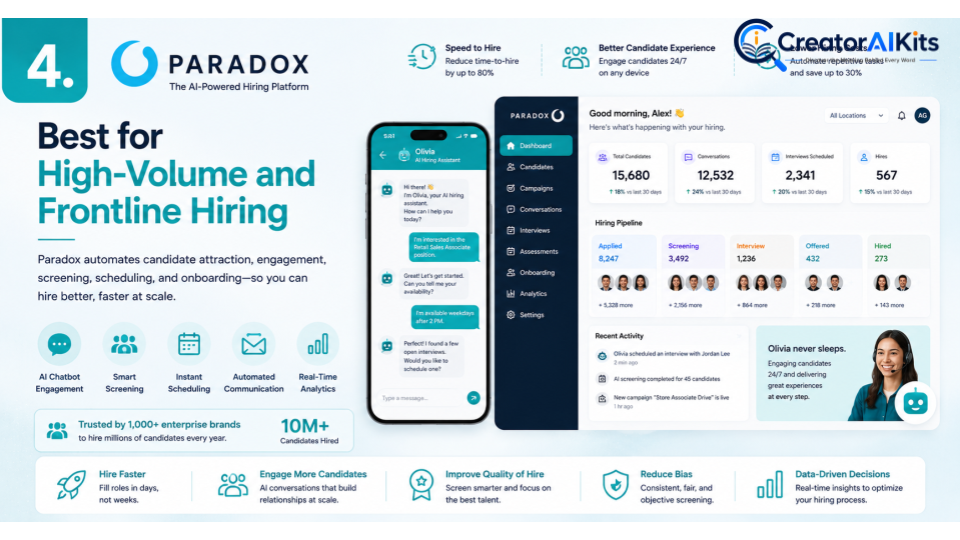
Paradox focuses on conversational hiring technology, with its AI assistant designed to automate parts of the hiring process and give recruiting teams more time to focus on candidates and people rather than administrative tasks.
This makes the platform particularly relevant to organizations where recruiting teams regularly deal with large applicant volumes and repetitive candidate interactions.
Best For
- High-volume hiring
- Retail recruitment
- Frontline hiring
- Large organizations
- Candidate communication and scheduling
Key Features
- Conversational AI
- Candidate interactions
- Recruitment workflow automation
- Automated hiring tasks
- High-volume recruitment support
Pros
- Designed around conversational hiring
- Useful for high-volume recruitment
- Can automate repetitive candidate interactions
- Can help recruiters spend more time on higher-value activities
Cons
- Enterprise-focused organizations may benefit most
- Smaller companies may not require extensive automation
- Automated screening requires careful configuration and monitoring
E-E-A-T Tip
High-volume hiring should still use consistent and job-relevant criteria. Review automated screening questions regularly and monitor whether qualified candidates are being unnecessarily filtered out.
Standout Feature
Conversational AI for high-volume recruitment.
Manatal – Best for SMBs and Recruitment Agencies
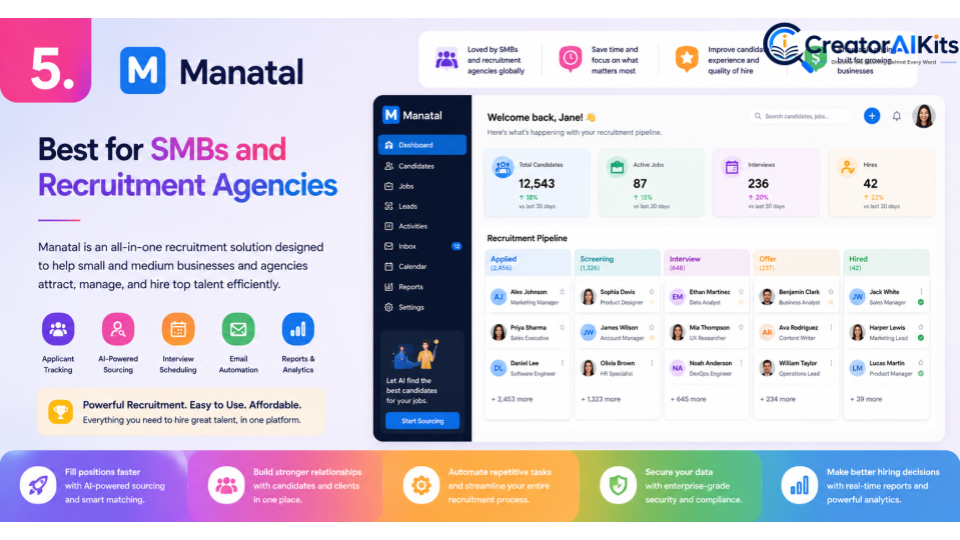
Manatal is an AI-powered recruitment platform and ATS that combines candidate management with AI-assisted recruitment features. Its current platform includes AI candidate enrichment, resume parsing, candidate recommendations, AI-based scoring, candidate summaries, fit and gap analysis, and an AI interviewer add-on.
Manatal is especially interesting for smaller recruitment teams because its pricing is comparatively transparent. The Professional plan is currently listed at $15 per user/month when billed annually, while higher plans add more automation and enterprise functionality. It also offers a 14-day free trial.
Best For
- Small and medium-sized businesses
- Recruitment agencies
- Budget-conscious teams
- Candidate management
- AI-assisted recruitment workflows
Key Features
- AI candidate enrichment
- Resume parsing
- AI candidate recommendations
- Candidate scoring
- Candidate summaries
- Fit and gap analysis
- Screening and knockout questions
- Applicant tracking
- AI interviewer add-on
Pros
- Transparent pricing
- Strong ATS functionality
- AI-assisted candidate matching
- Suitable for SMBs and agencies
- Free trial available
Cons
- Some advanced capabilities are limited to higher plans or add-ons
- Large enterprises with highly specialized workflows may require additional functionality
E-E-A-T Tip
AI-generated candidate scores should be treated as an input rather than a final verdict. Recruiters should review the underlying candidate information and confirm that the recommendation is based on legitimate job requirements.
Standout Feature
Combining AI recruitment features with a full applicant-tracking workflow.
Best AI Screening Tool by Use Case
| Hiring Need | Recommended Tool |
| All-in-one recruiting workflows | Gem |
| Skills and competency testing | TestGorilla |
| Recruitment automation | Mokka |
| High-volume hiring | Paradox |
| SMBs and recruitment agencies | Manatal |
There is no single winner for every company. Gem makes sense for broader recruiting workflows, TestGorilla is particularly useful when skills assessment matters, Mokka is worth considering for recruitment automation, Paradox is designed around conversational hiring, and Manatal provides a broader ATS and AI recruitment workflow for smaller teams and agencies.
How AI Candidate Screening Works
AI screening generally works by processing candidate information against predefined job requirements. Depending on the platform, this may include resumes, application answers, assessment results, candidate profiles, or responses to automated screening questions.
A typical workflow looks like this:
Step 1: Define the role
Create clear requirements for skills, experience, qualifications, and responsibilities.
Step 2: Collect candidate information
Candidates submit resumes, applications, assessments, or responses to screening questions.
Step 3: AI-assisted analysis
The platform processes available information and identifies candidates who appear to match predefined requirements.
Step 4: Recruiter review
A human recruiter reviews the results and checks whether the AI’s assessment makes sense.
Step 5: Next-stage evaluation
Suitable candidates move to interviews, assessments, or other stages of the hiring process.
The key point is that AI screening should support the hiring workflow rather than make unexplained final decisions.
How to Choose the Best AI Screening Software
1. Start With Your Hiring Volume
A company hiring five people per year does not need the same software as an enterprise processing thousands of applications.
2. Define What You Actually Want to Automate
Do you need resume screening, skills testing, candidate communication, scheduling, sourcing, or complete workflow automation? Identify the biggest bottleneck first.
3. Check AI Transparency
Ask vendors how their AI evaluates candidates and whether recruiters can understand why a candidate was recommended or ranked.
4. Evaluate Candidate Experience
A screening system should make the process easier—not unnecessarily complicated. Excessive tests, unclear questions, or overly robotic communication can discourage qualified applicants.
5. Check Integrations
If your company already uses an ATS, HR system, communication platform, or other recruitment software, confirm that the AI screening tool can fit into the existing workflow.
6. Compare Total Cost
Don’t look only at the advertised subscription price. Consider user seats, candidate credits, assessments, AI usage, integrations, implementation, and additional modules.
7. Test With Real Hiring Data
A live pilot using a real job description and representative candidate profiles can reveal much more than a product demo.
Benefits of AI Screening Tools
When implemented carefully, AI screening software can provide several practical benefits.
Faster Initial Screening
AI can help organize and process large amounts of candidate information more quickly than manual review alone.
More Structured Evaluation
Predefined criteria can make early-stage screening more consistent.
Reduced Administrative Work
Automation can handle repetitive activities such as candidate communication, profile organization, assessments, and scheduling.
Better Recruiter Productivity
When repetitive tasks are reduced, recruiters can spend more time on interviews, candidate relationships, hiring-manager communication, and strategic work.
Scalable Recruitment
Organizations experiencing rapid growth can use automation to handle increasing application volumes without simply adding more manual administrative work.
These benefits depend heavily on implementation. Poor screening criteria can simply make a bad process faster, which is why human oversight remains essential.
How to Use AI Screening Tools Responsibly
AI in recruitment should be implemented carefully because hiring decisions can have significant consequences for candidates.
Use Job-Related Criteria
Evaluate candidates against legitimate requirements for the role rather than irrelevant personal characteristics.
Keep Human Oversight
Recruiters should remain involved in meaningful hiring decisions, particularly when an automated recommendation could exclude a qualified candidate.
Check for Errors
AI can misinterpret resumes, overlook unconventional career paths, or misunderstand candidate information. Important recommendations should therefore be reviewed.
Monitor Results
Track whether the system is producing unexpected outcomes, such as consistently rejecting qualified applicants or favoring particular resume formats.
Protect Candidate Data
Understand how candidate information is collected, stored, processed, retained, and deleted. Review the vendor’s privacy and security documentation before deployment.
How E-E-A-T Applies to AI Recruitment Content
Strong Experience, Expertise, Authoritativeness, and Trustworthiness (E-E-A-T) matter when publishing content about AI hiring software.
Experience
Don’t simply repeat vendor marketing language. Explain practical considerations such as screening workflow, candidate friction, implementation, and human review.
Expertise
Discuss how recruiters should define job-related criteria, validate AI recommendations, evaluate candidate experience, and monitor screening outcomes.
Authoritativeness
Use reliable sources and current vendor documentation for pricing and feature claims. For important employment or regulatory questions, use authoritative legal or government sources rather than relying on AI-generated summaries.
Trustworthiness
Clearly separate verified facts from recommendations. Don’t promise that AI will eliminate bias or guarantee better hires. Explain both the advantages and limitations of automation.
Are AI Screening Tools Worth It?
For many hiring teams, AI screening software can be worthwhile when it solves a specific operational problem. The strongest use cases are usually repetitive, structured tasks such as organizing applications, asking initial qualifying questions, conducting skills assessments, summarizing candidate information, or managing candidate communication.
However, buying an AI recruiting platform simply because it uses artificial intelligence is not enough. A tool should demonstrate value within your actual hiring workflow.
For a small business, a straightforward ATS with AI-assisted screening may be sufficient. A recruitment agency may prioritize candidate management and sourcing, while a large retailer may need conversational automation for high-volume hiring.
The best strategy is to start with a real hiring problem, test the software against that problem, measure the outcome, and expand only when the technology proves useful.
Frequently Asked Questions
What are AI screening tools?
AI screening tools are recruitment software platforms that use artificial intelligence to assist with tasks such as resume analysis, candidate matching, skills assessment, candidate communication, profile summarization, and initial screening.
What is the best AI screening tool in 2026?
There is no universal best tool. Gem is strong for broader recruiting workflows, TestGorilla for skills-based screening, Mokka for recruitment automation, Paradox for conversational and high-volume hiring, and Manatal for SMB and agency recruitment workflows.
What is the best AI screening tool for small businesses?
Small businesses should prioritize affordability, ease of use, and essential screening functionality. Manatal is worth considering because it combines ATS functionality with AI recruitment features and currently offers transparent pricing.
What is the best AI tool for skills assessment?
TestGorilla is a strong option when structured skills assessment is the main requirement. Its current platform includes a large assessment library on paid plans as well as resume scoring and qualifying questions.
Can AI replace recruiters?
No. AI can automate repetitive tasks, but recruiters still provide important human judgment, context, communication, and oversight.
Can AI screening eliminate hiring bias?
AI should not be considered a guaranteed solution to hiring bias. Automated systems can still produce inaccurate or unintended outcomes. Organizations should use job-related criteria, monitor results, and maintain appropriate human oversight.
Are AI screening tools free?
Some platforms offer free options or trials, while others use custom pricing. TestGorilla currently offers a free plan, while Manatal offers a 14-day free trial. Gem and Paradox currently direct organizations toward custom pricing.
How can I choose an AI screening tool?
Start by identifying your biggest recruitment bottleneck. Then compare screening capabilities, automation, candidate experience, integrations, pricing, data practices, transparency, and human-review controls.
Conclusion
The best AI screening tool in 2026 is not necessarily the one with the most impressive list of AI features. It is the platform that fits your hiring volume, recruitment workflow, budget, and candidate-evaluation requirements.
Gem is a strong choice for broader recruiting workflows, TestGorilla stands out for skills-based assessment, Mokka focuses on recruitment automation, Paradox is particularly relevant to conversational and high-volume hiring, and Manatal combines AI-assisted recruitment with a broader ATS workflow for SMBs and agencies.
Before choosing a platform, test it against a real hiring scenario. Define your screening criteria, review the AI’s recommendations, verify important candidate information, and monitor the results over time.
Most importantly, AI should make recruiters more efficient—not remove human judgment from hiring. When automation is combined with professional expertise, reliable information, transparent evaluation criteria, and careful human review, AI screening tools can become a valuable part of a modern and more structured recruitment process.

Welcome to CreatorAIKits! I’m passionate about learning and exploring AI tools, creativity, and technology.
I’m continuously researching and gaining hands-on experience with different AI tools and technologies.
My goal is to share simple, useful, and practical AI information for beginners and everyday users.
Thanks for visiting CreatorAIKits!