

Creating a professional presentation from scratch can take hours. You have to organize ideas, write slide content, choose visuals, adjust layouts, and make everything look consistent—and that can become frustrating when you need a polished deck quickly. AI presentation tools can simplify much of this process by helping you turn an idea, outline, or existing content into a structured presentation faster.
In this guide, we’ll compare 5 of the best AI presentation tools in 2026: Gamma, Canva, Beautiful.ai, Microsoft PowerPoint with Copilot, and Prezi. We’ll look at what each tool is best for, its key features, strengths, limitations, and free or paid options so you can choose based on your actual workflow rather than simply picking the most popular tool.
Note: AI features, pricing, credits, and free-plan limits can change. Always check the tool’s official website before making a purchase.
Quick Comparison: Best AI Presentation Tools
| AI Tool | Best For | Free Option | Main Strength |
| Gamma | AI-generated presentations | Yes | Fast prompt-to-deck creation |
| Canva | Visual design and templates | Yes | Design flexibility and assets |
| Beautiful.ai | Professional business decks | Trial/paid options vary | Automated layouts |
| PowerPoint + Copilot | Microsoft 365 users | Requires eligible plan | Native PowerPoint workflow |
| Prezi | Interactive presentations | Limited free option | Dynamic, non-linear presentations |
Gamma currently offers a free plan with presentation creation, PDF/PPTX import, and exports to PDF, PPTX, PNG, and Google Slides.
Gamma – Best AI Presentation Tool Overall
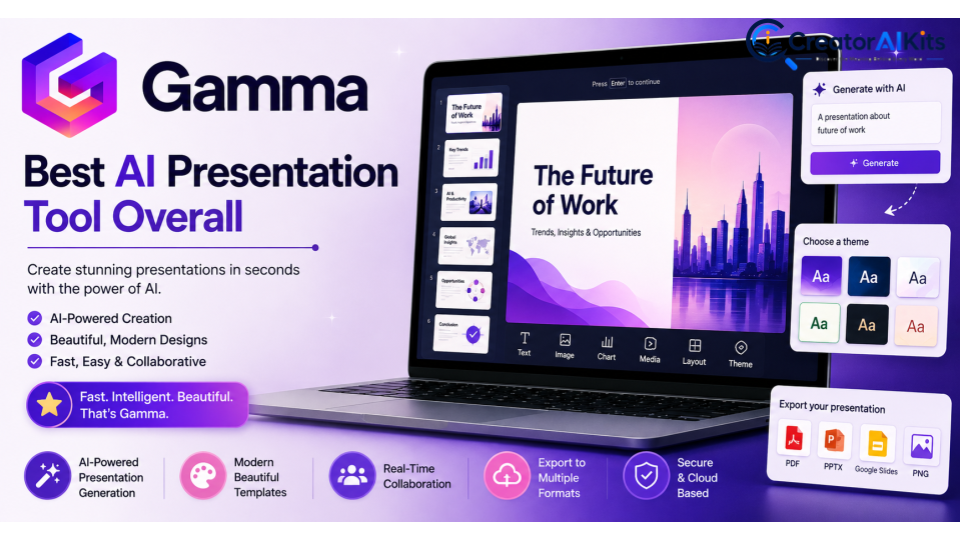
Gamma is one of the strongest choices if your main goal is to create a polished presentation quickly from an idea, prompt, outline, or existing content. Current 2026 comparisons frequently position Gamma as a leading all-around AI presentation generator, particularly for fast prompt-to-deck creation.
Best For
- Business presentations
- Pitch decks
- Educational presentations
- Marketing presentations
- Fast presentation creation
Key Features
- AI presentation generation
- Customizable themes
- Import from PDF and PPTX
- Collaboration and sharing
- Presentation exports
Pros
- Fast AI-assisted creation
- Beginner-friendly workflow
- Modern presentation designs
- Free plan available
- Useful for creating a first draft quickly
Cons
- Advanced features require paid plans
- Highly detailed slide customization may require additional editing
Free or Paid?
Gamma has a Free plan that includes AI creation and exports. Paid plans add features such as removing Gamma branding, more AI usage, advanced image models, custom branding, and additional customization.
Standout Feature
Fast prompt-to-presentation generation.
E-E-A-T Tip
Don’t rely on Gamma’s first generated version as your final deck. Give it a detailed outline, provide accurate source material, and review important claims before presenting.
Canva – Best for Visual Design and Templates
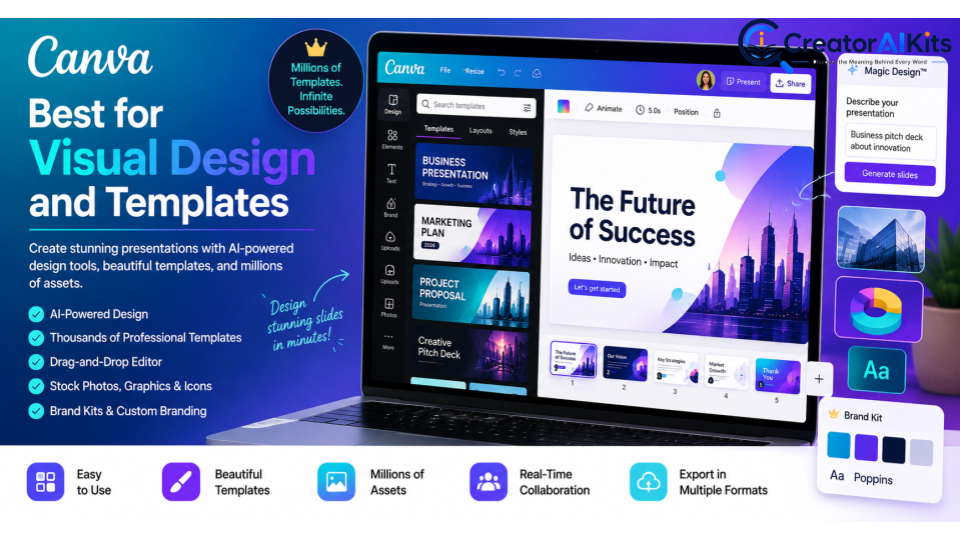
Canva is a strong option for users who want AI assistance combined with extensive design tools, templates, graphics, images, and branding features. It is particularly useful for creators and non-designers who want more visual control over their presentations.
Best For
- Marketing presentations
- Creative presentations
- Social media decks
- Educational presentations
- Beginners and non-designers
Key Features
- Presentation templates
- AI-powered design features
- Drag-and-drop editor
- Stock images and graphics
- Brand customization
Pros
- Easy to learn
- Large template and asset library
- Strong visual customization
- Free option available
- Useful beyond presentations
Cons
- Some premium elements require a paid plan
- AI capabilities can vary by plan
Free or Paid?
Canva offers free access to many design and presentation features, while paid plans provide additional assets, brand features, and advanced capabilities.
Standout Feature
Large design ecosystem with strong visual flexibility.
E-E-A-T Tip
Use Canva’s templates as a starting point, but customize the design with your own brand colors, fonts, examples, and original visuals. This helps avoid a generic template-based appearance.
Beautiful.ai – Best for Professional and Consistent Slide Design
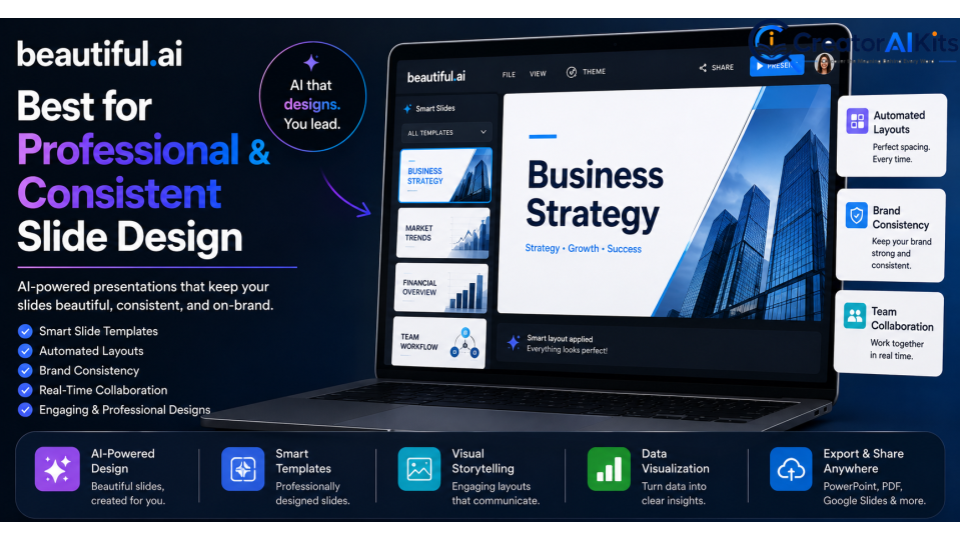
Beautiful.ai is designed around automated layouts that help maintain consistent spacing and visual structure. This makes it particularly useful for teams and professionals who want polished presentations without manually adjusting every element.
Current 2026 comparisons commonly highlight Beautiful.ai for brand consistency and disciplined slide design.
Best For
- Business presentations
- Sales decks
- Corporate reports
- Team presentations
- Brand-focused presentations
Key Features
- Smart slide layouts
- Automated formatting
- Presentation templates
- Collaboration
- Brand customization
Pros
- Consistent layouts
- Reduces manual formatting
- Professional appearance
- Useful for teams
Cons
- Less flexible than fully manual design tools
- Advanced functionality may require a paid plan
Standout Feature
Automated, consistent slide design.
E-E-A-T Tip
Use consistent brand elements and verify all business claims and numbers yourself. A polished design should support accurate information—not distract from it.
Microsoft PowerPoint with Copilot – Best for Microsoft 365 Users
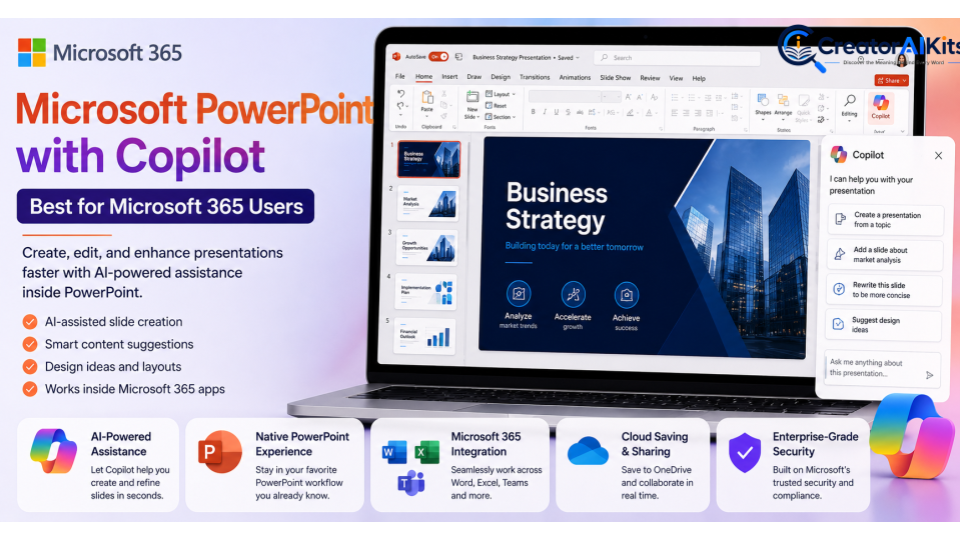
If your work already happens in PowerPoint, using AI inside the platform can be more convenient than moving your presentation to another application. Copilot can assist with presentation creation and content-related tasks while keeping users within the familiar PowerPoint environment.
Current comparisons identify PowerPoint with Copilot as a strong option for organizations already invested in Microsoft 365.
Best For
- Corporate presentations
- Business users
- Microsoft 365 teams
- Existing PowerPoint workflows
- Professional presentations
Key Features
- AI-assisted presentation creation
- Content generation
- PowerPoint integration
- Editing and refinement
- Microsoft 365 ecosystem integration
Pros
- Familiar PowerPoint environment
- Native workflow
- Strong fit for business users
- Useful for existing presentations
Cons
- AI availability depends on the applicable Microsoft plan
- Not the cheapest option for users who don’t already use Microsoft 365
Standout Feature
AI assistance directly within the PowerPoint workflow.
E-E-A-T Tip
For business presentations, manually check financial figures, performance metrics, research claims, and other important information before presenting the deck to clients or executives.
Prezi – Best for Interactive Presentations
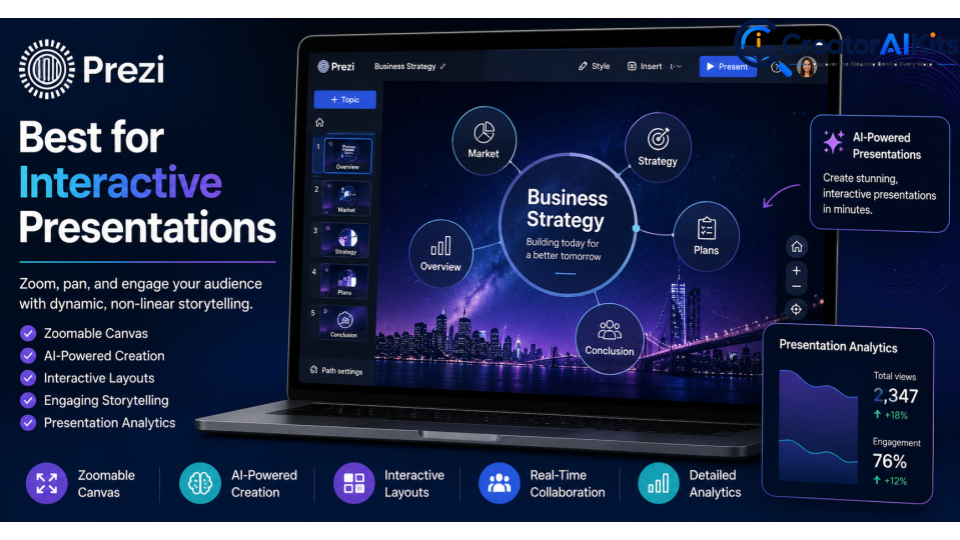
Prezi is different from traditional slide-based presentation tools. Its zoomable canvas allows presenters to move between ideas visually, making it useful for storytelling and presentations where relationships between concepts matter.
Current 2026 comparisons continue to position Prezi as a distinctive choice for non-linear and interactive presentations.
Best For
- Interactive presentations
- Storytelling
- Education
- Training
- Concept-based presentations
Key Features
- Zoomable presentation canvas
- Interactive layouts
- Presentation templates
- AI-assisted creation
Pros
- Distinctive presentation style
- Good for visual storytelling
- Can make presentations more engaging
Cons
- Requires some learning
- Its non-linear format isn’t ideal for every business presentation
- May be less suitable when a conventional slide deck is required
Standout Feature
Dynamic, non-linear presentation style.
E-E-A-T Tip
Use movement and visual effects to clarify your message rather than adding them simply for decoration. Your presentation should make complex ideas easier to understand.
Best AI Presentation Tool by Use Case
| What You Need | Best Choice |
| Best overall AI presentation tool | Gamma |
| Best for visual design | Canva |
| Best for professional business decks | Beautiful.ai |
| Best for Microsoft 365 users | PowerPoint + Copilot |
| Best for interactive storytelling | Prezi |
There is no universal winner. Current comparisons show that Gamma is particularly strong for fast AI-native deck creation, Beautiful.ai for consistent design, Canva for flexible visual creation, PowerPoint/Copilot for Microsoft users, and Prezi for non-linear presentations.
| Tool | Free Plan | Starting Paid Price |
| Gamma | Yes | Verify current price |
| Canva | Yes | Verify current price |
| Beautiful.ai | Trial/paid | Verify current price |
| PowerPoint + Copilot | Depends on plan | Verify current price |
| Prezi | Limited free option | Verify current price |
How to Choose the Best AI Presentation Tool
Choosing the right tool is easier when you focus on your actual presentation requirements.
Consider Your Presentation Type
First, decide what you’re creating. A business proposal may require professional branding and PowerPoint compatibility, while an educational presentation may benefit more from visual storytelling.
Check AI Generation Capabilities
Some platforms can generate an entire deck from a prompt, while others are more focused on improving designs or existing presentations. Choose the workflow that matches how you normally work.
Look at Design and Customization
If your presentation needs strong branding, check whether the platform supports custom colors, fonts, templates, logos, and other brand elements.
Check Export Options
If you need an editable PowerPoint file, confirm that the tool provides the export format and level of editability you need. Export quality can differ considerably between platforms.
Compare Free and Paid Plans
A free plan is useful for testing a tool before subscribing. However, check limitations such as AI credits, exports, templates, branding, and usage limits before relying on a free tier for professional work.
How to Create Better Presentations With AI
AI can speed up presentation creation, but the quality of your instructions and information directly affects the quality of the final deck.
Start With a Detailed Outline
Don’t simply ask:
“Create a presentation about digital marketing.”
Instead, provide the target audience, presentation goal, key topics, supporting information, examples, statistics, and desired outcome.
Provide Reliable Source Material
If your presentation includes research, statistics, financial information, or technical claims, provide reliable source material and verify the final output.
Maintain Your Brand Identity
Add your logo, brand colors, fonts, imagery, and preferred design style whenever the tool supports them.
Edit the AI Output
AI-generated slides are a starting point. Remove unnecessary text, improve weak explanations, add original examples, and make the presentation sound like you.
Verify Important Information
Never assume that an AI-generated statistic or claim is accurate. Check important information against reliable sources before publishing or presenting it.
How to Maintain E-E-A-T in AI-Generated Presentations
A visually impressive presentation is not automatically a trustworthy presentation. Experience, Expertise, Authoritativeness, and Trustworthiness (E-E-A-T) should remain part of your workflow.
Add Real Experience
Include your own case studies, examples, lessons learned, and practical recommendations whenever relevant. This gives the presentation a perspective that generic AI output cannot provide.
Demonstrate Expertise
Use accurate terminology, explain important concepts clearly, and provide useful context instead of filling slides with generic statements.
Support Important Claims
Back up important statistics, research findings, and business claims with reliable sources. Don’t present AI-generated information as fact without verification.
Keep Branding Consistent
Use your own logo, colors, fonts, templates, and visual identity. This makes the deck more authentic and recognizable.
Perform a Final Human Review
Before presenting the deck, check:
- Facts and statistics
- Sources and citations
- Financial figures
- Spelling and grammar
- Slide structure
- Visual consistency
- Brand elements
- Overall message
AI should accelerate the presentation process, but human expertise should control the final result.
Are AI Presentation Tools Worth It?
For many users, AI presentation tools are worth considering because they can reduce the time spent on repetitive tasks such as structuring content, formatting slides, and creating an initial design.
However, paying for an AI presentation tool doesn’t automatically guarantee a better presentation. Beginners can often start with a free option and upgrade when they need additional AI usage, advanced design features, collaboration, branding, or export capabilities.
The best approach is to test a tool with a real presentation project, not just a random prompt. This gives you a much better idea of whether its output quality and workflow actually fit your needs.
Frequently Asked Questions
What is the best AI presentation tool in 2026?
Gamma is a strong overall choice for users who want to generate polished presentations quickly from prompts or outlines. However, Canva, Beautiful.ai, PowerPoint with Copilot, and Prezi may be better depending on your design, business, or presentation needs.
What is the best free AI presentation tool?
There isn’t one universal winner because free-plan features vary. Gamma and Canva both offer free options, making them useful starting points for users who want to test AI-assisted presentation creation without immediately paying for a subscription.
Can AI create an entire presentation?
Yes. Many AI presentation platforms can create an initial deck from a prompt, outline, or source material. However, you should always edit the output and verify important information before using it professionally.
Can AI presentation tools create PowerPoint files?
Yes. Several AI presentation tools support PowerPoint export, while PowerPoint with Copilot creates presentations directly within the PowerPoint environment. Export quality and editability can vary by tool, so test the workflow if editable PPTX files are important to you.
Are AI-generated presentations professional?
They can be, but AI-generated slides should not be published without review. Adding your own expertise, accurate information, original examples, and consistent branding can make the final presentation much more professional.
Are AI presentation tools completely free?
No. Some tools offer free plans, while others use trials or paid subscriptions. Free plans may limit AI credits, exports, templates, branding, or advanced features, so check the current plan details before choosing a tool.
Can AI presentation tools replace PowerPoint?
Not completely. AI presentation tools can automate much of the creation process, but PowerPoint remains valuable when you need detailed editing, compatibility with existing corporate workflows, or precise control over individual slides.
How can I make an AI-generated presentation more trustworthy?
Use reliable source material, verify statistics and important claims, add your own experience and expertise, maintain consistent branding, and perform a complete human review before presenting the deck.
How many AI presentation tools do I need?
Usually, one tool is enough to start. Choose the platform that best matches your workflow and only add another tool if it provides a specific capability you genuinely need.
Conclusion
The best AI presentation tool in 2026 depends on what you need to create. Gamma is a strong overall choice for quickly generating polished decks, Canva is excellent for visual design and templates, Beautiful.ai is well suited to consistent professional layouts, PowerPoint with Copilot makes sense for Microsoft 365 users, and Prezi stands out for interactive storytelling.
You don’t need to subscribe to every platform. Start with the tool that solves your biggest presentation challenge, test it with a real project, and refine the AI-generated output with your own experience, expertise, original ideas, and judgment. That’s the best way to create slides that are not only fast and attractive, but also accurate, credible, and genuinely useful.
Meta Description
Compare the 5 best AI presentation tools in 2026, including Gamma, Canva, Beautiful.ai, PowerPoint Copilot, and Prezi for creating stunning slides fast.

Welcome to CreatorAIKits! I’m passionate about learning and exploring AI tools, creativity, and technology.
I’m continuously researching and gaining hands-on experience with different AI tools and technologies.
My goal is to share simple, useful, and practical AI information for beginners and everyday users.
Thanks for visiting CreatorAIKits!