
Creating great social media content is no longer just about posting consistently.
You need ideas, captions, visuals, videos, scheduling, analytics, audience engagement, and a clear content strategy—often across several platforms at the same time.
And that is exactly where AI tools can help.
Instead of spending hours brainstorming captions, designing graphics, repurposing content, scheduling posts, and checking performance manually, the right AI-powered social media tools can automate or speed up many of these repetitive tasks.
But there is one problem:
Not every AI social media tool is built for the same job.
Some are excellent for scheduling. Others are better for graphics, AI-generated posts, analytics, marketing content, or complete social media workflows.
So which one should you actually use?
In this guide, we compare 10 of the best AI tools for social media in 2026, including their key features, pricing, strengths, weaknesses, limitations, and best use cases.
Whether you’re a beginner, content creator, freelancer, small business owner, marketer, or agency, this guide will help you narrow down your options without wasting time on tools you don’t need.
Quick answer: If you mainly need simple AI-assisted scheduling and social media management, Buffer is a strong option for beginners and small businesses. Canva is especially useful for visual content, Predis.ai focuses heavily on AI-powered social content creation, while Sprout Social is designed for organizations that need deeper analytics and social management.
💡 Pro Tip
Choosing the right social media tool is only one part of a successful content strategy. For a broader workflow, check out our guide AI Content Strategy: 3 High-Intent Content Pillars to Grow Organic Traffic in 2026 on CreatorAIKits.com. It explains how to build focused content pillars that can help you create more consistent, search-friendly content across your website and social channels.
Quick Comparison: Best AI Social Media Tools
| Tool | Best For | Free Plan | Starting Paid Price | Main Strength |
| Buffer | Social scheduling & creators | Yes | $6/channel/month | Scheduling + AI Assistant |
| Canva | Social graphics & designs | Yes | $15/month* | AI design & visual content |
| Predis.ai | AI social content creation | Limited | $19/month | Posts, videos & captions |
| SocialBee | Content management | No permanent free plan | $29/month | AI content + scheduling |
| Later | Visual social planning | Trial | $18.75/month | Visual planning + AI |
| Hootsuite | Businesses & teams | Trial | $99/month | Management & automation |
| Sprout Social | Advanced analytics | Trial | $79/month | Analytics + AI |
| Jasper | Marketing content | Trial | $59/month annually | Brand-focused AI content |
| Adobe Express | AI graphics & video | Yes | $9.99/month | Design + generative AI |
| ChatGPT | Ideas, captions & strategy | Yes | $8/month Go* | Content ideation & writing |
*Pricing can vary by plan, billing period, market, taxes, and promotions.
Pricing Comparison
| Tool | Free Option | Entry Paid Plan | Higher Plan / Custom |
| Buffer | Free | $6/channel/mo | Team from $12/channel/mo |
| Canva | Free | $15/mo* | Business/Enterprise options |
| Predis.ai | Free/trial options | $19/mo | $40/mo+ |
| SocialBee | 14-day trial | $29/mo | 49–99/mo+ |
| Later | 14-day trial | $18.75/mo | 37.50–82.50/mo |
| Hootsuite | 14-day trial | $99/mo | 199–399/mo |
| Sprout Social | Free trial | $79/mo | 99–399/seat/mo+ |
| Jasper | 7-day trial | $59/mo annually | Custom Business |
| Adobe Express | Free | $9.99/mo | Creative Cloud options |
| ChatGPT | Free | $8/mo Go* | Plus $20/mo; Pro $200/mo |
Pricing note: The prices represented in the source article were researched in August 2026. Actual pricing can change because of annual billing, region, taxes, add-ons, promotions, or changes to individual plans. Always confirm the current price on the tool’s official pricing page before purchasing.
Buffer — Best for AI Social Media Scheduling

Best for: Creators, freelancers, small businesses, and marketers
If your biggest social media problem is staying consistent, Buffer is one of the easiest tools to consider.
Buffer combines social media scheduling, content planning, analytics, and AI-assisted content creation in one dashboard. Its AI Assistant can help generate ideas, rewrite content, and create variations for different social posts.
It also supports major platforms including Instagram, Facebook, LinkedIn, TikTok, Pinterest, YouTube, Threads, and X.
Key Features
- AI Assistant for content creation
- Social media scheduling
- Content calendar
- Analytics and performance insights
- Hashtag management
- Community inbox
- Multi-platform publishing
- Content ideas and repurposing
Buffer Pricing
The source article lists a Free plan for up to three channels.
The Essentials plan starts at $6 per channel/month when billed monthly, with annual pricing starting at $60 per channel/year. Team plans start at $12 per channel/month when billed annually.
Pros
✅ Beginner-friendly interface
✅ Useful free plan
✅ AI Assistant included
✅ Strong scheduling features
✅ Supports multiple social platforms
Cons
❌ Paid costs increase as you add more channels
❌ Some advanced capabilities require paid plans
Limitation to Know
Buffer is primarily a social media management and publishing platform. If your main requirement is advanced graphic design or highly specialized AI video generation, you may still need another tool.
Best For
Choose Buffer if your priority is:
Planning → Creating → Scheduling → Publishing → Tracking
Canva — Best for Social Media Graphics
Best for: Creators, bloggers, small businesses, marketers, and designers
Great social media content often needs more than a clever caption.
It needs a visual that makes someone stop scrolling.
That’s where Canva is especially useful.
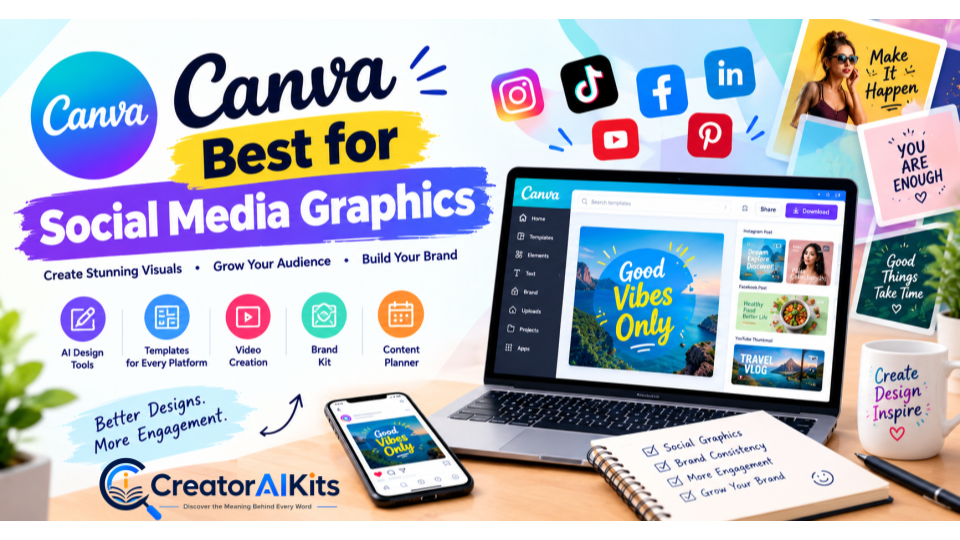
Canva combines templates, graphic design, video creation, AI-powered features, brand tools, and social media planning. Its Content Planner can also help users design and schedule content for supported social platforms.
Key Features
- AI-powered design tools
- Social media templates
- AI image generation
- Background removal
- Video creation
- Brand Kits
- Social media scheduler
- Content resizing
- Stock photos and graphics
Canva Pricing
The source article lists Canva as having a Free plan and notes that Canva Pro was listed at £100/year on its UK pricing page, while local pricing can vary by market.
Pros
✅ Extremely beginner-friendly
✅ Huge template library
✅ Excellent for social graphics
✅ AI-powered design features
✅ Useful for images and videos
Cons
❌ Some advanced AI features require paid access
❌ Premium assets are locked behind paid plans
Limitation to Know
Canva is excellent for visual creation, but it is not designed to replace every specialized social media management or analytics platform.
Best For
Canva is a strong choice when your workflow is:
Idea → Design → Resize → Brand → Publish
Predis.ai — Best for AI Social Content Creation
Best for: Small businesses, creators, marketers, and users who want AI-generated social content
Predis.ai is built specifically around social media content creation.
Instead of starting with a blank page, you can use AI-assisted workflows to generate social posts, captions, creatives, and videos.
That can make it particularly useful for people who know they need to post consistently but struggle with what to create.
Key Features
- AI-generated social posts
- Caption generation
- Social media creatives
- AI video creation
- Content ideas
- Content calendar
- Competitor-related insights
- Brand customization
Predis.ai Pricing
The source article lists:
- Core: $19/month
- Rise: $40/month
Free or trial options may also be available depending on the current plan structure.
Pros
✅ Designed specifically for social content
✅ Generates multiple content formats
✅ Useful for content ideas
✅ Can reduce manual content creation
✅ Helpful for small businesses
Cons
❌ Less flexible than general-purpose AI assistants for unrelated tasks
❌ Paid plans may be necessary for higher-volume workflows
Limitation to Know
AI-generated social content should still be reviewed before publishing. Brand voice, factual accuracy, tone, and platform-specific requirements may need human editing.
Best For
Predis.ai is worth considering if you want:
AI Ideas + Captions + Creatives + Social Content
SocialBee — Best for Content Management
Best for: Creators, consultants, small businesses, and content-heavy marketers
SocialBee focuses heavily on managing and organizing social media content.
Its AI Copilot and content-management features can help users generate ideas, organize content, and maintain a more consistent publishing workflow.
Key Features
- AI Copilot
- AI content creation
- Content categories
- Social scheduling
- Content recycling
- Publishing workflows
- Analytics
- Multi-platform management
SocialBee Pricing
The source article lists:
- Bootstrap: $29/month
- Accelerate: $49/month
- Pro: $99/month
A 14-day trial is also listed.
Pros
✅ Strong content organization
✅ Useful AI assistance
✅ Good scheduling workflow
✅ Helpful for consistent publishing
✅ Suitable for content-heavy users
Cons
❌ No permanent free plan according to the source article
❌ More expensive than some beginner-focused alternatives
Limitation to Know
SocialBee can be more than a beginner needs if you only want a basic scheduler.
Best For
Choose SocialBee if you need:
Content Organization + Scheduling + Recycling + AI Assistance
Later — Best for Visual Social Planning
Best for: Instagram-focused creators, brands, and visual marketers
Later is particularly useful for people who think visually about their social media content.
Its visual planning approach makes it easier to see how your content fits together before publishing.
Key Features
- Visual content calendar
- Social scheduling
- AI-assisted content creation
- Link-in-bio tools
- Analytics
- Visual planning
- Multi-platform publishing
Later Pricing
The source article lists:
- Starter: $18.75/month
- Growth: $37.50/month
- Scale: $82.50/month
These figures are based on annual billing in the source article.
Pros
✅ Strong visual planning
✅ Useful for Instagram workflows
✅ Easy content organization
✅ Helpful analytics
✅ Good for visual brands
Cons
❌ Higher plans become expensive
❌ Some advanced features require paid tiers
Limitation to Know
Later is especially attractive for visual-first social strategies. Users with heavy analytics or complex enterprise requirements may need a more specialized platform.
Best For
Later is worth considering for:
Visual Planning + Instagram + Consistent Publishing
Hootsuite — Best for Businesses and Teams
Best for: Businesses, agencies, and professional social media teams
Hootsuite is designed for more structured social media management.
Instead of simply scheduling posts, teams can use it for publishing, monitoring, analytics, collaboration, and broader social media workflows.
Key Features
- Social scheduling
- Content calendar
- Analytics
- Social listening
- Team collaboration
- Inbox management
- AI-assisted content tools
- Multi-platform management
Hootsuite Pricing
The source article lists:
- Standard: $99/month
- Professional: $199/month
- Advanced: $399/month
- Enterprise: Custom pricing
A 14-day trial is also listed.
Pros
✅ Extensive social management features
✅ Designed for teams
✅ Strong analytics
✅ Collaboration tools
✅ Broad platform support
Cons
❌ Expensive for individual creators
❌ More complex than basic scheduling tools
Limitation to Know
Hootsuite may be unnecessary if you only manage one or two social accounts and need simple scheduling.
Best For
Choose Hootsuite when you need:
Team Collaboration + Management + Monitoring + Analytics
Sprout Social — Best for Advanced Analytics
Best for: Larger businesses, marketing teams, agencies, and organizations focused on social analytics
Sprout Social places strong emphasis on analytics, reporting, social management, and audience insights.
For organizations that need to understand not just what they published, but also how their social presence is performing, this type of platform can be useful.
Key Features
- Social analytics
- Reporting
- Social listening
- Publishing
- Engagement management
- AI-assisted features
- Team collaboration
- Audience insights
Sprout Social Pricing
The source article lists the starting price at $79 per seat/month, with higher plans reaching approximately $399 per seat/month or more depending on the plan.
Pros
✅ Strong analytics
✅ Detailed reporting
✅ Professional social management
✅ Useful for teams
✅ Social listening capabilities
Cons
❌ Expensive for beginners
❌ Per-seat pricing can increase total cost
Limitation to Know
Sprout Social is built more for professional social media operations than casual individual posting.
Best For
Sprout Social makes the most sense when:
Analytics + Reporting + Team Management
are important parts of your workflow.
Jasper — Best for Marketing Content
Best for: Marketing teams, brands, agencies, and businesses focused on content marketing
Jasper is a marketing-focused AI platform rather than a dedicated social scheduler.
Its strength is helping marketing teams create and manage brand-focused content and campaigns.
Key Features
- AI marketing content
- Brand voice
- Campaign workflows
- Content creation
- Marketing agents
- Brand knowledge
- Collaboration
- Research and optimization tools
Jasper Pricing
The source article lists Jasper Pro at:
- $69/month when billed monthly
- $59/month when billed annually
Business pricing is custom, and a 7-day free trial is listed.
Pros
✅ Strong brand consistency
✅ Marketing-focused AI
✅ Useful for teams
✅ Campaign-oriented workflows
Cons
❌ More expensive than many general AI tools
❌ Mainly designed for marketing professionals
Limitation to Know
Jasper can be more than you need if your only requirement is writing occasional social captions.
Best For
Jasper is better suited to:
Social Content + Brand Voice + Marketing Campaigns
Adobe Express — Best for AI Design and Video
Best for: Creators, marketers, and businesses already using Adobe tools
Adobe Express combines design, video editing, templates, generative AI, resizing, stock assets, and social media functionality.
It can be especially attractive if you already work within the Adobe ecosystem.
Key Features
- Generative AI
- AI image tools
- Video creation
- Social templates
- Background removal
- One-click resizing
- Social scheduling
- Adobe Stock assets
- Brand tools
Adobe Express Pricing
The source article lists a Free plan and a Premium plan at $9.99/month, including 250 generative credits per month along with additional premium features.
Pros
✅ Powerful design tools
✅ Generative AI
✅ Excellent templates
✅ Adobe ecosystem
✅ Relatively affordable Premium plan
Cons
❌ Some features require learning
❌ Advanced workflows may suit experienced users better
Limitation to Know
Users who want an extremely simple design experience may initially find Adobe Express less straightforward than simpler design-first tools.
Best For
Adobe Express is a strong option for:
AI Design + Video + Adobe Ecosystem
ChatGPT — Best for Social Media Ideas and Content Strategy
Best for: Creators, marketers, freelancers, and businesses
Social media isn’t only about publishing.
Before you publish, you need to decide:
- What should you post?
- Who is the post for?
- What should the hook say?
- Which platform should you use?
- How can one idea become multiple posts?
- What should your content calendar look like?
ChatGPT can help with many of these text-based tasks.
You can use it to brainstorm ideas, write captions, develop hooks, create content calendars, rewrite posts, develop campaign concepts, and repurpose one piece of content into multiple formats.
Key Features
- Social media ideas
- Caption writing
- Content calendars
- Hooks and headlines
- Post rewriting
- Marketing strategy
- Audience research
- Content repurposing
- Image generation
- File analysis
ChatGPT Pricing
The source article lists:
- Free: $0
- Go: $8/month in the U.S.
- Plus: $20/month
- Pro: $200/month
Localized pricing can vary by market.
Pros
✅ Extremely flexible
✅ Excellent for brainstorming
✅ Useful for content strategy
✅ Can repurpose content
✅ Free option available
✅ Useful beyond social media
Cons
❌ Not primarily a social scheduling platform
❌ AI output still needs human review
❌ Some advanced capabilities require paid plans
Limitation to Know
ChatGPT is not a replacement for a dedicated social media management platform when you need advanced scheduling, publishing, inbox management, or social analytics.
Best For
ChatGPT works particularly well for:
Ideas + Hooks + Captions + Strategy + Repurposing
Which AI Social Media Tool Is Best for You?
There isn’t one tool that is perfect for every social media workflow.
Your best choice depends on the task you want to solve.
| If You Need… | Consider |
| Easy scheduling | Buffer |
| Social graphics | Canva |
| AI-generated social content | Predis.ai |
| Content organization | SocialBee |
| Visual planning | Later |
| Business/team management | Hootsuite |
| Advanced analytics | Sprout Social |
| Marketing-focused AI | Jasper |
| AI design and video | Adobe Express |
| Ideas, captions and strategy | ChatGPT |
How to Choose the Right AI Social Media Tool
Before paying for an AI social media platform, ask yourself six questions.
1. Do You Need Content Creation or Scheduling?
If your main problem is what to post, prioritize content-generation tools.
If your biggest problem is when and where to publish, prioritize scheduling platforms.
2. Do Visuals Matter Most?
If your strategy depends heavily on graphics, videos, templates, and branded visuals, a design-focused platform can be more useful.
3. How Important Are Analytics?
For individuals, basic analytics may be enough.
For agencies and larger teams, detailed reporting, audience insights, and social listening can become much more important.
4. How Many Platforms Do You Manage?
Someone managing one Instagram account has very different requirements from an agency managing dozens of social profiles.
Check the number of supported accounts and channels before choosing a paid plan.
5. How Much AI Do You Actually Need?
More AI features don’t automatically mean a better workflow.
Ask whether the AI actually saves you time.
For example:
Good AI use: Generate 10 caption variations in seconds.
Less useful AI use: Generate content that still requires so much editing that you could have written it yourself.
6. What Is Your Real Budget?
Don’t compare monthly prices alone.
Also consider:
- Number of social accounts
- Number of users/seats
- AI usage limits
- Content limits
- Analytics availability
- Scheduling limits
- Premium assets
- Annual vs monthly billing
A tool that looks inexpensive at first can become significantly more expensive when you add multiple channels or team members.
Can AI Completely Replace a Social Media Manager?
No—not completely.
AI can automate many repetitive parts of social media work, including:
- Brainstorming
- Caption drafting
- Content repurposing
- Scheduling assistance
- Image creation
- Content variations
- Basic analysis
- Content planning
But humans still need to provide:
- Brand judgment
- Strategy
- Creativity
- Context
- Fact-checking
- Audience understanding
- Crisis management
- Final approval
The most practical approach is often:
AI for speed + human expertise for judgment.
Instead of trying to remove the human from the workflow, use AI to reduce repetitive work so you can spend more time on strategy and creative decisions.
Our Evaluation Methodology
We compared the tools in this guide using practical social media requirements rather than looking at AI features alone.
The evaluation considered:
- Content creation
- Scheduling
- Platform support
- Analytics
- Ease of use
- Automation
- Collaboration
- Free options
- Pricing
- Overall usefulness for the intended audience
The source article states that official websites were checked during its August 2026 research period. Because software features and pricing can change, readers should verify current plans before purchasing.
A Simple AI Social Media Workflow for Beginners
You don’t necessarily need ten tools.
In fact, starting with too many platforms can make your workflow more complicated.
A simple setup could look like this:
Step 1: Generate Ideas
Use ChatGPT to brainstorm topics, hooks, captions, content pillars, and post variations.
Step 2: Create Visuals
Use Canva or Adobe Express to create branded graphics and short-form visual content.
Step 3: Schedule Posts
Use Buffer to organize and schedule your content across supported platforms.
Step 4: Review Everything
Before publishing, check:
- Is the information accurate?
- Does the tone match the brand?
- Does the visual look professional?
- Is the caption platform-appropriate?
- Does the post actually provide value?
Step 5: Analyze Results
Use your social media platform’s analytics or a dedicated analytics tool to understand what performs well.
Then use those insights to improve your next content cycle.
Frequently Asked Questions
What is the best AI tool for social media?
It depends on the job. Buffer is a strong option for scheduling, Canva for visual content, Predis.ai for AI-generated social content, and ChatGPT for ideas, captions, strategy, and repurposing.
What is the best free AI social media tool?
There isn’t one universal answer. Buffer, Canva, Adobe Express, and ChatGPT all offer free options, but their free features are different.
Can AI create social media posts?
Yes. AI tools can help generate captions, ideas, images, videos, and post variations. However, human review is still important before publishing.
Is Canva good for social media?
Yes. Canva is particularly useful for creating social media graphics, videos, branded templates, resized content, and other visual assets.
Is ChatGPT good for social media marketing?
ChatGPT can be useful for brainstorming, captions, hooks, content calendars, strategy, rewriting, and repurposing content. It is not primarily a social scheduling platform.
Which AI tool is best for social media scheduling?
Buffer, SocialBee, Later, Hootsuite, and Sprout Social all provide scheduling capabilities, but they target different types of users and workflows.
Can AI completely automate social media?
AI can automate or accelerate many repetitive tasks, but a fully hands-off workflow is not ideal for most brands. Human review and strategic decisions remain important.
Should small businesses pay for an AI social media tool?
It depends on how much time the tool saves and which features the business actually needs. A free plan may be enough for a small operation, while growing businesses may benefit from paid scheduling, analytics, automation, or collaboration features.
Recommended AI Social Media Stack for Beginners
You don’t need to subscribe to every tool in this list.
A simple workflow could be:
ChatGPT → Canva → Buffer
ChatGPT
For:
- Ideas
- Hooks
- Captions
- Content calendars
- Repurposing
Canva
For:
- Graphics
- Templates
- Social visuals
- Short videos
- Branding
Buffer
For:
- Scheduling
- Publishing
- Content organization
- Social management
This combination covers a large portion of a beginner’s social media workflow without requiring a complicated stack.
Want to Explore More AI Tools?
If you’re interested in using AI beyond social media, check out our guide to the best AI productivity tools in 2026. It covers additional tools for productivity, research, content creation, automation, and everyday work so you can build a more efficient AI-powered workflow.
Final Thoughts
The best AI social media tool isn’t necessarily the one with the longest feature list.
It’s the one that solves your biggest problem.
If you need simple scheduling, start by looking at Buffer.
If visual content is your priority, Canva is worth considering.
If you want AI-generated social content, explore Predis.ai.
If you need advanced social management and analytics, platforms such as Hootsuite and Sprout Social are designed for more professional workflows.
And if your biggest challenge is coming up with ideas, captions, hooks, and content strategies, ChatGPT can become a useful part of your workflow.
The key is not to collect as many AI tools as possible.
Choose the smallest tool stack that genuinely saves you time, improves your content, and helps you publish more consistently.

Welcome to CreatorAIKits! I’m passionate about learning and exploring AI tools, creativity, and technology.
I’m continuously researching and gaining hands-on experience with different AI tools and technologies.
My goal is to share simple, useful, and practical AI information for beginners and everyday users.
Thanks for visiting CreatorAIKits!