
Artificial intelligence is becoming a practical part of everyday business operations. Companies are using AI not only to generate text, but also to automate repetitive workflows, summarize meetings, analyze data, manage knowledge, improve customer communication, create training content, and help employees work more efficiently.
The challenge is choosing the right AI business tools. With hundreds of platforms available, businesses can easily spend money on software that looks impressive but does not solve a meaningful problem.
The best approach is to start with your business needs. If your team spends too much time writing emails, analyzing documents, or creating reports, an AI assistant may help. If employees repeatedly move information between applications, an automation platform could provide more value. If meetings consume hours every week, an AI meeting assistant may be a better investment.
In this guide, we’ll compare 10 of the best AI tools for businesses in 2026, covering general AI assistants, automation, productivity, meeting management, CRM, video creation, and business analytics.
We’ll explain what each tool is best for, its key features, advantages, limitations, and the type of business that may benefit from it.
Editor’s Note: AI features, pricing, integrations, usage limits, and business plans can change frequently. Always verify current pricing and product capabilities on the provider’s official website before purchasing.
Quick Comparison: Best AI Business Tools in 2026
| AI Business Tool | Best For | Main Use | Pricing Approach |
| ChatGPT for Business | General business AI | Research, writing, analysis & productivity | Per-user plans; enterprise options |
| Claude | Research and complex analysis | Writing, reasoning & document work | Free and paid plans |
| Zapier | Workflow automation | Connecting business apps | Usage-based |
| Make | Advanced automation | Complex multi-step workflows | Usage-based |
| Notion AI | Knowledge management | Documents, projects & internal knowledge | Workspace + AI plans |
| Fireflies.ai | Meetings | Transcription, summaries & meeting insights | Free and paid plans |
| Granola | Meeting productivity | AI-assisted meeting notes | Usage/plan dependent |
| HubSpot AI | Sales and marketing | CRM, content & customer workflows | HubSpot product-based |
| Synthesia | AI video creation | Training, marketing & business videos | Paid plans/usage |
| Microsoft Power BI | Data analytics | Reporting, dashboards & business intelligence | Microsoft licensing |
How We Selected These AI Business Tools
Choosing business software based only on popularity can lead to poor purchasing decisions. A useful AI platform should solve a genuine business problem, fit into an existing workflow, and provide measurable value.
For this comparison, we considered several practical factors:
- Business usefulness: Does the tool solve a real workplace problem?
- AI capabilities: What can the AI actually automate or assist with?
- Ease of adoption: Can employees learn and use it without unnecessary complexity?
- Workflow integration: Can it work with existing business software?
- Scalability: Can the platform support growing teams?
- Pricing: Does the pricing model make sense for different business sizes?
- Security and privacy: Are businesses given appropriate controls for company information?
- Human oversight: Can employees review and validate AI-generated results?
- Overall value: Does the software justify its place in the business technology stack?
The result is a balanced list rather than simply a list of the tools with the most AI features.
ChatGPT for Business – Best Overall AI Tool for Businesses
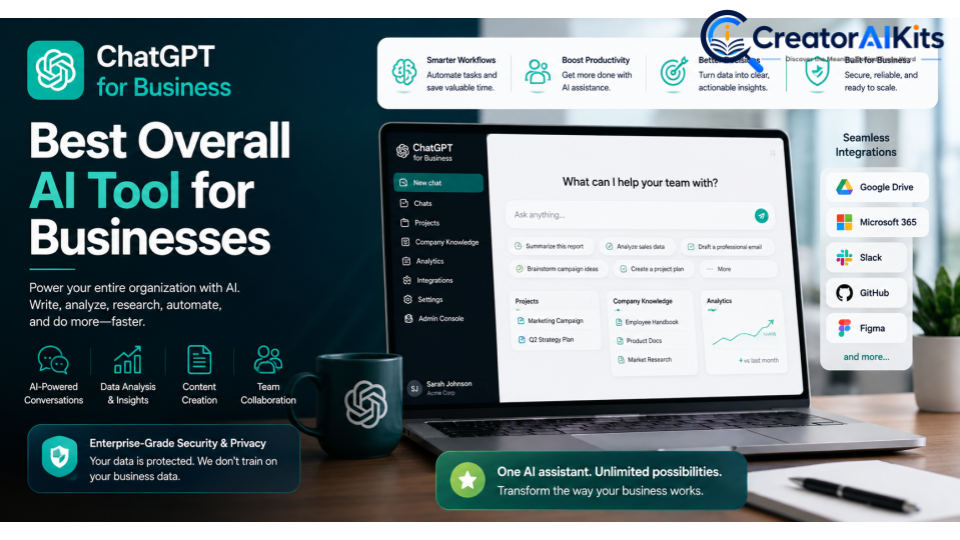
ChatGPT is a versatile AI assistant that can support a wide range of business activities. Teams can use it for brainstorming, writing, summarization, research assistance, data analysis, content development, document work, and many other everyday tasks.
Its biggest advantage is flexibility. Instead of being designed around one specific business workflow, it can support employees across multiple departments.
Best For
- General business productivity
- Marketing teams
- Operations
- Research
- Content creation
- Data analysis
- Internal knowledge work
Key Features
- AI-assisted writing and editing
- Research and information synthesis
- Data analysis
- Brainstorming
- Document assistance
- Business content creation
- Custom AI workflows and capabilities on applicable plans
Pros
- Extremely versatile
- Useful across many departments
- Can support both simple and complex tasks
- Broad range of business applications
Cons
- Employees need appropriate usage guidelines
- AI-generated information still requires review
- Businesses should carefully evaluate privacy and security requirements
Why Businesses Should Consider It
If you want one general-purpose AI assistant that can support different departments, ChatGPT is one of the most flexible options to evaluate.
E-E-A-T Tip
Don’t treat AI-generated information as automatically correct. For business decisions, verify important facts, financial information, statistics, and recommendations against reliable sources or internal data.
Claude – Best for Research, Writing, and Complex Analysis
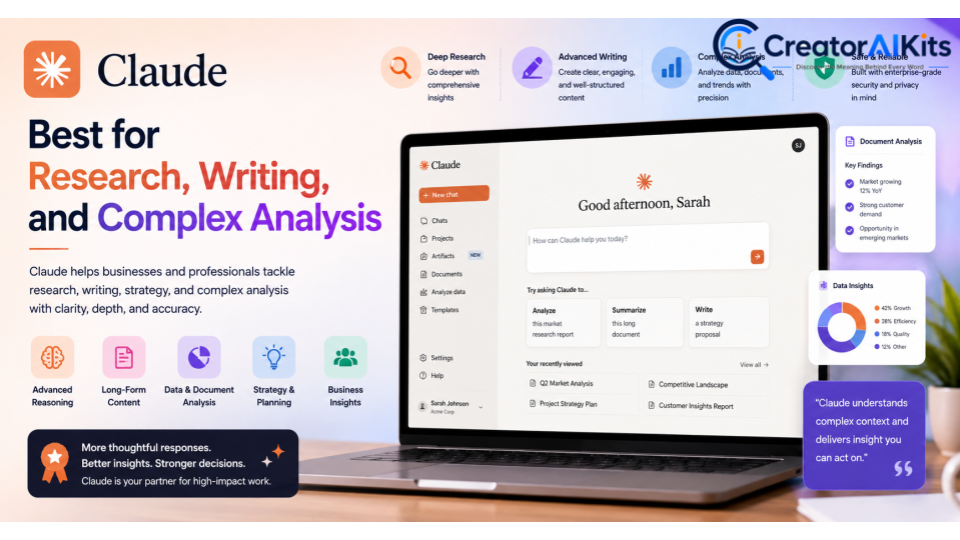
Claude is an AI assistant developed by Anthropic and is particularly useful for tasks involving writing, document analysis, reasoning, research, and long-form content.
Businesses may find it useful when employees regularly work with large amounts of written information or need help analyzing complex material.
Best For
- Research teams
- Strategy
- Legal workflows
- Engineering
- Long-form writing
- Document analysis
Key Features
- AI writing assistance
- Document analysis
- Research support
- Summarization
- Reasoning and analysis
- Business-focused plans
Pros
- Strong writing capabilities
- Useful for lengthy documents
- Helpful for analytical workflows
- Suitable for knowledge-intensive teams
Cons
- Output still requires human verification
- Business capabilities vary by plan
Why Businesses Should Consider It
Claude can be a strong choice when your team needs an AI assistant for research-heavy, writing-intensive, or analytical work.
E-E-A-T Tip
When using AI for research or professional analysis, keep authoritative source material available and verify important conclusions before using them in client-facing or executive documents.
Zapier – Best for Business Workflow Automation
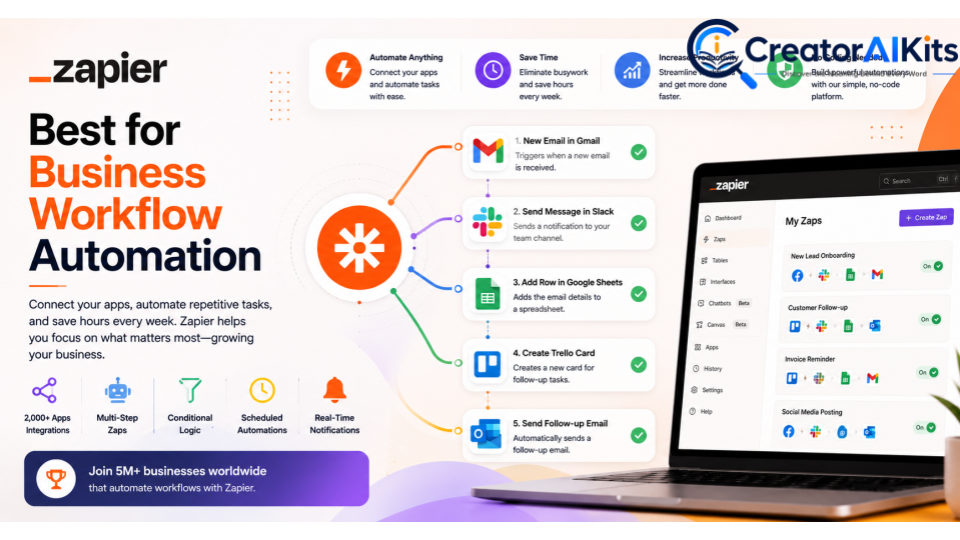
Zapier focuses on connecting applications and automating repetitive tasks. Instead of employees manually moving information between tools, businesses can create automated workflows that trigger actions when specific events occur.
For example, a business could automate parts of a lead-management workflow, move information between applications, or trigger notifications after a specific event.
Best For
- Operations
- Marketing
- Sales workflows
- Administrative automation
- Small and medium-sized businesses
Key Features
- App integrations
- Automated workflows
- Multi-step automation
- Triggers and actions
- AI-assisted automation features on applicable plans
Pros
- Large integration ecosystem
- Useful for repetitive workflows
- Reduces manual data entry
- Can connect different business applications
Cons
- Costs can increase with usage
- Complex workflows require careful planning
- Poorly designed automation can create new errors
Why Businesses Should Consider It
If employees repeatedly perform the same task across multiple applications, Zapier can help turn that process into an automated workflow.
E-E-A-T Tip
Before automating a business process, understand it completely. Automating an inefficient workflow may simply make mistakes happen faster.
Make – Best for Advanced Workflow Automation
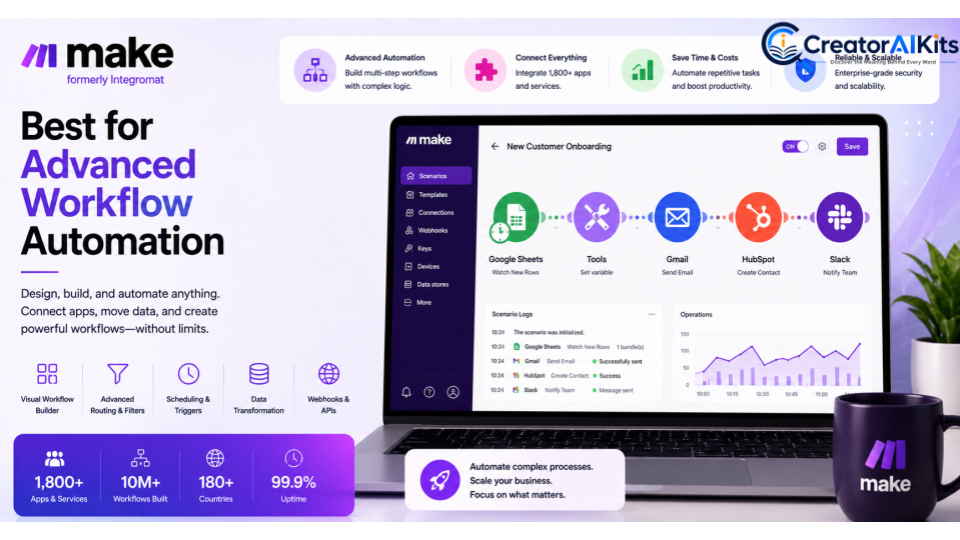
Make is another automation platform, but it is particularly useful for businesses that need more visual control over complex, multi-step workflows.
It can help teams connect applications, transfer information, create conditional processes, and automate operational tasks.
Best For
- IT teams
- Operations
- Database workflows
- Advanced automation
- Technical users
Key Features
- Visual workflow builder
- Multi-step automation
- Conditional logic
- App integrations
- Data processing
- Automation scenarios
Pros
- Powerful workflow customization
- Good for complex processes
- Visual automation approach
- Useful for technical teams
Cons
- Can have a steeper learning curve
- Complex workflows require maintenance
- Usage-based pricing needs monitoring
Why Businesses Should Consider It
Make can be a good choice when basic automation is not enough and your organization needs more control over complex workflows.
E-E-A-T Tip
Document automated workflows so your team knows what each scenario does, what data it processes, and what happens when something goes wrong.
Notion AI – Best for Knowledge Management and Productivity
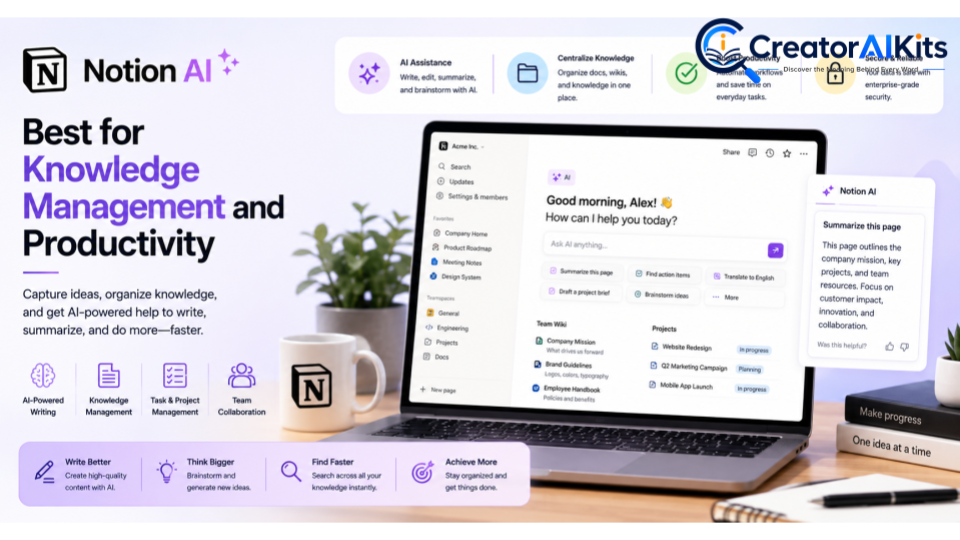
Notion combines documents, project management, databases, and knowledge management with AI capabilities.
For businesses that store meeting notes, project information, procedures, research, and internal documentation in Notion, its AI features can help employees work with that information more efficiently.
Best For
- Project managers
- Knowledge teams
- Remote businesses
- Documentation
- Internal knowledge management
Key Features
- AI writing assistance
- Summarization
- Workspace search and knowledge assistance
- Document editing
- Project and task management
- Internal knowledge organization
Pros
- Combines documents and productivity
- Useful for centralized knowledge
- Helpful for collaborative teams
- Can reduce time spent searching for information
Cons
- Businesses may need time to organize their workspace properly
- AI usefulness depends on the quality of existing documentation
Why Businesses Should Consider It
Notion AI is most valuable when your organization already has a large amount of internal knowledge that employees need to find, summarize, and use.
E-E-A-T Tip
Keep important company documentation accurate and up to date. AI can only provide useful answers when the underlying business knowledge is reliable.
Fireflies.ai – Best for AI Meeting Notes
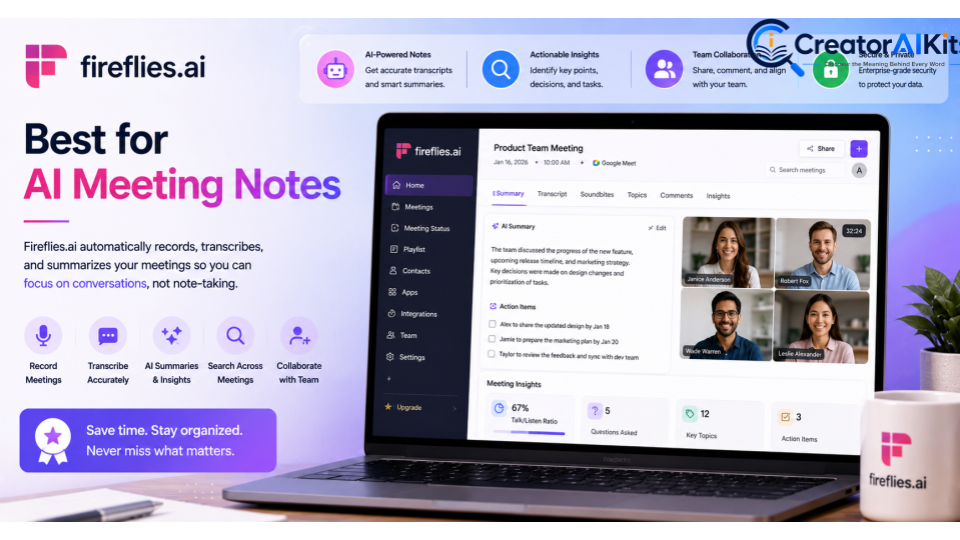
Meetings can generate a significant amount of administrative work. Fireflies.ai helps businesses capture and organize meeting information through transcription, summaries, and meeting-related insights.
This can be especially useful for sales, customer success, support, and management teams that participate in frequent meetings.
Best For
- Sales teams
- Customer success
- Support teams
- Managers
- Remote teams
Key Features
- Meeting transcription
- AI summaries
- Searchable meeting information
- Meeting insights
- Collaboration features
Pros
- Reduces manual note-taking
- Makes meetings easier to review
- Useful for remote teams
- Helps preserve important conversation details
Cons
- Transcription quality can vary
- Teams should consider privacy and consent requirements
Why Businesses Should Consider It
If employees spend significant time taking notes or trying to remember what happened during meetings, an AI meeting assistant can reduce administrative workload.
E-E-A-T Tip
Establish clear policies around recording and transcribing meetings. Make sure employees understand when AI meeting tools are being used and how meeting information is handled.
Granola – Best for AI-Assisted Meeting Productivity
Granola is designed to help professionals capture and improve meeting notes without requiring them to manually document everything discussed.
Its approach is particularly relevant to professionals who spend a large portion of their working day in meetings.
Best For
- Executives
- Product leaders
- Managers
- Consultants
- Knowledge workers
Key Features
- AI-assisted meeting notes
- Meeting summaries
- Note organization
- Productivity assistance
Pros
- Designed around meeting workflows
- Can reduce manual note-taking
- Useful for busy professionals
Cons
- Best suited to meeting-heavy workflows
- Businesses should evaluate privacy and data-handling requirements
Why Businesses Should Consider It
For professionals who attend many meetings, reducing the effort required to capture useful notes can provide a practical productivity benefit.
E-E-A-T Tip
Review AI-generated notes before treating them as an official record. AI can misunderstand speakers, context, or important details.
HubSpot AI – Best for Sales and Marketing Operations
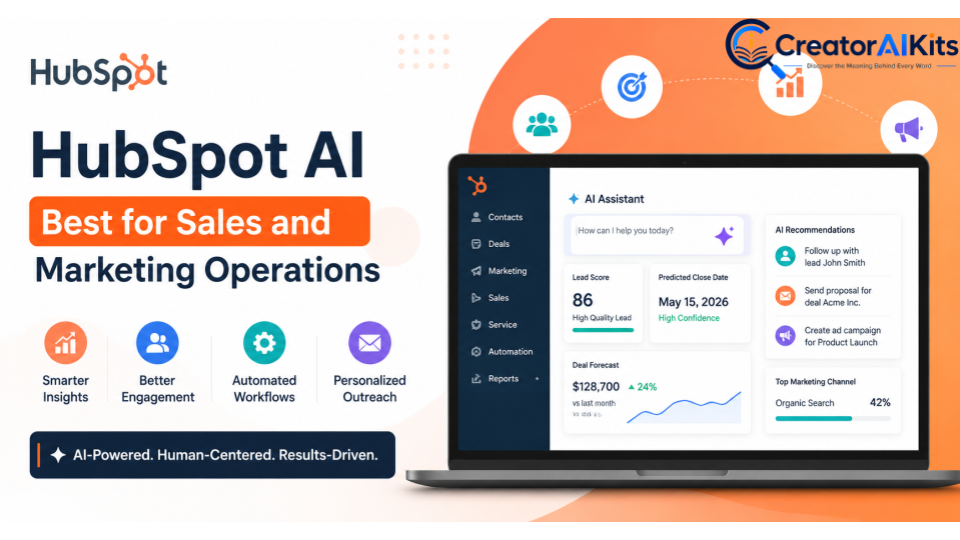
HubSpot combines CRM, marketing, sales, customer service, and other business functions. Its AI capabilities can assist with tasks across these workflows depending on the products and plans a business uses.
This makes it particularly useful for companies already using HubSpot as their central customer platform.
Best For
- Sales teams
- Marketing teams
- Customer service
- CRM workflows
- Growing businesses
Key Features
- AI-assisted content
- CRM assistance
- Customer data workflows
- Marketing support
- Sales productivity features
- Customer service assistance
Pros
- Integrated with CRM workflows
- Useful across sales and marketing
- Centralizes customer information
- Can support multiple departments
Cons
- Total cost depends on the HubSpot products and features selected
- Businesses may need training to use the wider platform effectively
Why Businesses Should Consider It
If your organization already uses HubSpot, its integrated AI capabilities may be more practical than adding several disconnected AI tools.
E-E-A-T Tip
AI-generated customer communications should be reviewed for accuracy, tone, and personalization. Never allow automation to replace appropriate human review in important customer interactions.
Synthesia – Best for AI Business Video Creation
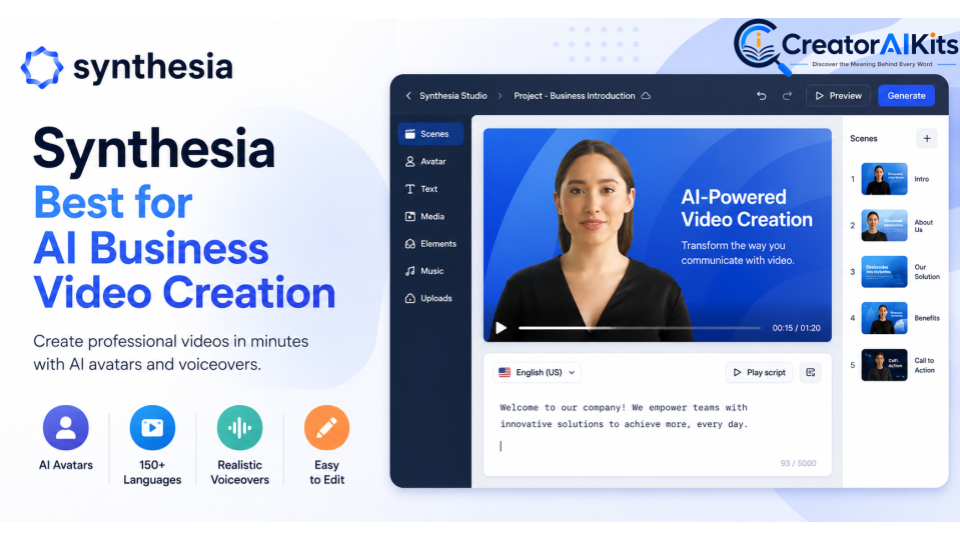
Synthesia is an AI video platform designed to help organizations create professional-looking videos using AI-generated presenters and content.
It can be useful for businesses that regularly create employee training, onboarding, educational, marketing, or internal communication videos.
Best For
- HR teams
- Employee training
- Learning and development
- Marketing
- Internal communications
Key Features
- AI avatars
- AI video generation
- Multiple languages
- Video templates
- Business video creation
Pros
- Faster video production
- Useful for training content
- Can reduce traditional video-production requirements
- Suitable for business communication
Cons
- AI-generated presenters may not fit every brand
- Final videos should be reviewed for accuracy and tone
- Pricing and usage limits depend on the plan
Why Businesses Should Consider It
Synthesia can be useful when your organization needs to produce repeated training or instructional videos without creating every video through traditional production methods.
E-E-A-T Tip
Have subject-matter experts review educational and training videos before publication. Visual quality should never replace accurate professional information.
Microsoft Power BI – Best for Business Intelligence and Data Analytics
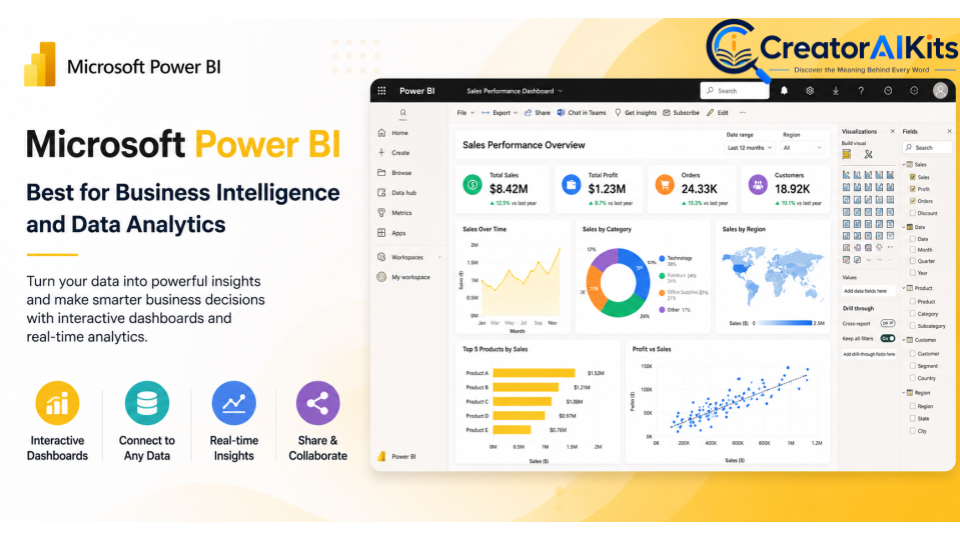
Microsoft Power BI is designed to help organizations analyze business information and create dashboards and reports.
For finance, operations, sales, and management teams, business intelligence tools can turn large datasets into visual information that supports decision-making.
Best For
- Finance teams
- Data analysts
- Operations
- Management
- Business intelligence teams
Key Features
- Interactive dashboards
- Data visualization
- Business reporting
- Data analysis
- Microsoft ecosystem integration
- AI-assisted analytics on applicable capabilities
Pros
- Powerful analytics capabilities
- Strong Microsoft ecosystem integration
- Useful for data-driven decision-making
- Suitable for business reporting
Cons
- Can require technical knowledge
- Data quality directly affects results
- Advanced deployments can become complex
Why Businesses Should Consider It
Power BI is particularly valuable for organizations that need to transform business data into dashboards, reports, and actionable insights.
E-E-A-T Tip
Always verify the underlying data before making business decisions. A polished dashboard cannot compensate for incomplete, incorrect, or outdated data.
Best AI Business Tool by Use Case
| Business Need | Recommended Tool |
| Best overall AI assistant | ChatGPT for Business |
| Research and complex analysis | Claude |
| Simple workflow automation | Zapier |
| Advanced automation | Make |
| Knowledge management | Notion AI |
| AI meeting transcription | Fireflies.ai |
| AI meeting notes | Granola |
| Sales and marketing | HubSpot AI |
| AI business videos | Synthesia |
| Business intelligence | Microsoft Power BI |
The right choice depends on your workflow. A company does not necessarily need all ten tools.
How to Choose the Best AI Tools for Your Business
1. Identify Your Biggest Business Bottleneck
Start by finding the task that consumes the most time.
Ask:
- Are employees spending too much time writing?
- Are meetings creating too much administrative work?
- Is your team manually moving data between applications?
- Is important company knowledge difficult to find?
- Are reports taking too long to create?
- Does video production require too many resources?
The answer should guide your tool selection.
2. Choose AI Based on the Workflow
Don’t buy an AI tool simply because it is popular.
For example:
- Choose Zapier or Make for repetitive workflows.
- Consider Fireflies.ai or Granola for meeting-heavy teams.
- Consider Notion AI for internal knowledge management.
- Consider Power BI when data analysis is the main challenge.
- Consider Synthesia when training and video creation are major requirements.
3. Check Existing Software
Before adding another subscription, check whether your existing business software already offers AI capabilities.
A company using Microsoft’s ecosystem may benefit from Microsoft’s integrated AI options. A company already using HubSpot may find HubSpot’s AI features more practical than adding another disconnected CRM tool.
4. Evaluate Security and Privacy
Before employees use an AI platform with company information, review:
- Data handling
- Access controls
- Retention policies
- Security practices
- Administrative controls
- Privacy commitments
- Integration permissions
This is particularly important for confidential documents, customer information, financial data, and intellectual property.
5. Calculate the Total Cost
The subscription price is only one part of the cost.
Consider:
- User licenses
- Usage limits
- AI credits
- Integrations
- Implementation
- Employee training
- Administration
- Additional features
A cheap tool that employees don’t use is more expensive than a properly implemented tool that produces measurable value.
6. Run a Pilot Before Full Deployment
Start with one team and one measurable workflow.
For example, measure:
- Time saved
- Number of automated tasks
- Employee adoption
- Error rate
- Output quality
- Cost per task
- Customer response time
Only expand the deployment when the results justify it.
How to Implement AI in Your Business Safely
Phase 1: Establish AI Policies
Before employees start using multiple AI platforms, create clear internal guidelines.
Define:
- What information can be entered into AI tools
- What information is prohibited
- Who can approve new AI software
- When human review is required
- How AI-generated content should be verified
Phase 2: Start With Low-Risk Tasks
Begin with tasks such as:
- Meeting summaries
- Brainstorming
- Drafting internal documents
- Routine workflow automation
- Content outlines
- Internal knowledge organization
These can provide early productivity improvements without immediately automating high-risk decisions.
Phase 3: Automate Repetitive Workflows
Once employees understand responsible AI usage, introduce automation through tools such as Zapier or Make.
Look for repetitive tasks involving:
- Notifications
- Data transfers
- Lead management
- Reporting
- File organization
- Administrative updates
Phase 4: Measure the Results
AI implementation should be measurable.
Track:
- Hours saved
- Cost reduction
- Employee productivity
- Error rates
- Customer response times
- Adoption rates
- Workflow completion time
Don’t confuse AI usage with business value. A tool is successful when it produces a meaningful improvement.
E-E-A-T Principles for AI Business Content and Implementation
Experience, Expertise, Authoritativeness, and Trustworthiness (E-E-A-T) should influence both the way businesses use AI and the way AI-related business content is written.
Experience
Use real-world workflows, practical examples, and lessons learned when evaluating AI software.
Instead of saying that an AI tool is simply “powerful,” explain what business problem it can solve and where it may create additional work.
Expertise
AI should support people who understand the underlying business process.
For example, financial teams should review AI-assisted financial analysis, marketing professionals should review customer-facing content, and technical experts should validate technical recommendations.
Authoritativeness
Use reliable information when discussing AI capabilities, pricing, security, regulations, or business performance.
For important claims, prioritize:
- Official product documentation
- Vendor documentation
- Government sources
- Industry standards
- Reputable research
- Original company data
Trustworthiness
Be transparent about AI limitations.
Don’t promise that AI will automatically:
- Eliminate hiring bias
- Guarantee higher profits
- Remove the need for employees
- Produce perfectly accurate information
- Solve every business problem
Responsible AI adoption requires realistic expectations and human oversight.
Common Mistakes Businesses Make When Adopting AI
Buying Too Many Tools
More software does not automatically mean more productivity. Multiple overlapping subscriptions can increase costs and create confusion.
Automating Before Understanding the Process
You should understand a workflow before automating it. Otherwise, you may automate unnecessary steps or create new errors.
Ignoring Employee Training
Employees need to understand both how to use AI tools and when they should not use them.
Trusting AI Without Verification
AI can generate incorrect information. Important business outputs should be reviewed by qualified employees.
Focusing Only on Features
A long feature list does not guarantee business value. Focus on outcomes instead.
Are AI Business Tools Worth It in 2026?
For many businesses, AI tools can be worth the investment when they solve a specific, measurable problem.
The strongest use cases tend to involve repetitive or time-consuming activities such as:
- Document creation
- Meeting notes
- Workflow automation
- Data analysis
- Internal knowledge management
- Customer communication
- Training content
However, AI should not be introduced simply because competitors are using it.
The better strategy is to identify a bottleneck, select the appropriate tool, run a controlled test, and measure the results.
A small company may need only one or two AI platforms, while a larger organization may benefit from several specialized systems.
Frequently Asked Questions
What are AI business tools?
AI business tools are software platforms that use artificial intelligence to assist with tasks such as writing, research, automation, data analysis, meetings, customer management, knowledge management, and content creation.
What is the best AI business tool in 2026?
There is no universal winner. ChatGPT for Business is a strong general-purpose option, while Claude, Zapier, Make, Notion AI, Fireflies.ai, Granola, HubSpot AI, Synthesia, and Power BI serve more specific business needs.
What is the best AI tool for small businesses?
Small businesses should prioritize ease of use, affordability, and measurable value. A general AI assistant combined with one workflow-specific tool may be enough to start.
Which AI tool is best for business automation?
Zapier is a strong option for connecting common business applications, while Make is useful for organizations that need more complex and customizable workflows.
Which AI tool is best for business meetings?
Fireflies.ai and Granola are useful options for AI-assisted meeting notes and productivity. The right choice depends on your meeting workflow and required features.
What is the best AI tool for business data analysis?
Microsoft Power BI is a strong option for organizations that need dashboards, reporting, visualization, and business intelligence. Businesses should still verify the underlying data before making important decisions.
Can AI tools replace employees?
AI can automate certain tasks, but it does not automatically replace the need for employees. Human expertise remains important for judgment, strategy, communication, quality control, and accountability.
Are AI business tools safe?
Safety depends on the specific tool, configuration, data, and business use case. Organizations should review security, privacy, access controls, and data-handling policies before using AI with confidential information.
How much do AI business tools cost?
Pricing varies significantly. Some tools offer free tiers, while others charge per user, per operation, or according to usage. Enterprise platforms may provide customized pricing.
Should a small business use multiple AI tools?
Not necessarily. Start with the tool that addresses your biggest bottleneck. Add another platform only when it provides a capability that your existing software cannot handle effectively.
How can businesses measure AI ROI?
Businesses can measure AI ROI by comparing factors such as time saved, labor costs, error rates, productivity, customer response time, output volume, and other measurable business outcomes before and after implementation.
Final Verdict: Which AI Business Tool Should You Choose?
The best AI business tool in 2026 depends on the problem you are trying to solve.
For general-purpose AI assistance, ChatGPT for Business is a versatile starting point. Claude can be useful for research and complex document work. Zapier and Make are better suited to workflow automation, while Notion AI can help teams manage internal knowledge.
For meeting-heavy organizations, Fireflies.ai and Granola can reduce note-taking and administrative work. HubSpot AI is relevant to sales and marketing teams, Synthesia can support business video production, and Microsoft Power BI is designed for organizations that need stronger data analysis and reporting.
You don’t need to adopt all ten tools.
The smartest approach is to identify one business problem, choose the AI tool that directly addresses it, run a small pilot, measure the results, and expand only when the technology proves its value.
Most importantly, AI should complement human expertise rather than replace it. When businesses combine automation with knowledgeable employees, reliable data, strong security practices, and human review, AI can become a practical part of a more productive and efficient organization.

Welcome to CreatorAIKits! I’m passionate about learning and exploring AI tools, creativity, and technology.
I’m continuously researching and gaining hands-on experience with different AI tools and technologies.
My goal is to share simple, useful, and practical AI information for beginners and everyday users.
Thanks for visiting CreatorAIKits!