

You can create a professional-looking faceless AI video in 2026 without showing your face, using a camera, or recording your own voice. AI tools can now help with scripting, voiceovers, visuals, captions, and editing, making video production much easier for beginners.
But creating a good faceless video is not simply a matter of entering one prompt and clicking “Generate.”
The strongest videos still depend on a clear topic, a useful script, relevant visuals, natural narration, and human review.
In this guide, you’ll learn how to make faceless AI videos in 2026 in five simple steps, which types of AI tools you need, how to write better prompts, how to avoid common mistakes, and how to create videos that are useful rather than generic or repetitive.
Quick Answer: How Do You Make a Faceless AI Video?
The simplest faceless AI video workflow is:
- Choose a focused topic and audience
- Write and improve the script
- Create the AI voiceover and visuals
- Edit the video and add captions
- Review, optimize, and publish
You can use one all-in-one AI video platform or combine several specialized tools. The best choice depends on how much control you want over the script, voice, visuals, and editing.
What Is a Faceless AI Video?
A faceless AI video is a video that does not require the creator to appear on camera.
Instead, the video can use:
- AI-generated or recorded voiceovers
- Stock footage
- AI-generated video clips
- Screen recordings
- Images and animations
- Text overlays
- Captions
- Background music
- Motion graphics
Faceless videos can be used for tutorials, educational content, product explainers, storytelling, software demonstrations, list videos, technology content, and many other formats.
The important point is that “faceless” describes the production format, not the topic.
A faceless video can be about almost anything.
How to Make Faceless AI Videos in 5 Simple Steps
Step 1: Choose a Specific Topic and Audience

Before opening an AI video generator, decide exactly what your video will help the viewer understand or accomplish.
This is one of the most important steps because a vague topic usually creates a vague video.
Instead of:
“AI tools”
choose something more specific:
“5 AI tools beginners can use to create YouTube videos faster.”
A good topic should answer three questions:
- Who is this video for?
- What problem does it solve?
- Why would someone want to watch it?
Good Faceless AI Video Ideas
- How to create YouTube Shorts without showing your face
- Best AI tools for content creators
- How to use AI for productivity
- AI tools for small businesses
- Beginner software tutorials
- AI technology explainers
- Educational facts and storytelling
- Product comparisons and tutorials
Expert Tip
Start with the audience’s problem, not the AI tool.
Don’t ask:
“What video can this AI tool make?”
Ask:
“What does my audience want to learn or solve?”
That small change can make your content much more useful.
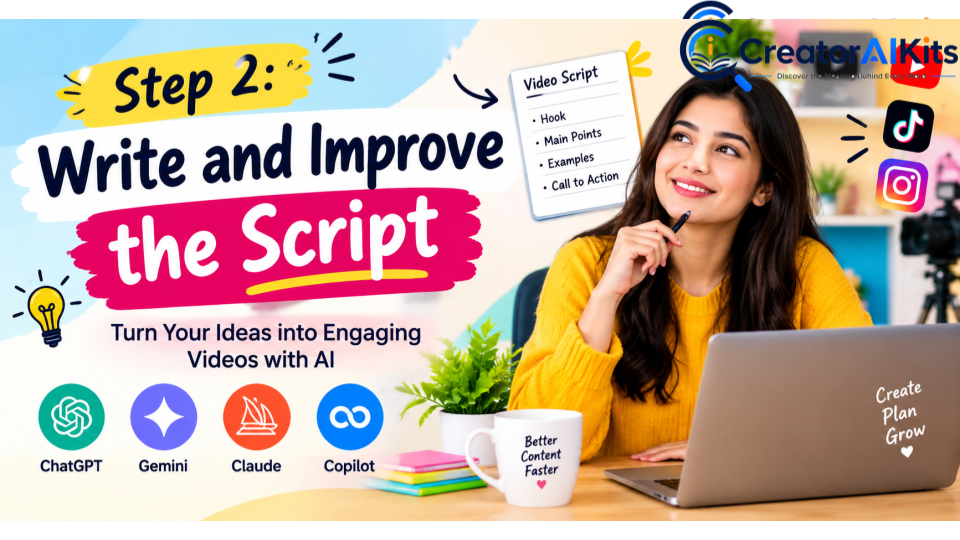
Step 2: Write and Improve the Script
Once you have a topic, create the script.
AI can help you produce a first draft quickly, but don’t publish the first AI-generated version without reviewing it.
A simple structure is:
Hook → Problem → Main Information → Examples → Conclusion
Your opening should immediately tell viewers why the video is worth watching.
Weak Opening
“Today we are going to talk about faceless AI videos.”
Stronger Opening
“You can create a complete faceless video without appearing on camera—and AI can handle much of the production work.”
The second opening immediately communicates the benefit.
Simple AI Script Prompt
Write a 60-second faceless video script about [TOPIC]. Start with a strong but natural hook, explain the topic in simple language, include three useful points, avoid filler and unsupported claims, and finish with a concise conclusion.
After generating the script:
- Check the facts.
- Remove unnecessary sentences.
- Make the language conversational.
- Read it aloud.
- Rewrite anything that sounds robotic.
- Add your own examples or perspective where appropriate.
Google’s guidance emphasizes original, useful content and first-hand expertise where relevant, so treating AI output as a draft rather than the finished product is the safer approach.
Step 3: Create the Voiceover and Visuals

Now turn your script into the actual video assets.
You generally need two major things:
1. Voiceover
You can use an AI text-to-speech tool to create narration.
Choose a voice that matches your content.
For example:
| Content Type | Suitable Voice Style |
| Educational | Clear and calm |
| Technology | Professional and confident |
| Storytelling | Expressive and engaging |
| Tutorials | Friendly and easy to follow |
| Short-form content | Energetic but natural |
Listen to the complete voiceover before editing.
Check for:
- Incorrect pronunciation
- Strange pauses
- Unnatural emphasis
- Wrong names
- Incorrect numbers
- Robotic delivery
2. Visuals
Your visuals should support the narration.
You can use:
- AI-generated video
- AI images
- Stock footage
- Screen recordings
- Product screenshots
- Animations
- Charts
- Text graphics
Don’t use random visuals simply because they look impressive.
If your narration explains how an AI tool works, showing the actual interface or workflow can be much more useful than showing a generic futuristic robot.
Step 4: Edit the Video and Add Captions
Once your voiceover and visuals are ready, assemble the video.
Your editing workflow can include:
- Voiceover
- Visual clips
- Captions
- Background music
- Transitions
- Text overlays
- Branding
- Sound effects
Keep the Editing Simple
Beginners often make the mistake of adding too many effects.
You usually don’t need:
- Constant zooms
- Excessive transitions
- Flashing text
- Loud music
- Unnecessary animations
Instead, focus on clarity and pacing.
Captions Matter
Captions can make videos easier to follow, especially for short-form content.
Keep them:
- Large enough to read
- Well synchronized
- Short
- Consistent
- Clearly separated from the background
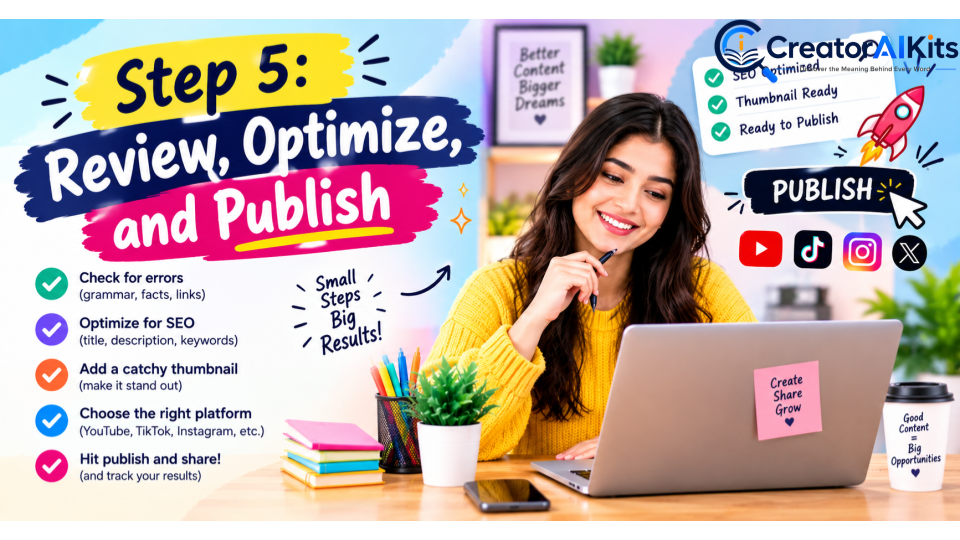
Step 5: Review, Optimize, and Publish
This is the step that should never be skipped.
Before publishing your faceless AI video, perform a final quality check.
Content Check
- Is the information accurate?
- Does the video answer the title?
- Are important claims supported?
- Is the content genuinely useful?
Audio Check
- Is the narration clear?
- Are names pronounced correctly?
- Is the music too loud?
- Are there awkward pauses?
Visual Check
- Do the visuals match the narration?
- Are there obvious AI errors?
- Are screenshots readable?
- Are captions synchronized?
Originality Check
Ask yourself:
“What did I add that makes this video more useful than a generic AI-generated video?”
That could be:
- Your explanation
- Your research
- Your examples
- Your workflow
- Your testing
- Your opinion
- Your original visuals
- Your editing decisions
This human contribution is particularly important if you plan to publish videos regularly.
YouTube’s current monetization policy says content should be original and authentic and warns against mass-produced, repetitive, generic content. AI-assisted content is not automatically disqualified, but the finished work should provide meaningful creative, educational, or entertainment value.
Best AI Tools for Faceless Videos in 2026
There is no single AI tool that is best for every part of the workflow.
Different tools are better suited to different jobs.
| Tool Type | Best Use | Beginner Friendly |
| AI video generator | Creating complete videos | ⭐⭐⭐⭐⭐ |
| AI voice generator | Narration | ⭐⭐⭐⭐⭐ |
| AI video generator | Creating individual visual clips | ⭐⭐⭐⭐ |
| Video editor | Editing and captions | ⭐⭐⭐⭐⭐ |
| AI image generator | Supporting visuals | ⭐⭐⭐⭐ |
| Screen recorder | Software tutorials | ⭐⭐⭐⭐⭐ |
How to Choose
If your priority is speed, choose an all-in-one workflow.
If your priority is creative control, combine specialized tools.
For example:
Script → AI voice → AI visuals → Video editor → Captions → Final review
This gives you more control than simply pressing “Generate Video.”
Current 2026 guides show the same broader distinction: some platforms focus on end-to-end video creation, while others specialize in narration, individual visual generation, editing, or content repurposing.
One AI Tool vs Multiple AI Tools
| Approach | Advantages | Disadvantages | Best For |
| One AI tool | Simple and fast | Less control | Beginners |
| Multiple tools | More control and flexibility | More complicated | Experienced creators |
| Hybrid workflow | Balance of speed and control | Requires some setup | Most creators |
My Recommendation for Beginners
Start with one simple workflow.
Don’t subscribe to five different AI tools immediately.
Create several videos first.
Then identify what you actually need to improve.
How to Write Better AI Video Prompts
A generic prompt:
“Make a video about AI.”
A more useful prompt:
“Create a professional technology video showing a content creator using an AI video platform to transform a written script into multiple video scenes. Use a modern workspace, realistic lighting, clean composition, subtle camera movement, and a professional 16:9 style.”
For visual prompts, think about:
Subject + Action + Environment + Camera + Lighting + Style
Example
Subject: Content creator
Action: Reviewing an AI-generated video
Environment: Modern home office
Camera: Slow cinematic movement
Lighting: Soft blue and white lighting
Style: Realistic professional technology video
The more clearly you communicate the desired result, the easier it becomes to create consistent visuals.
How to Make Faceless YouTube Shorts
For Shorts and similar short-form videos, consider:
- Vertical 9:16 format
- A strong opening
- One clear idea
- Concise narration
- Relevant visuals
- Readable captions
- Fast but natural pacing
Don’t try to explain five unrelated subjects in one Short.
One video = one clear idea.
How to Make Longer Faceless YouTube Videos
Long-form videos need more than simply making a Short longer.
Use:
- A strong introduction
- Clear sections
- Supporting examples
- Relevant visuals
- Natural narration
- Pattern changes
- Strong transitions
- A satisfying conclusion
For a long-form video, the viewer should always understand:
What am I learning, and why should I continue watching?
Can You Make Faceless AI Videos for Free?
Yes, you can start with free or limited plans, trials, or credits offered by some AI platforms.
However, free plans can have limitations such as:
- Watermarks
- Limited credits
- Lower export quality
- Limited features
- Usage restrictions
You do not need an expensive setup to learn the workflow.
Start small, create useful videos, and upgrade only when a paid feature solves a real problem.
Are Faceless AI Videos Good for YouTube?
Yes, faceless is a format, not a quality level.
A faceless video can be excellent if it provides useful information, original storytelling, strong visuals, and good editing.
But simply generating large numbers of similar AI videos is not a good strategy.
YouTube’s current monetization policies specifically distinguish original, varied content from mass-produced or repetitive content.
So the goal should not be:
Make as many AI videos as possible.
It should be:
Make useful videos that viewers actually want to watch.
Does YouTube Require AI Disclosure?
Sometimes.
YouTube currently requires creators to disclose AI-generated or meaningfully altered content when it creates realistic content that could mislead viewers—for example, making a real person appear to say something they never said or depicting a realistic event that never happened.
Routine production assistance, such as using AI to help with a script, title, thumbnail, captions, or similar tasks, generally does not by itself require the same disclosure.
If your video contains realistic synthetic content, check the current YouTube disclosure options when uploading.
Common Faceless AI Video Mistakes
1. Starting With the Tool Instead of the Audience
Don’t create a video just because an AI tool can make it.
Start with a viewer problem.
2. Publishing the First AI Draft
AI output needs human review.
Rewrite generic sections and verify important claims.
3. Using Unrelated Stock Footage
Every visual should support the narration.
4. Making Every Video Look Identical
A repetitive template can make your content feel mass-produced.
YouTube’s monetization guidance specifically warns about repetitive and template-driven content that lacks meaningful variation or value.
5. Ignoring Audio Quality
Poor narration can ruin otherwise good visuals.
6. Using Clickbait Titles
Your title should accurately describe what the video delivers.
Google recommends descriptive, helpful page titles and warns against exaggerated or shocking titles.
7. Skipping Fact-Checking
AI can generate confident but incorrect information.
Always verify important facts.
How to Make Your Faceless AI Videos More Original
This is where you can build a real competitive advantage.
Instead of publishing:
AI-generated script + AI voice + random stock footage
build a workflow around your own contribution.
For example:
Research → Your angle → AI draft → Your editing → Your examples → Fact-check → Final video
You can also add:
- Original screen recordings
- Personal testing
- Tool comparisons
- Real examples
- Original charts
- Before-and-after demonstrations
- Your own conclusions
Google’s people-first guidance asks whether content provides original information, research, analysis, or substantial additional value rather than simply rewriting what already exists.
Faceless AI Video Workflow at a Glance
| Stage | What You Do | AI Can Help With |
| 1. Idea | Choose audience + problem | Topic ideas |
| 2. Script | Create and edit the story | First draft |
| 3. Production | Create voice + visuals | Narration and visuals |
| 4. Editing | Assemble video + captions | Captions and editing |
| 5. Publishing | Review + optimize | Titles, descriptions and thumbnails |
Frequently Asked Questions
What is the easiest way to make a faceless AI video?
The easiest workflow is to choose a focused topic, create a short script, generate narration, add relevant visuals, edit the video, add captions, and review the final result before publishing.
Can I make a faceless AI video without showing my face?
Yes. You can use voiceover, AI-generated visuals, screen recordings, animations, stock footage, captions, and other visual elements.
Do I need a camera to make faceless videos?
No. A camera is not necessary for a faceless video workflow.
Can AI make the entire video for me?
Some platforms can automate much of the process, including scripts, narration, scenes, visuals, and captions. However, human review remains important for accuracy, originality, quality, and audience value.
What is the best AI tool for faceless videos?
There is no universal winner. The best tool depends on whether you prioritize complete automation, voice quality, visual generation, editing, or creative control.
Can I make faceless YouTube Shorts with AI?
Yes. A vertical workflow with a strong hook, concise script, relevant visuals, and captions is suitable for short-form platforms.
Can faceless AI videos make money?
They can be part of a monetization strategy, but AI itself does not guarantee income. Success depends on content quality, audience demand, originality, distribution, and the monetization model you use.
Are AI-generated videos allowed on YouTube?
AI-assisted videos can be published, but creators must follow YouTube’s policies. In particular, YouTube’s monetization rules require original and authentic content and can restrict repetitive, mass-produced, or reused content.
Do I need to disclose AI-generated video content?
If your video contains realistic AI-generated or meaningfully altered content that could mislead viewers about a real person, event, or place, YouTube requires disclosure.
How can I make my AI videos look more professional?
Focus on the fundamentals: a strong hook, useful script, natural narration, relevant visuals, readable captions, clean editing, accurate information, and human review.
Final Verdict
Making faceless AI videos in 2026 is easier than ever, but the technology is only part of the equation.
The strongest workflow is not:
Prompt → Generate → Publish
It is:
Research → Idea → Script → AI Production → Human Review → Improve → Publish
AI can help you produce content faster, but your research, judgment, originality, and editing are what can make the final result genuinely valuable.
If you are a beginner, start with one focused topic, one simple workflow, and one clear audience. Improve the process as you gain experience rather than trying to automate everything from day one.
For creators who want to build a long-term website or video channel, the goal should be simple:
Use AI to work faster—but use human judgment to create better content

Welcome to CreatorAIKits! I’m passionate about learning and exploring AI tools, creativity, and technology.
I’m continuously researching and gaining hands-on experience with different AI tools and technologies.
My goal is to share simple, useful, and practical AI information for beginners and everyday users.
Thanks for visiting CreatorAIKits!