
AI video creation has changed the way creators, businesses, and marketers produce video content. You no longer need an expensive camera setup or a full production team to get started. Modern AI video tools can turn text prompts and images into video clips, create digital presenters, generate voiceovers, and simplify editing.
But choosing the right platform is not always easy.
Some tools specialize in cinematic AI-generated footage. Others are designed for talking avatars, marketing videos, storyboarding, or editing existing recordings. A platform that works well for YouTube Shorts may not be the right choice for a product advertisement or employee-training video.
That is why comparing tools by their actual purpose is more useful than simply ranking them by popularity.
In this guide, we compare 12 AI video tools based on their main capabilities, intended users, potential limitations, and available pricing information. We also explain what to check before paying for a subscription, including credit usage, commercial rights, output quality, and privacy.
Quick answer: Google Veo, Runway, and Kling are worth exploring for AI-generated footage. HeyGen and Synthesia are designed for presenter-led videos. Adobe Firefly and LTX Studio offer more specialized creative workflows, while InVideo AI, Descript, and CapCut can help with marketing production and editing. Pika and Higgsfield are additional options for creative effects and cinematic control.
The best choice depends on the type of video you want to make, how often you plan to create it, and how much editing control you need.
Best AI Video Tools in 2026: Our Top 12 Picks
The following platforms cover different parts of video production. Some generate new footage from prompts, while others help you create presenter-led videos or edit existing recordings.
Google Veo 3.1 – Best for Cinematic AI Videos
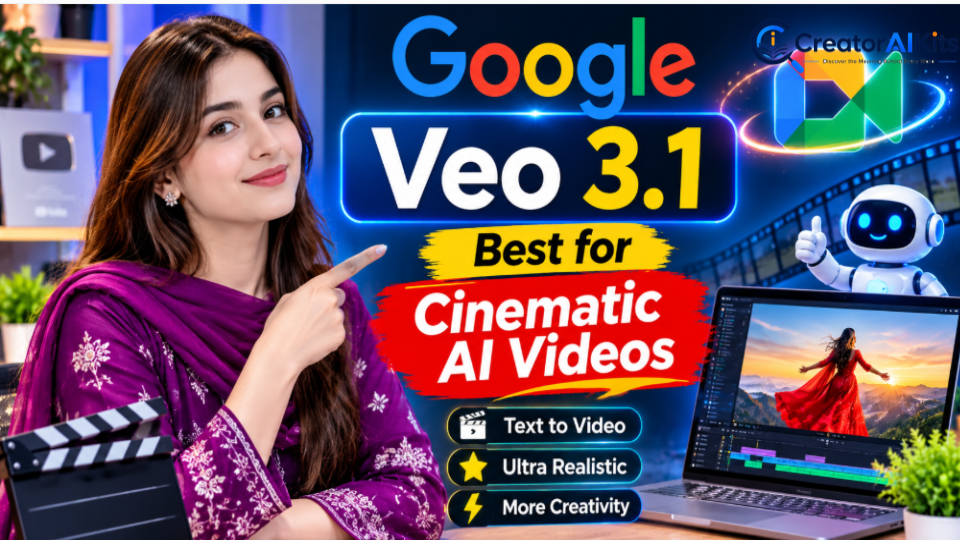
Google Veo 3.1 is an AI video-generation model developed by Google DeepMind. It is designed to create detailed video scenes from text and image inputs, with features for audio, visual references, and camera direction.
It is worth considering when you want more than a basic animated clip. Reference images can help guide the appearance of a character, object, or scene, while camera controls provide additional creative direction.
Key features
- Text-to-video and image-to-video generation through supported products.
- Audio generation in supported workflows.
- Reference images for guiding characters, objects, and visual styles.
- First-frame and last-frame controls.
- Scene extension and camera controls in supported environments.
Best use cases
- Cinematic visual concepts.
- Short storytelling sequences.
- Product and promotional scenes.
- Creative video experiments.
Limitations
Access and available features depend on the Google product or service you use. There is also an important distinction between Veo in Google’s consumer creative products and its developer API.
Google shut down the Veo 3.1 preview endpoints in the Gemini API on October 22, 2026. Developers using those specific preview endpoints need to move to the recommended replacement. This does not mean that every Veo experience across Google’s other products has automatically disappeared.
Pricing: There is no single universal price for every Veo access route. Check the relevant Google subscription or API pricing before planning a production budget.
Official website: https://deepmind.google/models/veo/
Runway Gen-4.5 – Best for Creative Control
Runway is a generative media platform for creators who want to generate and refine visual content. Its video tools support text-to-video and image-to-video workflows, making it useful for developing scenes from written ideas or existing images.
Runway is worth exploring when you want to experiment with camera direction, scene composition, and different visual concepts.
Key features
- Text-to-video generation.
- Image-to-video generation.
- Camera and motion instructions.
- AI-assisted image and video workflows.
- Creative tools for refining generated content.
- Audio and sound-generation features in supported workflows.
Best use cases
- Cinematic short clips.
- Creative advertisements.
- Visual storytelling.
- Concept development.
- Marketing visuals.
Limitations
AI-generated footage may not follow every instruction perfectly. You may need several generations to get the movement, framing, or subject appearance you want. Credit consumption can also become expensive when you repeatedly regenerate clips.
Pricing: Runway’s official pricing page lists Standard at $15 per month on monthly billing or $12 per month with annual billing. The annual plan includes 625 monthly credits. Actual output depends on the selected model and generation settings.
Official website: https://runway.com/
Kling AI 3.0 – Best for Multi-Shot Video Generation
Kling AI is an option for creators interested in realistic AI-generated scenes and more structured visual storytelling.
Its video-generation workflow is particularly relevant when you want to build a sequence rather than create only one isolated clip. Depending on the available model and plan, features may include reference guidance, start and end frames, and audio-related capabilities.
Key features
- Text-to-video generation.
- Image-to-video generation.
- Start-frame and end-frame controls in supported workflows.
- Reference-based visual guidance.
- Multi-shot video creation in supported models.
- Audio features in supported workflows.
Best use cases
- Short cinematic scenes.
- Character-based storytelling.
- Product concepts.
- Social media videos.
- Creative visual experiments.
Limitations
AI characters and objects may not remain perfectly consistent across every shot. Complex scenes can also require prompt adjustments and multiple attempts. Check the available model, generation length, and credit requirements before starting a large project.
Pricing: Kling offers different access and credit options. The cost depends on the selected model, generation settings, and subscription. Check the official pricing page for current details.
Official website: https://kling.ai/
Higgsfield – Best for Cinematic Camera Control
Higgsfield focuses on AI-assisted visual production, with tools intended to give creators more control over how scenes look and move.
It may be useful when you want to experiment with camera movement, lighting, composition, and visual references instead of relying entirely on a short text prompt.
Key features
- AI video-generation workflows.
- Camera movement and cinematic controls.
- Reference-based visual guidance.
- Character and scene planning options.
- Creative tools for building visual sequences.
Best use cases
- Cinematic storytelling.
- Creative advertisements.
- Character-based scenes.
- Product visuals.
- More controlled visual concepts.
Limitations
Advanced controls can take time to learn. The availability of specific models and features may depend on your plan. Credit usage should also be considered if you expect to generate several versions of each scene.
Pricing: Higgsfield’s plans and generation costs can vary by subscription and model. Confirm the current price and included credits on its official website before subscribing.
Official website: https://higgsfield.ai/
Pika – Best for Creative Video Effects
Pika is designed for creators who want to experiment with short AI-generated videos, visual transformations, and creative effects.
Rather than being a complete replacement for a professional editing workflow, it is useful for producing distinctive clips and testing unusual visual ideas.
Key features
- Text-to-video generation.
- Image-to-video generation.
- Creative image and video transformations.
- Effects and scene-editing workflows.
- Tools for experimenting with short visual concepts.
Best use cases
- Short-form social media content.
- Creative visual effects.
- Experimental videos.
- Animated image concepts.
- Quick promotional clips.
Limitations
Pika may not be the best fit for every professional production workflow. Output quality, generation cost, and available effects depend on the selected model and settings.
Also, do not assume that every plan includes commercial rights. The official pricing page currently distinguishes between plans that include commercial licensing and those that do not.
Pricing: The official pricing page lists Starter at $10 per month, or $8 per month with annual billing. Its Free plan currently shows no monthly credits included, with credit packs available separately. Check the current plan terms before relying on free generation or commercial use.
Official website: https://pika.art/
Adobe Firefly Video – Best for Adobe-Based Creative Workflows
Adobe Firefly Video is designed for creators who want AI-generated footage as part of a broader creative-production process.
It supports text-to-video and image-to-video workflows and can be useful for developing short clips, promotional visuals, and creative assets. Its connection with Adobe’s creative ecosystem may also appeal to users who already work with Adobe applications.
Key features
- Text-to-video generation.
- Image-to-video generation.
- Video creation and refinement tools.
- Multiple aspect ratios in supported workflows.
- Generative credits.
- Access to selected partner models, depending on the plan.
Best use cases
- Marketing visuals.
- Product concepts.
- Social media clips.
- Creative projects.
- Adobe-centered production workflows.
Limitations
Generative credits limit how much content you can create. Access to premium features and partner models may also depend on your subscription.
Adobe describes its own Firefly models as designed with commercial use in mind. However, you should still review the applicable terms for the specific model, uploaded assets, and subscription you use. Do not automatically apply the same licensing assumptions to every partner model.
Pricing: Adobe’s US pricing page lists Firefly Standard at $9.99 per month. The plan includes 2,000 monthly generative credits. Credit use and access to video features depend on the selected feature and plan.
Official website: https://www.adobe.com/products/firefly.html
LTX Studio – Best for Storyboarding and Structured Video Production
LTX Studio takes a more organized approach to AI video creation. Instead of focusing only on generating individual clips, it helps users plan and develop video projects through storyboards and structured creative workflows.
This can be useful when you want to think about scenes, characters, and visual direction before generating the final footage.
Key features
- AI-assisted storyboards.
- Image and video generation.
- Camera and scene controls.
- Video-to-video workflows.
- Audio-to-video features in supported plans.
- Character and visual-consistency tools.
- Node-based creative workflows.
Best use cases
- Short films.
- Story-driven videos.
- Video concept development.
- Structured creative projects.
- Planning multi-scene content.
Limitations
LTX Studio uses credits for generation and other creative operations. Some features are limited to paid plans.
Pay particular attention to the license attached to each plan. Its Free plan is described for personal projects and is not intended for business, marketing, or paid work.
Pricing: The official pricing page lists a Free plan with 800 one-time credits. Lite is listed at $15 per month, or $12 per month with annual billing. Review the current plan details and licensing conditions before using generated videos commercially.
Official website: https://ltx.studio/
InVideo AI – Best for Marketing and Script-Based Videos
InVideo AI is designed for users who want to turn written ideas, scripts, or prompts into more complete video projects.
It is different from tools that focus mainly on generating individual cinematic shots. Its broader workflow can help users create explainers, marketing videos, and social media content with editing and media resources.
Key features
- Prompt-to-video workflows.
- Script-based video creation.
- AI voiceovers.
- Stock media integration.
- Timeline editing.
- Access to selected AI models, depending on the plan.
- Collaboration features on supported plans.
Best use cases
- Marketing videos.
- Educational content.
- Explainer videos.
- Social media content.
- Script-based video production.
Limitations
Automated video creation does not guarantee that every selected visual will match your script. You should review the footage, captions, voiceover, timing, and transitions before publishing.
Credit consumption and access to particular models can also vary by plan.
Pricing: InVideo’s official pricing page displays different monthly and annual options, including promotional offers. Its Starter plan has been advertised at $10 per seat per month with annual billing during a promotion. Treat this as a pricing snapshot, not a guaranteed ongoing price.
Official website: https://invideo.io/pricing/
HeyGen – Best for AI Avatar Videos
HeyGen is designed for users who want to create videos featuring AI-generated presenters without recording themselves for every project.
You can use digital presenters to deliver scripts, explain products, or communicate information. This makes HeyGen particularly relevant for businesses, educators, and creators who regularly produce presenter-led content.
Key features
- AI avatars.
- Custom digital avatars.
- Text-to-speech.
- Voice cloning in supported plans.
- Video translation.
- Multilingual content creation.
- AI video-generation tools.
Best use cases
- Training videos.
- Product explainers.
- Business presentations.
- Marketing videos.
- Multilingual communication.
Limitations
AI presenters may not suit every brand or audience. Review pronunciation, facial expressions, voice quality, and translation accuracy before publishing.
Voice cloning and custom-avatar creation should only use material you have permission to use. Check the plan’s usage limits and consent requirements.
Pricing: HeyGen’s official pricing page lists a Free plan with three videos per month, up to one minute each. Creator is listed at $29 per month, with a lower effective monthly rate available on annual billing. Paid-plan credits and export options vary.
Official website: https://www.heygen.com/pricing
Synthesia – Best for Training and Business Videos
Synthesia focuses on presenter-led video creation, especially for organizations that need educational, instructional, or internal communication content.
Its AI avatars and multilingual voice features can help businesses create videos without arranging a traditional filming session every time.
Key features
- AI presenters and avatars.
- Text-to-video workflows.
- Multilingual voiceovers.
- Video translation and dubbing.
- Templates.
- Collaboration features.
- Brand-management options on supported plans.
Best use cases
- Employee training.
- Educational videos.
- Company announcements.
- Business presentations.
- Product instructions.
Limitations
Synthesia is primarily designed for avatar-based video production. It is not a direct replacement for cinematic text-to-video models such as Veo or Runway.
Before choosing a plan, check the number of video minutes, available avatars, languages, collaboration features, and export options included.
Pricing: Synthesia offers a free Basic plan for exploring the editor, avatars, and voices. Paid plans include different features and usage allowances. Check the official pricing page for the current Starter and Creator prices.
Official website: https://www.synthesia.io/pricing
Descript – Best for AI-Assisted Video Editing
Descript is different from traditional AI video generators because its main strength is editing existing audio and video content.
Its text-based editing workflow lets creators work with transcripts and make changes to recordings by editing the associated text. This can be useful for interviews, podcasts, tutorials, and talking-head videos.
Key features
- Text-based video editing.
- Automatic transcription.
- Captions and subtitles.
- Filler-word removal.
- AI voice features.
- Screen recording.
- Audio enhancement.
Best use cases
- YouTube videos.
- Interviews.
- Podcasts.
- Educational recordings.
- Talking-head videos.
Limitations
Descript is not primarily a cinematic text-to-video generator. Its strongest value comes from editing and improving existing recordings.
Transcription hours, export resolution, and other features depend on the selected plan.
Pricing: Descript’s official pricing page lists a Free plan with limited features and a Creator plan at $12 per editor per month when billed annually. The Free plan has limited transcription and 720p export, while paid plans offer higher allowances.
Official website: https://www.descript.com/pricing
CapCut – Best for Social Media Video Editing
CapCut is a video-editing platform with AI-assisted features for short-form and social media content.
It is useful for creators who want to edit footage, add captions, use templates, apply effects, and prepare videos for platforms such as TikTok, Instagram Reels, and YouTube Shorts.
Key features
- Video-editing tools.
- Automatic captions.
- Templates and effects.
- Background removal.
- AI-assisted creation features.
- Voice and audio tools.
- Social media export formats.
Best use cases
- TikTok videos.
- Instagram Reels.
- YouTube Shorts.
- Short promotional content.
- Everyday video editing.
Limitations
Not every feature is available in every country, device, or subscription plan. Some templates and advanced AI features may require paid access.
CapCut is primarily an editing and social-content platform, rather than a dedicated cinematic video-generation model.
Pricing: CapCut offers Free and paid options. Its official pricing page displays Pro at $19.99 per month in the US, but final prices, taxes, offers, and availability can vary by account and region.
Official website: https://www.capcut.com/pricing
AI Video Tools Comparison: Features, Pricing, and Best Uses
Comparing the main purpose of each platform can make the selection process easier.
| AI tool | Best use case | Main capability | Pricing snapshot |
| Google Veo 3.1 | Cinematic footage | Text/image-to-video and audio | Depends on access route |
| Runway Gen-4.5 | Creative production | AI video generation and creative controls | Standard from $12/month annually |
| Kling AI 3.0 | Multi-shot scenes | Structured video generation | Credit-based; check current plans |
| Higgsfield | Cinematic control | Camera and visual-reference workflows | Plan-dependent |
| Pika | Creative effects | Short video transformations | Starter from $8/month annually |
| Adobe Firefly | Creative workflows | Video generation and editing | Standard from $9.99/month |
| LTX Studio | Storyboarding | Structured video production | Free; Lite from $12/month annually |
| InVideo AI | Marketing videos | Script-to-video workflows | Promotional annual price may vary |
| HeyGen | AI presenters | Avatar videos | Free; Creator from $29/month |
| Synthesia | Training videos | AI avatars and voiceovers | Free Basic; paid plans available |
| Descript | Video editing | Text-based editing | Creator from $12/month annually |
| CapCut | Social videos | Editing and AI-assisted creation | Free; Pro pricing varies by region |
Important: These are pricing snapshots, not guaranteed checkout prices. Annual billing, taxes, regional availability, promotional offers, credits, and model access can change the actual cost. Always check the official pricing page before subscribing.
What Makes an AI Video Tool Worth Paying For?
A low monthly subscription does not automatically mean a tool offers better value. Before purchasing an AI video plan, consider the following factors.
1. Cost Per Usable Video
One of the biggest mistakes is comparing subscription prices without considering generation costs.
A platform may look affordable but use a large number of credits for each generation. If you need several attempts to create one acceptable clip, your actual production cost can increase quickly.
Consider:
- Monthly subscription cost.
- Credits included in the plan.
- Credits used per generation.
- Additional credit-pack prices.
- Video duration and resolution.
- Whether unused credits expire.
- How failed generations are handled.
The more useful comparison is the cost of producing a finished, acceptable video—not simply the monthly subscription price.
2. Character and Scene Consistency
Character consistency matters when you create videos with recurring people, products, or locations.
Some platforms offer reference images and reusable visual elements to help maintain a consistent appearance. However, results can still vary between generated shots.
If you are creating a story with the same character in several scenes, test that workflow before paying for a subscription.
3. Audio and Voice Quality
Video generation and audio generation are not the same capability.
Some models can generate synchronized dialogue, environmental sounds, or music. Others require separate voiceover and audio-editing tools.
Before choosing a platform, check whether it supports:
- Native audio generation.
- Dialogue synchronization.
- Voiceovers.
- Multiple languages.
- Audio editing.
- Commercial voice usage.
A tool that produces attractive visuals may still require another application to finish the sound.
4. Commercial Rights and Licensing
This is particularly important for businesses, agencies, and monetized content creators.
A platform may allow you to generate videos on a free plan without granting the same commercial-use permissions as its paid plans.
Check:
- Whether commercial use is allowed.
- Whether your selected plan includes a commercial license.
- Whether uploaded assets must be licensed.
- Whether AI-generated voices require authorization.
- Whether partner models have separate restrictions.
- Whether client work is permitted under the plan.
Never assume that every AI-generated video is automatically copyright-free or cleared for every commercial purpose.
5. Privacy and Data Handling
Creators may upload product images, business documents, customer footage, or other private materials.
Before uploading sensitive content, review the platform’s privacy policy and data-handling settings.
Look for information about:
- Uploaded-content storage.
- Data retention.
- Model-training permissions.
- Team access controls.
- Deletion options.
- Business or enterprise security features.
This is especially important when working with confidential client or company material.
6. Export Quality and Editing Flexibility
A video may look impressive inside a platform but still not meet your publishing requirements.
Check the available export resolution, aspect ratios, watermark rules, file formats, and editing options. If you plan to publish on several platforms, confirm that the tool supports the formats you need.
Also consider whether you can make changes after generation or whether you must regenerate the entire clip.
💡 Pro Tip: Before paying for an AI video subscription, create the same short video with two or three different tools. Compare the visual quality, character consistency, generation time, and credit usage. A tool may look impressive in promotional demos, but what matters is how well it performs for your actual projects. If you want to turn existing blog content into short videos, also check out our guide: Your Blog Is Already a Video: 5 Free AI Tools to Turn It Into YouTube Shorts (2026).
Which AI Video Generator Is Best for Your Needs?
There is no universal winner. The right choice depends on what you want to produce.
| Your requirement | Tools worth considering |
| Cinematic AI footage | Google Veo, Runway, Kling |
| More detailed visual direction | Runway, Higgsfield |
| Multi-shot storytelling | Kling, Higgsfield |
| Creative video effects | Pika |
| Adobe-centered production | Adobe Firefly |
| Storyboards and structured projects | LTX Studio |
| Marketing and explainer videos | InVideo AI |
| AI presenter videos | HeyGen, Synthesia |
| Training and educational content | Synthesia, HeyGen |
| Editing existing recordings | Descript |
| Short-form social content | CapCut |
Best for Beginners
Beginners should prioritize simple workflows, understandable interfaces, and manageable free-plan limitations.
CapCut is worth exploring for everyday editing, while InVideo AI can help users turn scripts and prompts into more complete video projects. HeyGen is another option if you want to create videos with AI presenters.
Start with one tool and learn its workflow before paying for several subscriptions.
Best for Professional Creators
Creators who need more detailed visual control can explore Runway, Kling, Higgsfield, and Google Veo.
However, professional results still require good prompts, careful scene selection, editing, and quality checks. A powerful generation model does not automatically produce a finished video.
Best for Businesses
Businesses producing training and presenter-led videos may find HeyGen or Synthesia more suitable than cinematic video generators.
For advertisements and creative product visuals, tools such as Adobe Firefly, Runway, or Veo may be more relevant.
The best choice depends on language support, branding requirements, collaboration features, licensing, and the type of content your business needs.
Are Free AI Video Generators Worth Using in 2026?
Yes. Free plans and limited trials can help you understand a platform before committing to a paid subscription.
However, free access often comes with restrictions such as:
- Limited generation credits.
- Watermarks.
- Lower export resolution.
- Restricted commercial usage.
- Limited video duration.
- Slower generation queues.
- Restricted access to advanced models.
A free plan is most useful when you want to test the interface, understand the workflow, and evaluate output quality.
For example, HeyGen’s Free plan currently includes three videos per month, with a one-minute limit per video. LTX Studio offers 800 one-time credits on its Free plan, but its free license is for personal projects rather than business or paid work. Pika’s current Free plan does not include monthly credits, so check its credit-pack requirements before relying on it for regular production.
Always review the latest free-plan terms before using generated content commercially.
Common Mistakes to Avoid When Choosing AI Video Software
Even powerful AI video platforms can produce disappointing results when users choose them without understanding their capabilities.
Choosing a Tool Only Because It Is Popular
A popular platform may not suit your particular workflow.
For example, a cinematic video generator may be less useful than an avatar platform if your main goal is producing educational presentations.
Choose according to the type of video you need.
Ignoring Credit Consumption
A low subscription price can become expensive if each usable video requires several generations.
Estimate your expected monthly output and check how many credits each generation consumes.
Expecting Perfect Results From One Prompt
AI-generated videos may contain inconsistent movement, unexpected objects, incorrect text, or unnatural expressions.
Review each generation carefully and make revisions where necessary. You may also need a separate editor to correct timing, captions, or audio.
Ignoring Licensing Conditions
Always confirm that your selected plan permits your intended use.
This matters especially when creating advertisements, client projects, product videos, and monetized content.
Paying Before Testing the Workflow
If a free plan or trial is available, use it to understand the interface, generation quality, and limitations before purchasing.
Try a realistic project rather than judging the platform from its promotional examples alone.
Frequently Asked Questions
What are the best AI video tools in 2026?
Some useful options to explore include Google Veo, Runway, Kling AI, Higgsfield, Pika, Adobe Firefly, LTX Studio, InVideo AI, and HeyGen. The best choice depends on whether you need cinematic footage, avatar videos, marketing content, or editing.
Which AI video generator is best for realistic videos?
Google Veo, Runway, and Kling are worth comparing for cinematic video generation. Their output quality depends on the model version, prompt, settings, and type of scene you want to create.
Can I create AI videos from text?
Yes. Several platforms support text-to-video generation. You can describe a scene, visual style, camera movement, and other details to generate a video. The available controls and output quality vary by platform.
Which AI video tools offer free plans?
Options include Runway, Pika, LTX Studio, HeyGen, Synthesia, Descript, and CapCut. However, their free-plan allowances are different. Some provide limited credits, some restrict commercial use, and others require separate credit purchases.
Are AI-generated videos free for commercial use?
Not automatically. Commercial rights depend on the platform, subscription plan, model, and content being used. Always review the applicable licensing terms before publishing videos for a business or client.
What is the difference between an AI video generator and an AI video editor?
An AI video generator creates new video content from prompts, images, or other inputs. An AI video editor helps modify existing footage by adding captions, removing unwanted sections, improving audio, and arranging clips.
Some platforms combine both capabilities, but their main strengths can be different.
Are AI video tools suitable for small businesses?
Yes. Small businesses can use AI video platforms for product demonstrations, marketing videos, training materials, and social media content. The right platform depends on the required video style, production budget, and licensing needs.
Is Google Veo better than Runway?
Neither is automatically better for every project. Google Veo focuses on AI video generation and cinematic capabilities, while Runway offers a broader creative-production workflow. Compare their output quality, controls, access options, and costs using the same sample project.
Can AI video generators replace professional video editors?
AI video generators can reduce production time and simplify some creative tasks, but they do not completely replace professional editing. Human review remains important for storytelling, pacing, accuracy, sound, and final quality.
Final Verdict: Which AI Video Tool Is Worth It?
The best AI video tool in 2026 is not necessarily the one with the most features or the highest ranking. It is the platform that helps you create the type of content you need without unnecessary costs or a complicated workflow.
For cinematic footage, start by comparing Google Veo, Runway, and Kling. For AI presenters, explore HeyGen and Synthesia. If you need storyboarding or more structured creative production, consider LTX Studio. Adobe Firefly and Higgsfield are worth exploring for specialized creative workflows, while Descript and CapCut can help with editing and social media production. InVideo AI is another option for script-based marketing and explainer videos.
Before paying for any subscription, test the actual workflow, calculate the cost of usable output, and review the commercial licensing terms.
Our recommendation: Start with one platform that matches your main video-production goal. Create a small test project, review the result, and compare the time and cost required to produce a finished video. Add another tool only when it solves a specific problem in your workflow.
AI video technology continues to evolve, so checking model availability, pricing, features, and licensing regularly is just as important as choosing the right platform today.

Welcome to CreatorAIKits! I’m passionate about learning and exploring AI tools, creativity, and technology.
I’m continuously researching and gaining hands-on experience with different AI tools and technologies.
My goal is to share simple, useful, and practical AI information for beginners and everyday users.
Thanks for visiting CreatorAIKits!